ArchiMate is an open and standardized modeling language for Enterprise Architecture. It provides a structured way to describe business processes, applications, data, and technology in a single, coherent view. By using a layered framework, ArchiMate helps teams communicate architecture decisions, analyze dependencies, and guide digital transformation projects with clarity.
Enterprise Architecture often becomes difficult to communicate when strategy, processes, applications, data, and technology evolve at different speeds. ArchiMate addresses this by offering a clear, uniform language that allows you to visualize how everything in an organization connects. In this guide, you will learn what ArchiMate is, why it matters, and how it supports better planning and architectural alignment.
1. What Is ArchiMate?
ArchiMate is a modeling language created by The Open Group to support the practice of Enterprise Architecture (EA). It offers a consistent notation for describing how business goals, processes, information, applications, and technology infrastructures relate to one another.
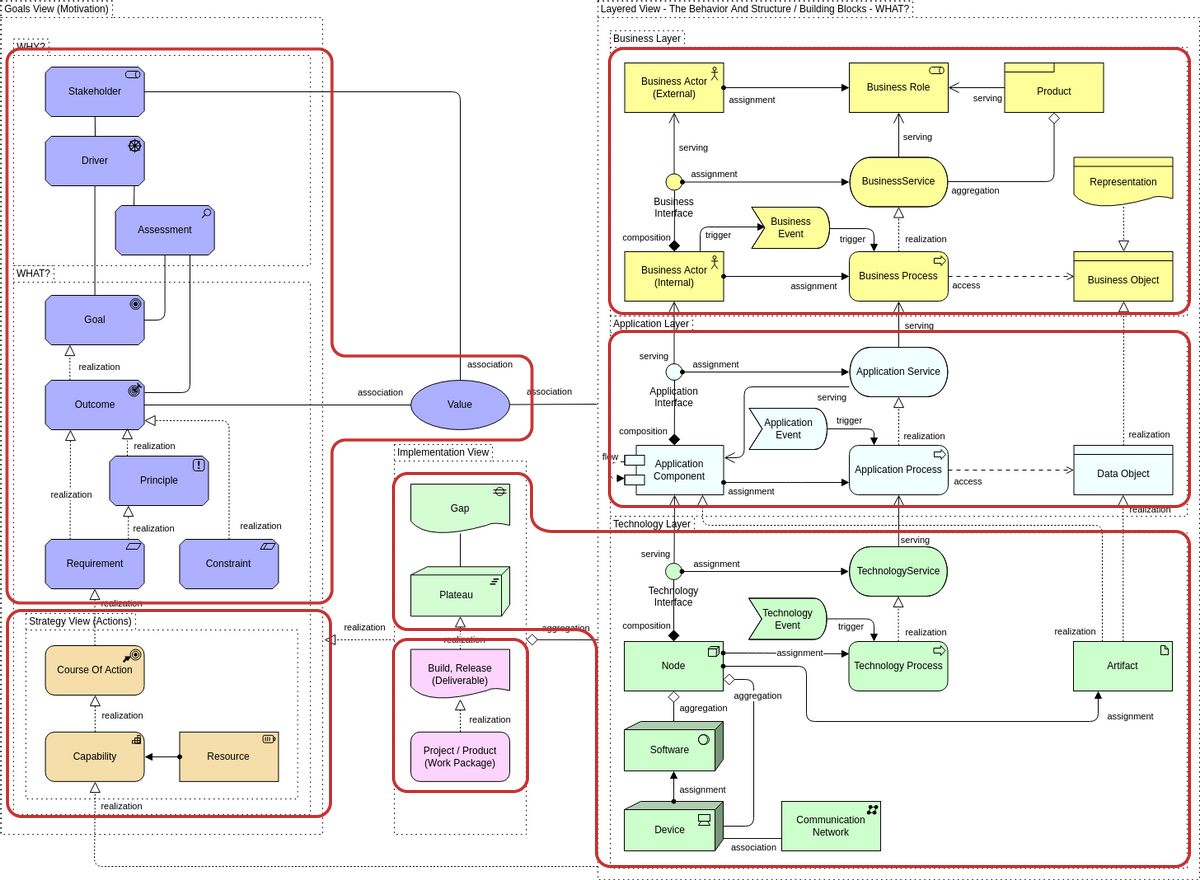
If you look at enterprise systems from above, ArchiMate acts like a map. Instead of seeing random individual systems, you see business capabilities, workflows, applications, data objects, integrations, servers, and technologies arranged in a unified model. This shared understanding helps business leaders, architects, and IT teams speak the same language.
Because ArchiMate is a standard, it removes ambiguity. Every element, relationship, and layer follows formal definitions. This makes the language suitable for strategic planning, architecture governance, and large-scale digital transformation.
2. Why ArchiMate Exists
Organizations often struggle to answer questions such as:
- How does a business capability depend on specific applications?
- What data objects flow through key processes?
- If we change an application, which business functions are affected?
- How do IT projects align with strategic goals?
Without a structured modeling language, these answers often rely on scattered documentation, inconsistent diagrams, or tribal knowledge.
ArchiMate brings all architectural domains together, enabling professionals to:
- Visualize current and future states
- Analyze gaps and dependencies
- Align technology initiatives with business strategies
- Reduce architectural complexity
- Communicate changes clearly across teams
Its strength lies in its uniformity. Anyone who understands ArchiMate notation can interpret models created by others, regardless of organization or industry.
3. The ArchiMate Layered Framework
ArchiMate uses a layered structure that mirrors how modern enterprises work. Each layer describes a different viewpoint of the organization.
a. Strategy Layer
Focuses on:
- Business goals
- Courses of action
- Capabilities
- Value streams
It defines what the organization wants to achieve and how resources should be allocated.

b. Business Layer
Describes the operational aspects:
- Business services
- Business processes
- Roles and actors
- Business objects
This layer shows how the organization delivers value.
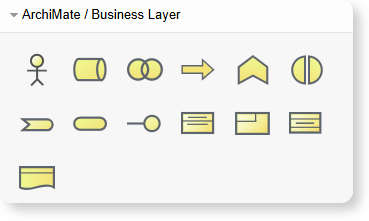
c. Application Layer
Describes software components and services:
- Applications
- Application services
- Interfaces
- Data objects
It explains how applications support business workflows.
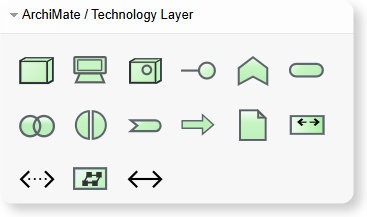
d. Technology Layer
Covers the underlying infrastructure:
- Hardware
- System software
- Networks
- Platform services
This shows how applications run on technology.
e. Physical Layer
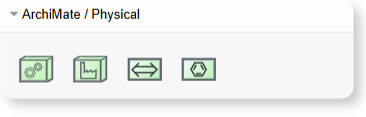
Used when modeling real-world resources:
- Machines
- Materials
- Distribution networks
- Physical processes
Helpful for manufacturing, logistics, and IoT scenarios.
f. Motivation & Implementation Layers
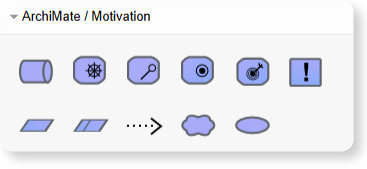
These layers provide structure for:
- Requirements
- Constraints
- Stakeholder drivers
- Work packages
- Deliverables
Useful for planning roadmaps and transformation programs.
4. What Makes ArchiMate Different?
ArchiMate stands out for several reasons:
Unified Notation
Every element across layers follows a harmonized syntax, making models easy to read.
Cross-Layer Relationships
ArchiMate lets you connect items across business, application, and technology layers. For example:
- A business process uses an application service
- An application component runs on a technology node
- A capability realizes a strategic goal
This cross-layer visibility is vital for impact analysis.
Viewpoints for Different Audiences
ArchiMate supports many viewpoints such as:
- Capability mapping
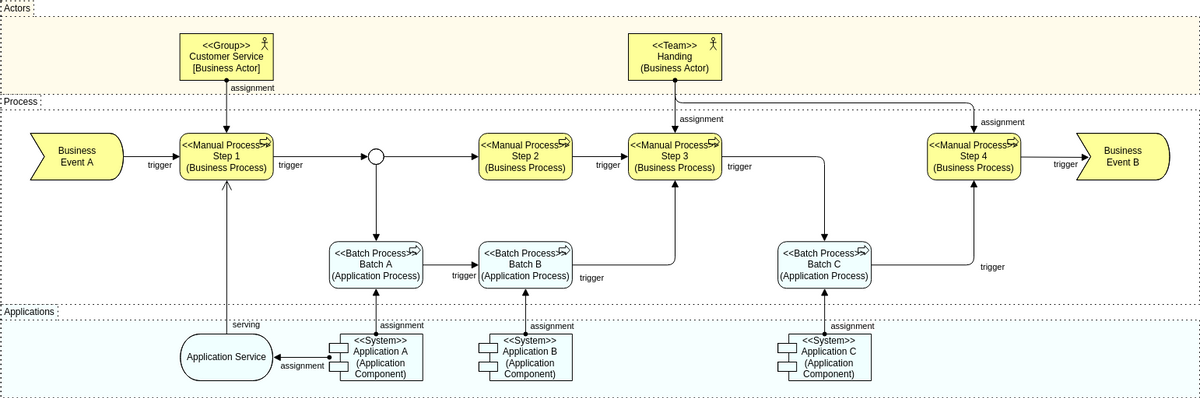
- Process view
- Application cooperation
- Service-oriented views
- Infrastructure views
- Implementation and migration views
Each viewpoint highlights only what the audience needs.
Support for Enterprise-Wide Modeling
ArchiMate scales well from small diagrams to enterprise repositories containing hundreds of interconnected models.
5. Common Uses of ArchiMate
ArchiMate is widely used in Enterprise Architecture, solution design, and digital transformation programs. Some of the most common applications include:
- Business Capability Mapping: Shows what the organization does rather than how it works. Helps with investment planning and portfolio decisions.
- Application Portfolio Management: Visualizes systems, relationships, redundancies, and modernization priorities.
- Impact Analysis: Helps teams see what happens when a process, application, or server changes.
- Designing Target Architectures: Allows architects to model future states and compare them to current states.
- Project and Roadmap Planning: ArchiMate’s Implementation layer helps align EA with project portfolios.
- Cloud and Modernization Planning: Useful for migrations, integration maps, and hybrid architectures.
6. ArchiMate vs. UML vs. BPMN
These three modeling languages serve different purposes:
| Language | Primary Use |
|---|---|
| ArchiMate | Enterprise Architecture across business, application, and technology layers |
| UML | Application-level design, especially object-oriented systems |
| BPMN | Business process modeling with detailed procedural flows |
ArchiMate provides architectural overviews, while UML and BPMN provide deeper technical or process-specific details. Many organizations use all three together.
7. Example Scenarios Where ArchiMate Excels
- a. Digital Transformation Planning: When an organization plans a multi-year transformation program, ArchiMate helps reveal:
- Current frustrations
- Technology gaps
- Redundant applications
- New capabilities required
- Dependencies between projects
- b. Cloud Migration Projects: ArchiMate helps map on-premise systems, identify integration points, and model the future cloud landscape.
- c. Merger and Acquisition: Used to compare two organizations’ structures, applications, services, and processes.
- d. Compliance and Governance: Regulated industries use ArchiMate to ensure every business process and system complies with policies.
- e. Enterprise-Wide Data Mapping: ArchiMate helps visualize where data objects are used across applications and processes.
8. How to Start Modeling with ArchiMate
Here is a simple approach that works well regardless of organization size:
- Step 1: Identify your purpose
Are you creating a capability map, an application landscape, or a full-layer enterprise model? - Step 2: Choose your key viewpoints
Start small and expand only when needed. - Step 3: Model using standard ArchiMate elements
Use an ArchiMate tool to ensure notation accuracy. - Step 4: Add relationships
This is where dependencies and insights become visible. - Step 5: Validate with stakeholders
Check accuracy with business owners, IT teams, and solution architects. - Step 6: Maintain and update
ArchiMate models become valuable repositories when kept up to date.
With an online modeling environment, you can evolve diagrams continuously and integrate them into documentation, wikis, or architecture reviews.
9. Frequently Asked Questions
- Who created ArchiMate?
ArchiMate was developed under The Open Group, the same organization responsible for TOGAF. - Do I need to learn all layers to start?
No. Many beginners start with only the Business and Application layers before expanding. - Is ArchiMate only for large enterprises?
Not at all. Small and medium organizations use ArchiMate for project and system design. - Can ArchiMate replace UML or BPMN?
It complements them. ArchiMate is ideal for high-level architecture; UML and BPMN offer deeper detail. - Is ArchiMate suitable for cloud architecture?
Yes. It is widely used for cloud adoption, modernization, and integration mapping. - Do I need a specialized ArchiMate tool?
While basic diagrams can be hand-drawn, a dedicated online ArchiMate tool ensures notation accuracy and simplifies collaboration.
Final Thoughts
ArchiMate provides a clear, standardized way to visualize how strategy, processes, applications, data, and technology tie together. It helps teams understand the big picture, reduce complexity, and make better decisions.
Whether you are planning a digital transformation, modernizing systems, mapping capabilities, or aligning IT with strategy, ArchiMate offers a language that brings clarity to enterprise-scale challenges.