


Introduction
For agile teams already fluent in UML, BPMN, and enterprise architecture frameworks, the challenge isn’t understanding notation—it’s velocity. In sprint cycles where requirements evolve daily and documentation must keep pace with working software, even experienced modelers face friction: time spent on diagram layout, notation compliance, and stakeholder alignment can detract from high-value design thinking and collaboration.
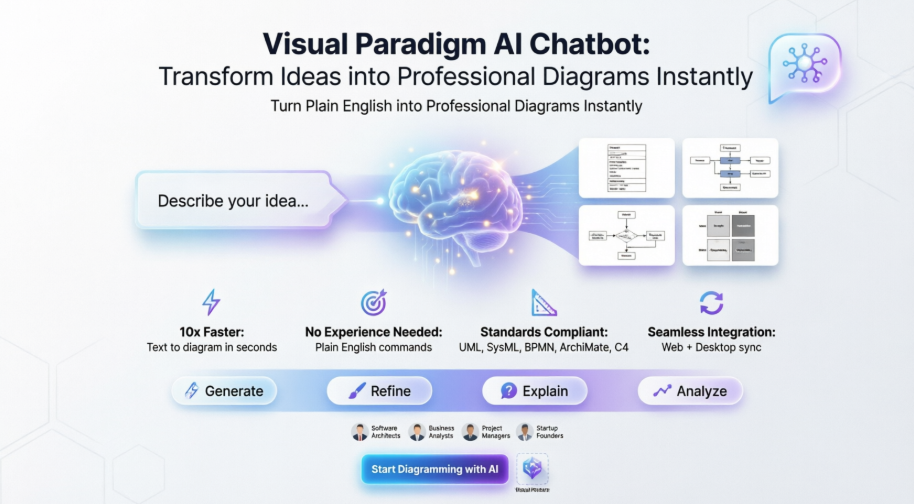
Enter the Visual Paradigm AI Chatbot: a conversational AI co-pilot engineered not to replace your modeling expertise, but to amplify it. By translating plain-English prompts into standards-compliant diagrams across UML, SysML, BPMN, ArchiMate, and C4, this tool removes the mechanical overhead of visual modeling while preserving the rigor your team relies on. This review evaluates how the Visual Paradigm AI Chatbot integrates into agile workflows, offering practical guidelines, role-specific use cases, and pro tips for teams ready to accelerate from concept to clarity—without sacrificing precision.
Why Agile Teams with Modeling Knowledge Benefit
Teams already skilled in visual modeling gain unique advantages from AI augmentation:
-
Focus on Architecture, Not Arrangement: Spend time refining system boundaries and interactions, not dragging connectors into place.
-
Rapid Iteration During Sprints: Update diagrams mid-sprint as user stories evolve—no need to rebuild from scratch.
-
Consistent Notation Across Distributed Teams: AI enforces UML/BPMN standards automatically, reducing review cycles and miscommunication.
-
Seamless Handoff to Documentation: Generate use case descriptions, process narratives, or architecture summaries directly from diagrams for sprint reviews or stakeholder updates.
Core Capabilities Tailored for Agile Workflows
Instant Diagram Generation from User Stories
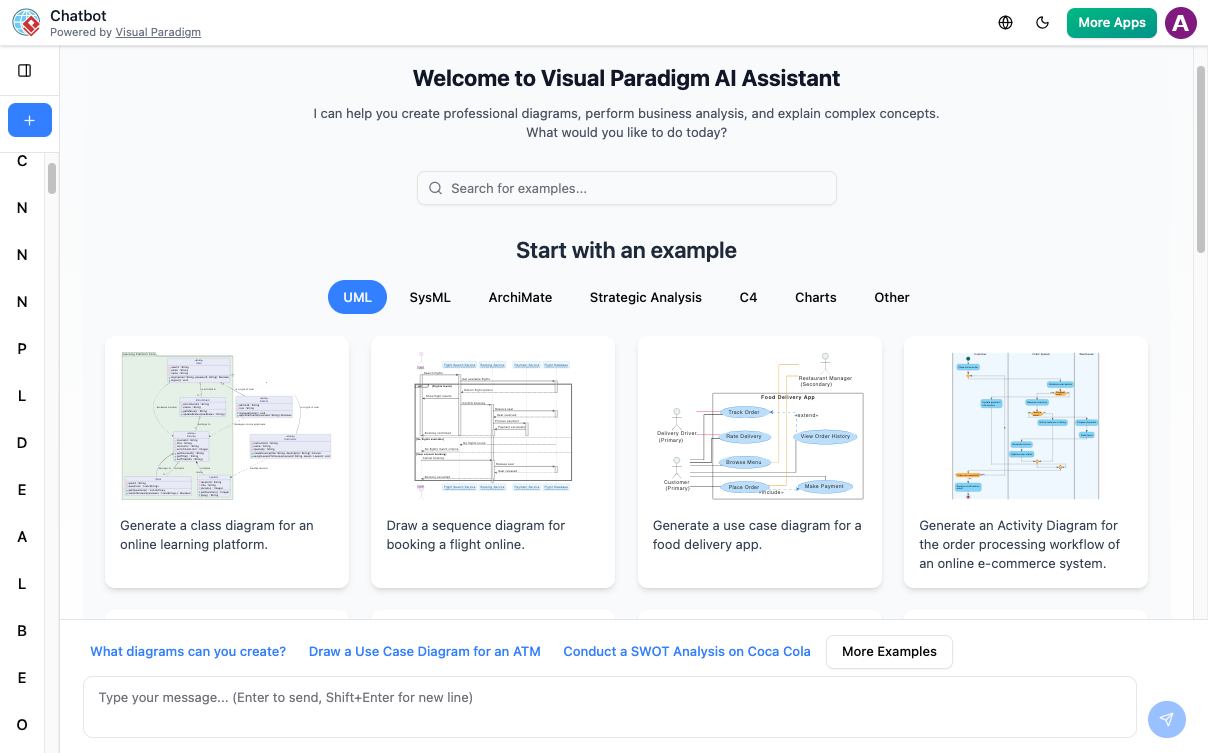
Describe a feature or workflow in natural language, and receive a polished, editable diagram in seconds. Perfect for sprint planning or backlog refinement.
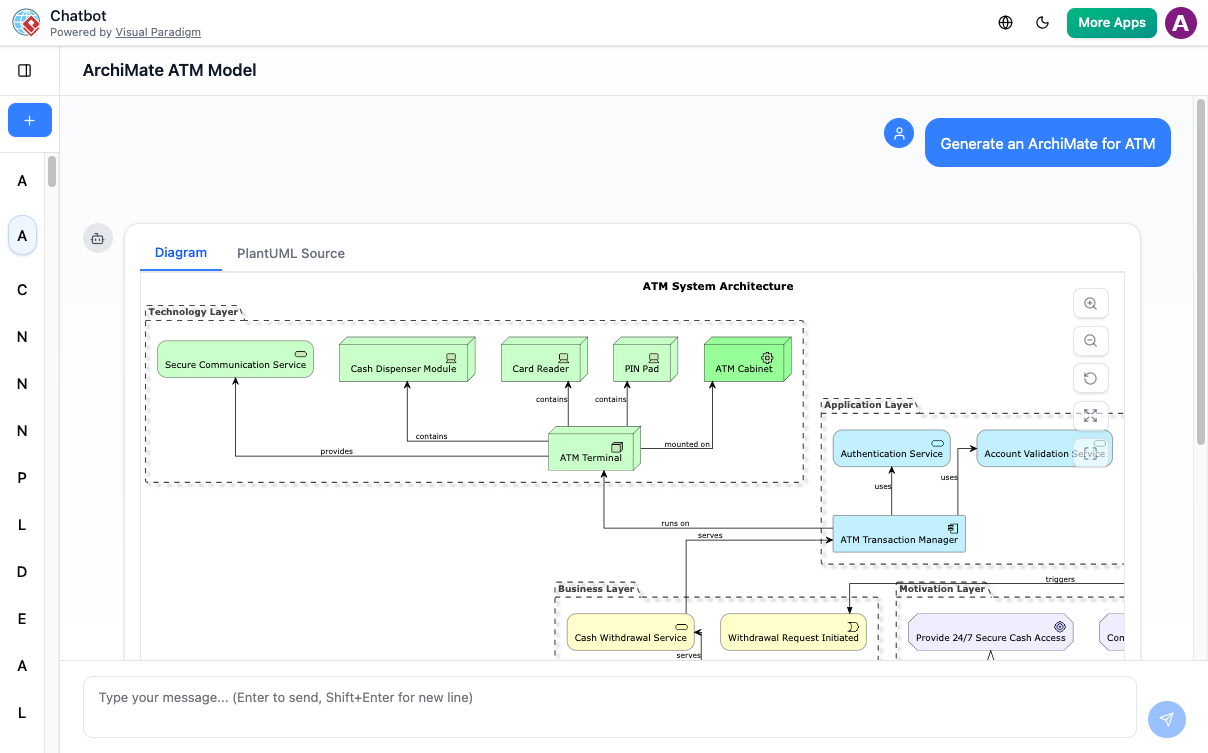
Prompt Example: “Create a BPMN diagram for the ‘User Registration’ workflow including email verification and admin approval.”
Conversational Refinement for Evolving Requirements
Agile means change. Use simple commands to adapt diagrams as stories pivot:
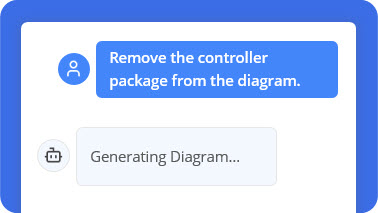
Prompt: “Add an alternative path to this Sequence Diagram to handle ‘payment failure’”
Prompt: “Rename ‘Customer’ to ‘Registered User’ across this Use Case Diagram”
Documentation on Demand for Sprint Reviews
Transform diagrams into structured artifacts instantly:
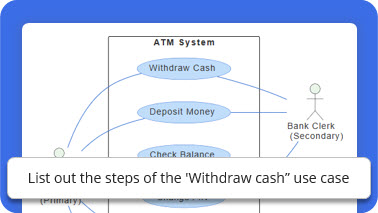
Prompt: “Generate a use case description for ‘Place Order’ including preconditions and postconditions”
Prompt: “Summarize this Activity Diagram for the sprint demo”
Standards Validation & Architecture Guidance
Leverage the AI as a real-time modeling consultant:
Prompt: “Does this Deployment Diagram follow cloud-native best practices?”
Prompt: “What security considerations should I add to this C4 Container Diagram?”
Guidelines, Tips & Tricks for Agile Teams
Prompt Engineering for Precision
-
Be specific about scope: “Create a UML Class Diagram for the Order module only” yields cleaner results than “Model the whole system.”
-
Reference existing artifacts: “Extend this Sequence Diagram to include the new refund workflow” helps the AI maintain context.
-
Use agile terminology: Terms like “user story,” “acceptance criteria,” or “sprint goal” help the AI align outputs with your workflow.
Integration into Agile Ceremonies
-
Sprint Planning: Generate initial process flows or component diagrams to visualize story scope.
-
Daily Standups: Quickly sketch dependency diagrams to unblock team discussions.
-
Retrospectives: Visualize workflow bottlenecks using AI-generated activity diagrams.
-
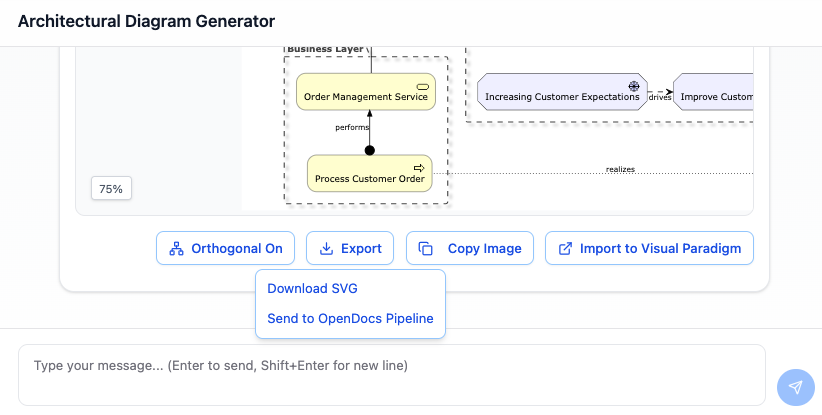
Sprint Reviews: Export polished diagrams directly into demo materials or stakeholder reports.
Collaboration & Version Control
-
Use Visual Paradigm’s sync capabilities to keep AI-generated drafts aligned with team repositories.
-
Export to Desktop for advanced versioning, commenting, and peer review workflows.
-
Leverage multi-language support for globally distributed agile teams.
Usage Cases by Role
For Scrum Masters & Agile Coaches
-
Visualize team workflows and impediments using AI-generated BPMN or value stream maps.
-
Generate retrospective templates or improvement backlogs from discussion notes.
-
Create onboarding diagrams for new team members to accelerate ramp-up.
For Business Analysts
-
Rapidly prototype process models from stakeholder interviews.
-
Convert user story maps into detailed activity or sequence diagrams.
-
Generate traceability matrices linking requirements to design elements.
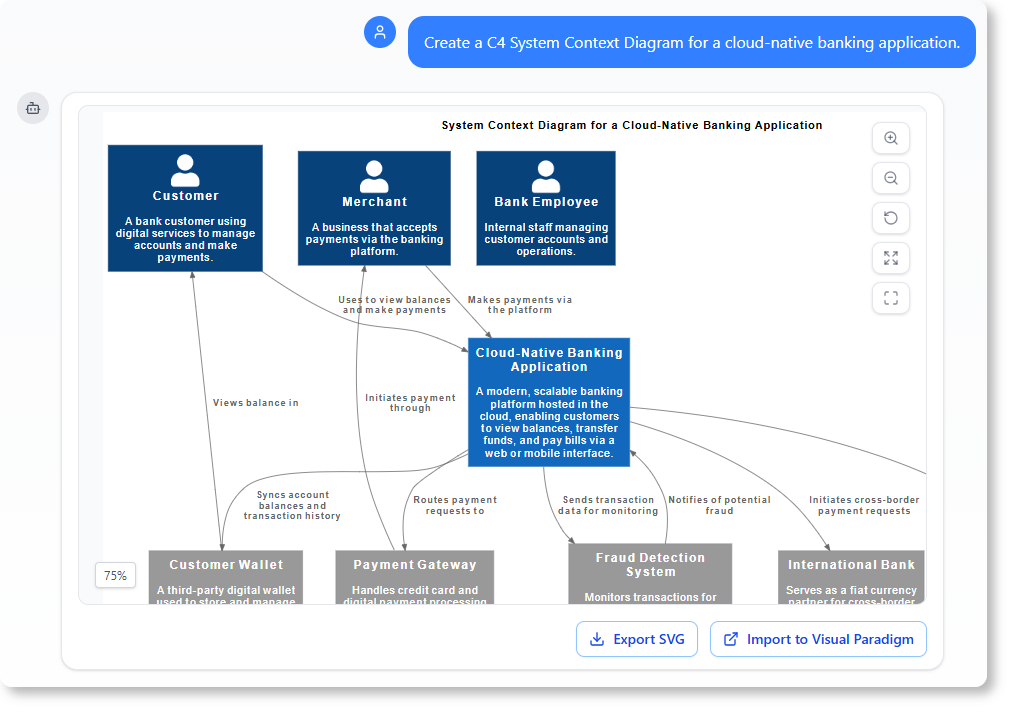
Prompt: Create a C4 System Context Diagram for a cloud-native banking application.
For Developers & Architects
-
Generate component or deployment diagrams from architectural decisions recorded in ADRs.
-
Validate design patterns against UML best practices through conversational queries.
-
Accelerate onboarding by creating system overviews for new microservices.
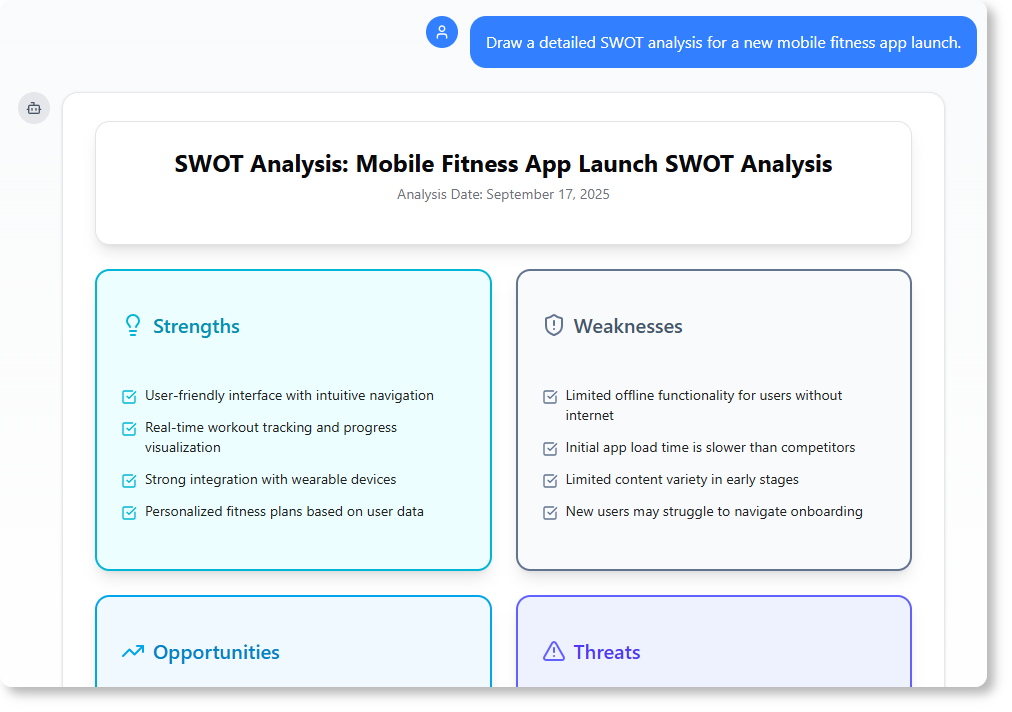
Prompt: Draw a detailed SWOT analysis for a new mobile fitness app launch.
For Product Owners
-
Visualize feature roadmaps using timeline or capability diagrams.
-
Generate stakeholder-friendly summaries of technical designs for prioritization discussions.
-
Create “as-is” vs. “to-be” process comparisons to justify epic investments.
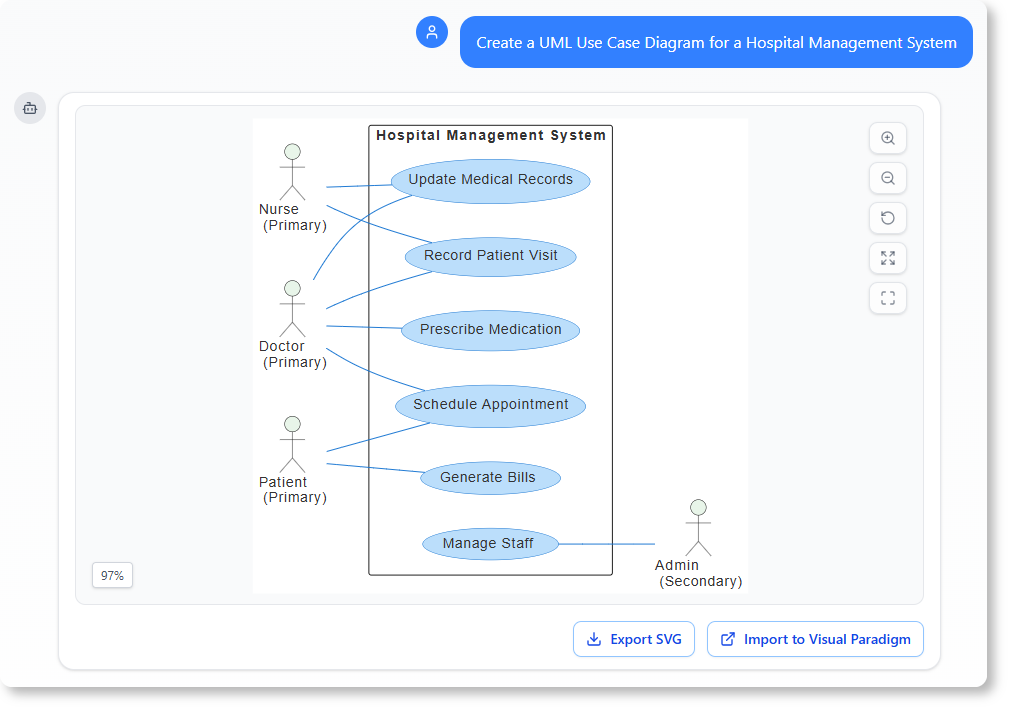
Prompt: Create a UML Use Case Diagram for a Hospital Management System.
Best Practices for Maximum Impact
-
Start Simple, Then Iterate: Begin with high-level prompts (“Create a C4 Container Diagram for our checkout service”), then refine with targeted commands.
-
Maintain a Prompt Library: Document successful prompts for recurring diagram types to ensure consistency across sprints and team members.
-
Combine AI Speed with Human Review: Use AI for rapid prototyping, but always validate complex logic or domain-specific rules with subject matter experts.
-
Leverage Export Workflows: Generate drafts in the web chatbot, then export to Desktop for advanced modeling, team collaboration, or integration with CI/CD documentation pipelines.
-
Use AI for Knowledge Transfer: Ask the chatbot to explain generated diagrams to junior team members or non-technical stakeholders.
Supported Diagram Types for Agile Contexts
The AI Chatbot covers the full spectrum of diagrams agile teams commonly use:
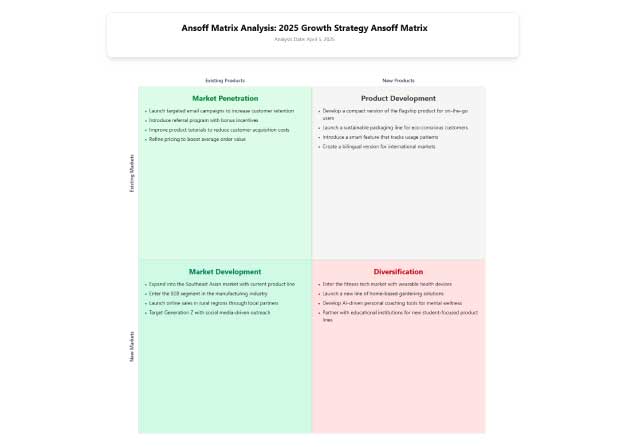
Ansoff Matrix – Strategic planning for product roadmaps
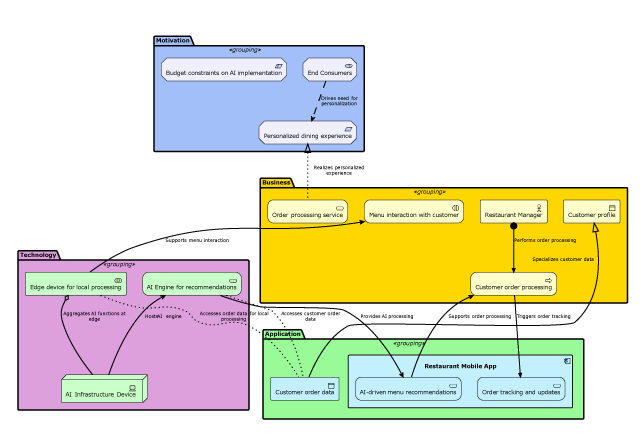
ArchiMate Diagram – Enterprise architecture alignment
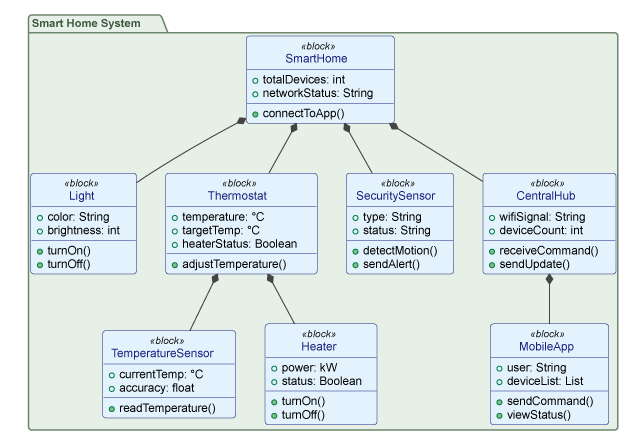
Block Definition Diagram – Systems engineering for complex products
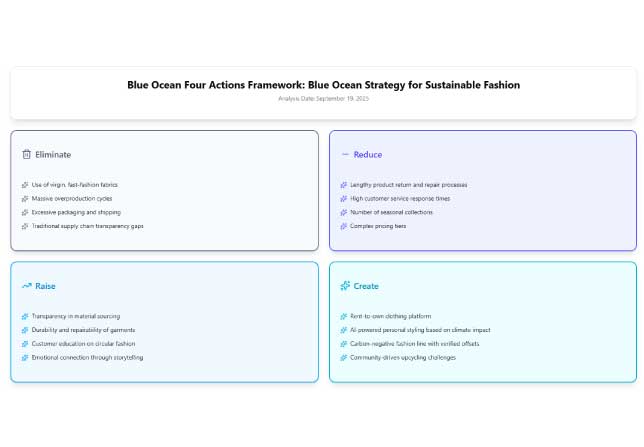
Blue Ocean Four Actions Framework – Innovation strategy workshops
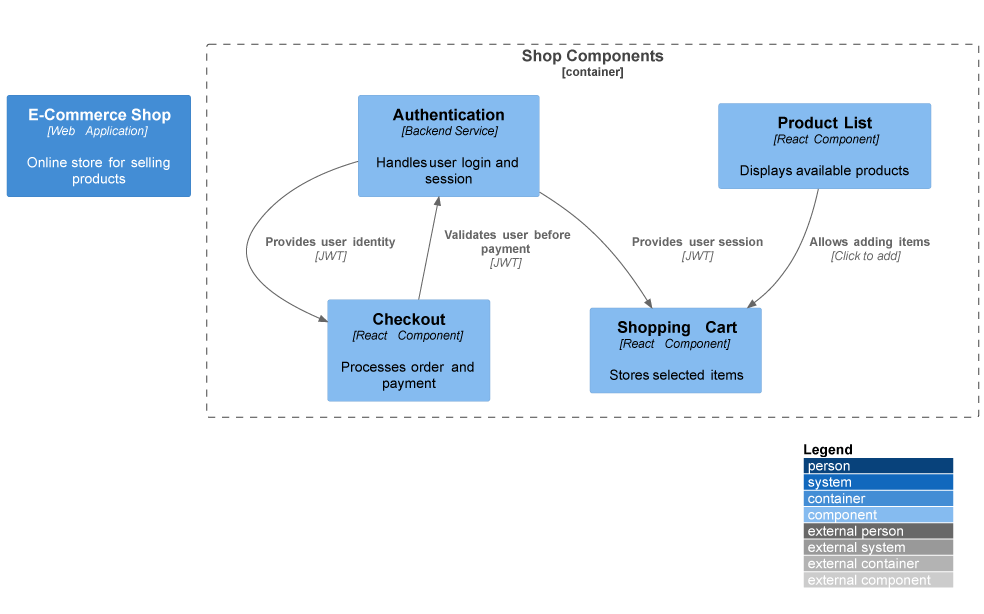
C4 Component Diagram – Microservices architecture design
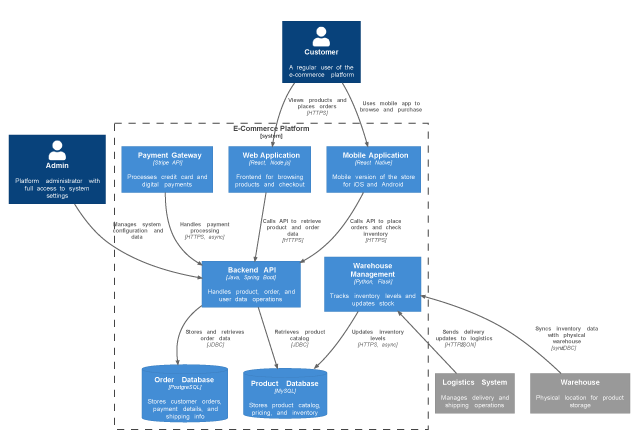
C4 Container Diagram – System boundary definition for sprint scoping
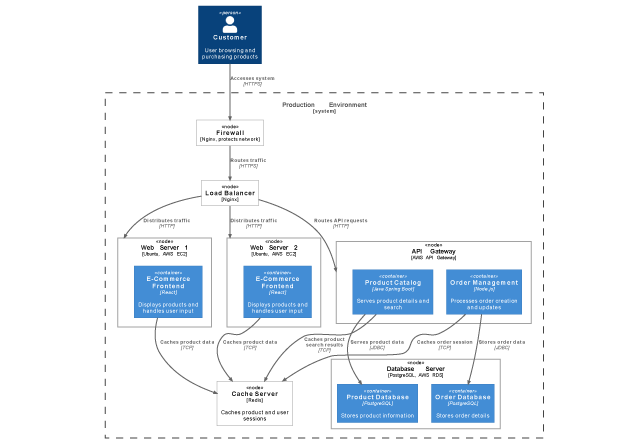
C4 Deployment Diagram – Infrastructure planning for DevOps handoff
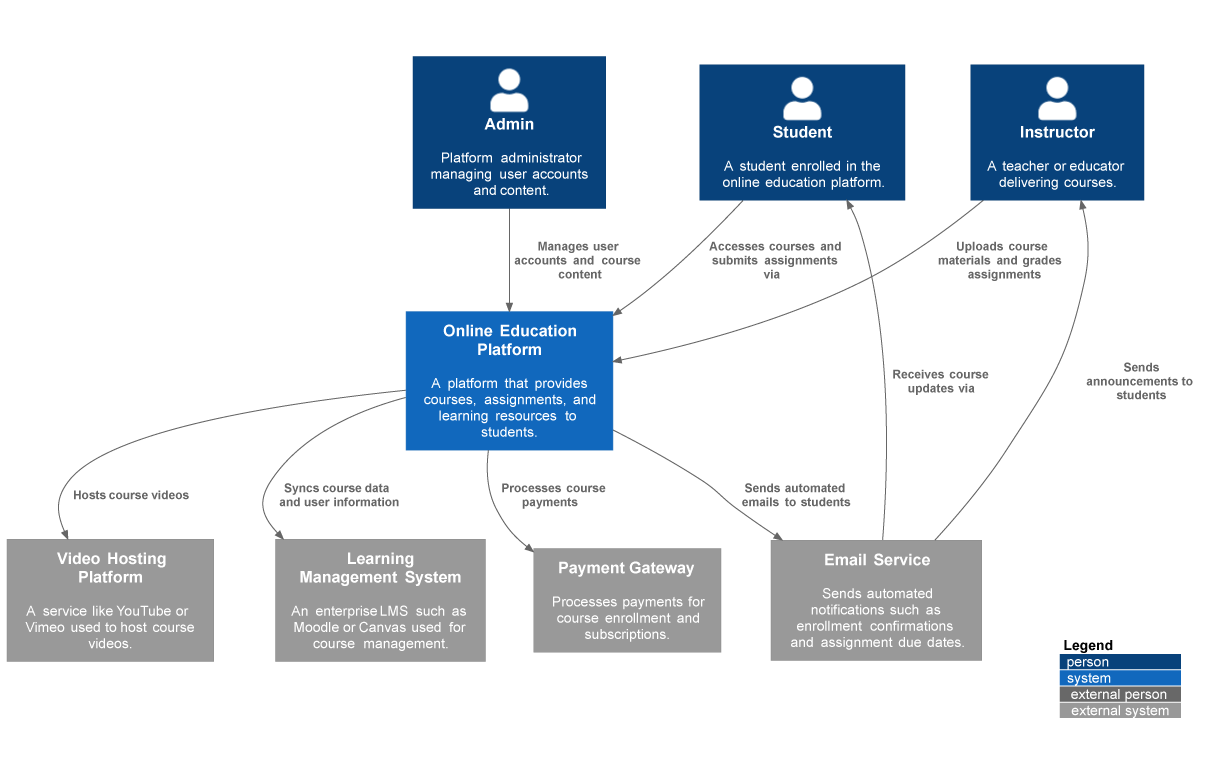
C4 System Context – Stakeholder alignment on system scope
Real Team Feedback
“I used to spend hours sketching system contexts. Now I can focus on architecture decisions while the AI handles the drawing.”
Maria Thompson • Solution Architect
“Turning diagrams into reports with one command saves me hours during project reviews and makes my workflow much more efficient.”
Daniel Rivera • Project Manager
“I asked for a ‘deployment diagram for a cloud-based CRM,’ and it delivered exactly what I imagined. The accuracy blew me away.”
Liam Park • Cloud Architect
“As a startup founder, I use it to brainstorm product ideas visually. It helps me turn thoughts into structured business models fast.”
Aisha Khan • Founder & CEO
Conclusion
For agile teams already proficient in visual modeling, the Visual Paradigm AI Chatbot isn’t about learning new notation—it’s about reclaiming time. By automating the mechanical aspects of diagram creation while preserving the rigor of UML, BPMN, and enterprise architecture standards, this AI co-pilot lets experienced modelers focus on what matters: designing resilient systems, aligning stakeholders, and delivering value faster.
The true power emerges when AI speed meets human expertise: rapid prototyping during sprint planning, conversational refinement as requirements evolve, and instant documentation for seamless handoffs. With seamless integration across web and desktop, support for global collaboration, and an intuitive interface that respects your existing knowledge, Visual Paradigm AI Chatbot transforms visual modeling from a bottleneck into a catalyst for agile excellence.
In fast-moving environments where clarity accelerates delivery, the ability to instantly translate architectural decisions, process improvements, or strategic shifts into precise, shareable visuals isn’t just convenient—it’s competitive advantage. For modeling-savvy agile teams ready to work smarter, the future of visual collaboration is conversational, contextual, and already here.
Reference
-
Visual Paradigm AI Chatbot Features: Official product page outlining the AI Chatbot’s capabilities for instant diagram generation, conversational editing, and seamless integration with Visual Paradigm tools.
-
Visual Paradigm AI Chatbot Platform: Direct access to the AI-powered conversational modeling assistant for creating professional diagrams through natural language prompts.
-
Harnessing Visual Paradigm’s AI for Diagram Generation: The Ultimate 2026 Guide: Comprehensive third-party guide exploring how Visual Paradigm’s AI ecosystem combines intelligence, structure, and integration for smarter diagramming workflows.
-
Visual Paradigm AI Chatbot: Turn Your Ideas into Diagrams Instantly: Official blog post demonstrating how to transform text prompts into presentation-ready UML, C4, and strategic diagrams in seconds.
-
Visual Paradigm AI Chatbot Multi-Language Support Release: Release notes detailing expanded language capabilities including Spanish, French, Chinese, Japanese, and German support for global teams.
-
AI Chatbot Features Overview: Dedicated features page highlighting instant generation, conversational editing, documentation on demand, and contextual suggestions.
-
Visual Paradigm 18.0 Release: AI-Powered Features: Major release announcement introducing AI-powered diagramming capabilities integrated into the Visual Paradigm desktop environment.
-
What Makes Visual Paradigm’s AI Chatbot Different from Other AI Diagram Tools?: Comparative analysis explaining the unique advantages of Visual Paradigm’s embedded AI approach versus standalone diagramming tools.
-
Revolutionizing Use Case Elaboration with Visual Paradigm AI: A Comprehensive Guide: In-depth tutorial on leveraging AI to accelerate use case modeling, documentation, and refinement processes.
-
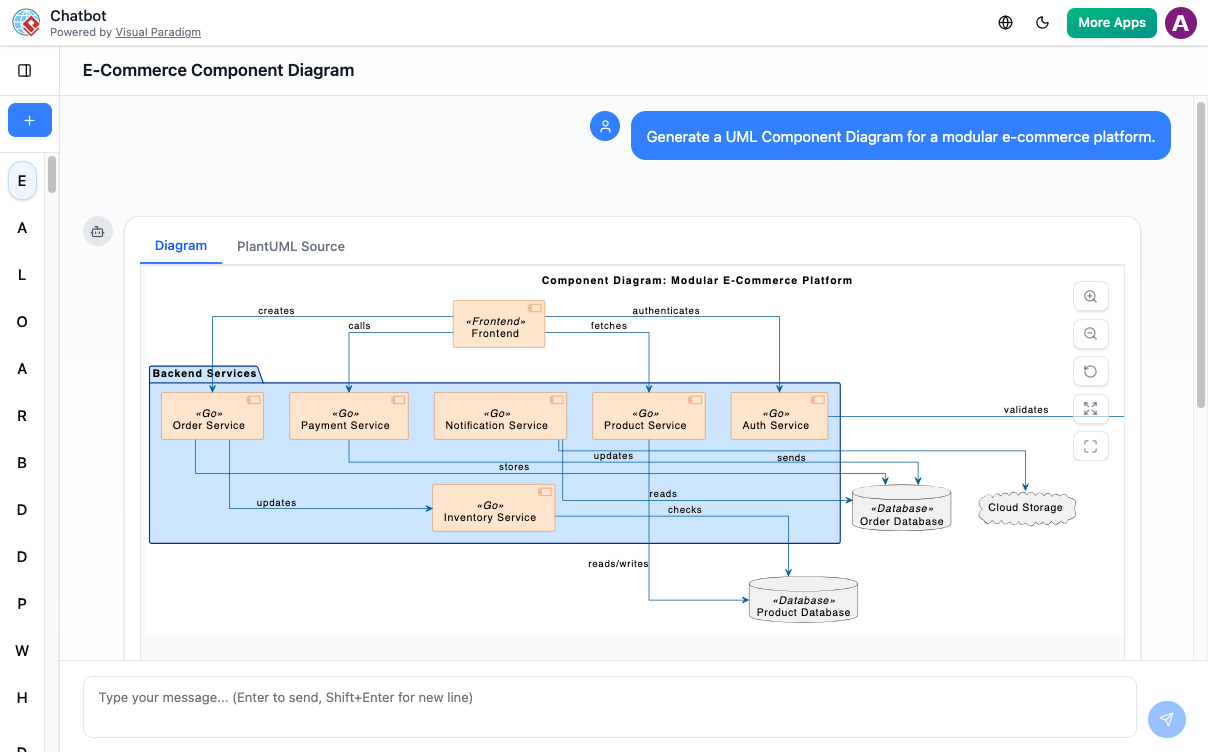
Visual Paradigm AI Chatbot: The AI-Powered Tool for Component Diagrams: Specialized review focusing on the chatbot’s effectiveness for generating and editing software architecture component diagrams.