


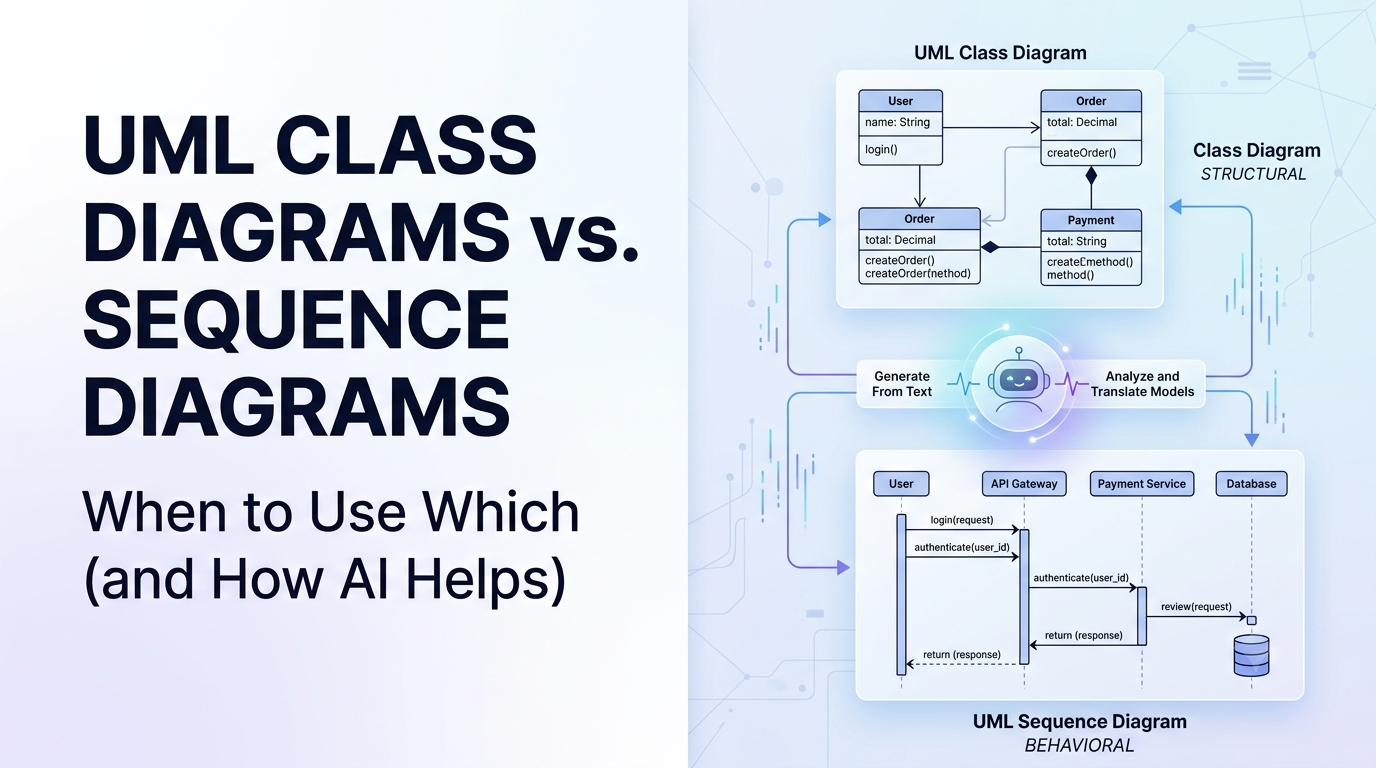
Unified Modeling Language (UML) is the industry standard for visualizing software systems. However, with 14 official UML diagram types available, developers and software engineering students often struggle with a fundamental question: Which diagram should I use to model my application?
In practice, two diagram types dominate day-to-day software engineering: Class Diagrams and Sequence Diagrams. While both are essential, they represent completely different dimensions of a software system—one focuses on static structure, while the other captures dynamic behavior. In this guide, we will break down the differences between Class and Sequence diagrams, explain when to use each, and demonstrate how modern AI tools simplify creating both.
Understanding the Core Difference: Structure vs. Behavior
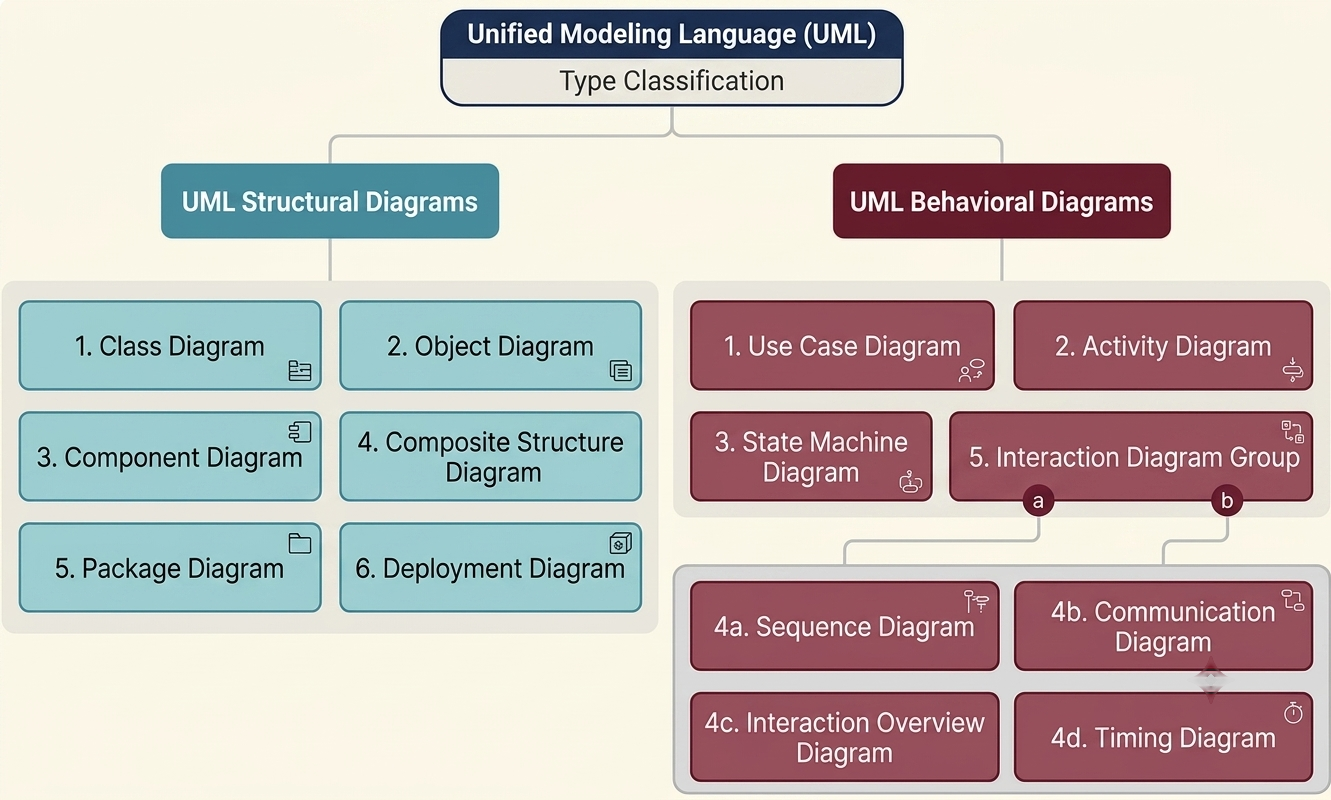
To choose the right diagram, it helps to understand the two main categories of UML diagrams:
- Structural Diagrams: Represent the static layout of a system, including its classes, attributes, operations, and object relationships. They show what exists in the system.
- Behavioral Diagrams: Represent the dynamic behavior of a system over time, detailing how objects interact, pass messages, and execute workflows. They show how things happen.
What is a UML Class Diagram?
A Class Diagram is a static structural diagram that describes the building blocks of an object-oriented system. It maps out classes, their internal properties (attributes), their actions (methods/operations), and the logical relationships between them (such as inheritance, association, aggregation, and composition).
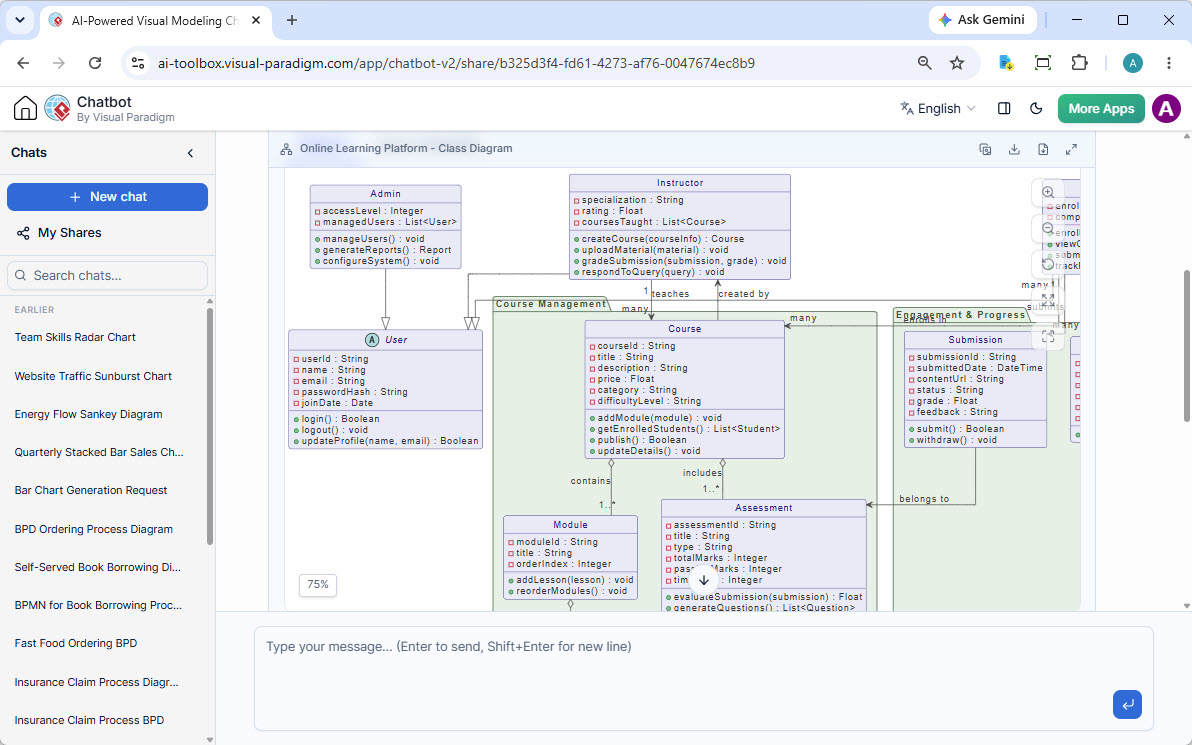
When to Use a Class Diagram
- Designing object-oriented domain models before writing code.
- Mapping database schemas or Object-Relational Mapping (ORM) entities.
- Documenting system APIs and class hierarchies for onboarding new developers.
- Analyzing system scalability and dependencies across classes.
What is a UML Sequence Diagram?
A Sequence Diagram is a dynamic behavioral diagram that models interaction sequences over time. It shows participating objects along horizontal lifelines and displays the chronological exchange of messages between them from top to bottom.
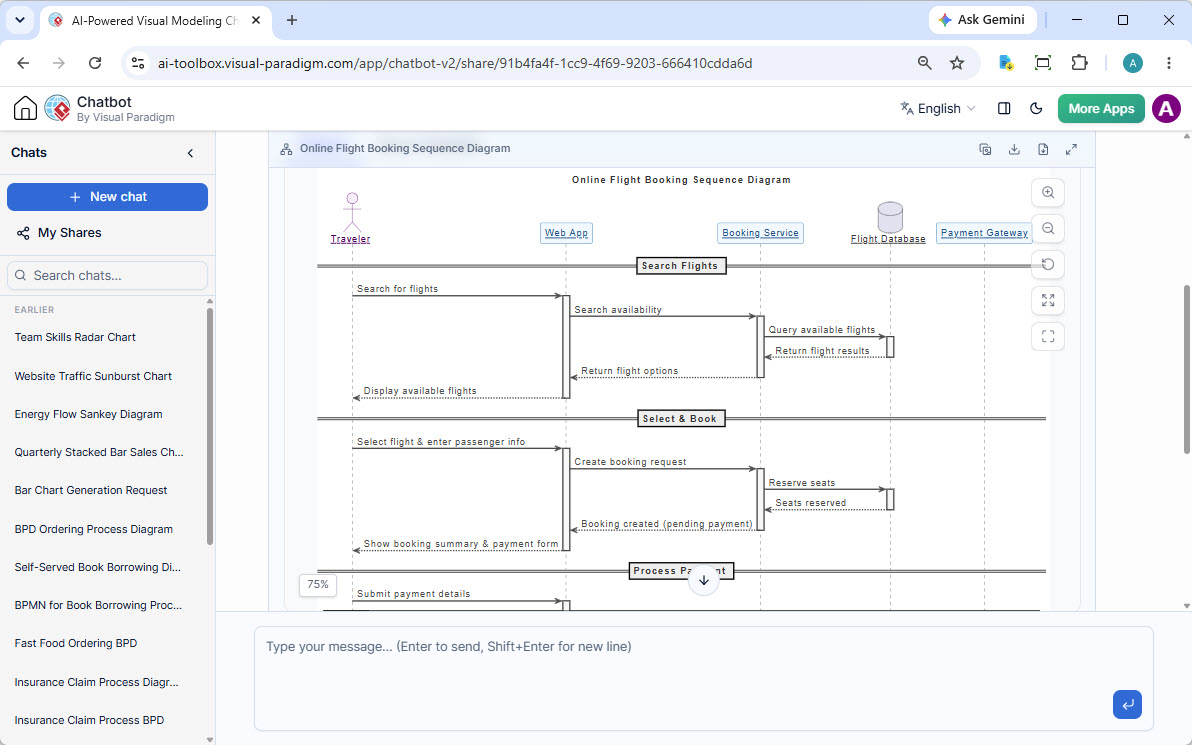
When to Use a Sequence Diagram
- Tracing step-by-step API execution flows between microservices or backend components.
- Modeling complex authentication, checkout, or transaction protocols.
- Visualizing asynchronous event-driven architectures or WebSocket messaging.
- Debugging intricate software bugs by mapping expected execution paths.
Side-by-Side Comparison: Class vs. Sequence Diagrams
| Feature | UML Class Diagram | UML Sequence Diagram |
|---|---|---|
| Category | Structural Diagram (Static) | Behavioral Diagram (Dynamic) |
| Primary Focus | System components, properties, and relationships | Chronological message flows between objects over time |
| Key Elements | Classes, Attributes, Methods, Associations, Multiplicity | Lifelines, Activation Bars, Synchronous/Asynchronous Messages |
| Dimension | Timeless (shows permanent structure) | Time-ordered (top-to-bottom sequence) |
| Best For | Database modeling, domain modeling, OOP refactoring | API integration flows, transaction processing, use case execution |
How AI Simplifies UML Modeling
Historically, software engineers had to manually draw both diagram types from scratch, carefully adhering to strict notation rules. Choosing between drawing a class structure or a sequence interaction required significant manual effort.
Modern generative AI tools eliminate this friction. By describing your system requirements in plain English, an AI UML generator can analyze your prompt and automatically recommend or produce the appropriate diagram format.
Iterative Model Derivation with AI
One of the biggest advantages of AI-assisted modeling is model derivation. Rather than building separate diagrams independently, you can use conversational AI to derive one model from another:
- Start by prompting the AI to create a Sequence Diagram for a feature (e.g., “User logs in via OAuth2”).
- Next, ask the AI to derive a Class Diagram from that sequence flow (e.g., “Based on this sequence diagram, extract the required classes, attributes, and method signatures”).
This ensures that your dynamic execution flows and static object structures remain perfectly aligned throughout the software development lifecycle.
Conclusion
Both Class and Sequence diagrams are essential tools in a software architect’s toolkit. Use Class diagrams to lay out the static foundation of your domain models, and rely on Sequence diagrams to map out dynamic message execution over time. By leveraging AI-powered modeling tools, engineering teams can seamlessly convert textual descriptions into both structural and behavioral diagrams in seconds.