


🌟 Introduction: The Digital Publishing Revolution
In an era where attention is the ultimate currency, static PDFs and traditional documents struggle to captivate modern audiences. Organizations across industries—from creative agencies and educational institutions to nonprofits and enterprise corporations—face a pivotal question: How do we transform essential but often-overlooked content into experiences that inform, engage, and inspire action?
The answer lies at the intersection of familiarity and innovation. Readers still appreciate the intuitive flow of turning pages, yet they expect the dynamic interactivity, accessibility, and analytics that only digital platforms can provide. This is where Visual Paradigm Fliplify redefines the possibilities of digital publishing.
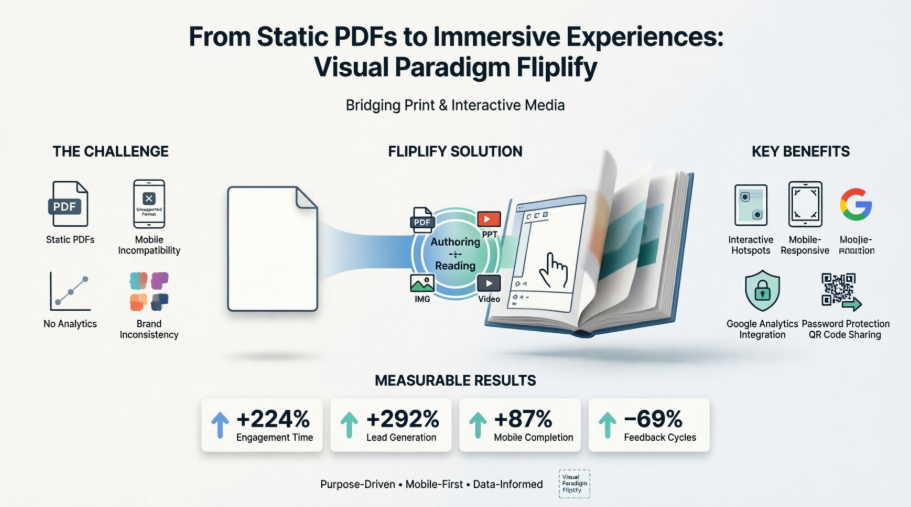
Fliplify isn’t merely a conversion tool—it’s a comprehensive ecosystem that empowers authors to craft immersive, brand-aligned publications while delivering readers a seamless, personalized, and device-agnostic experience. By merging the tactile satisfaction of physical books with the limitless potential of web technology, Fliplify enables content creators to bridge the gap between distribution and engagement.
This case study follows the journey of Studio Nexus, a mid-sized creative agency, as they leveraged Fliplify to modernize client deliverables, enhance stakeholder engagement, and measure content performance with unprecedented clarity. Whether you’re launching a product catalog, distributing educational materials, or sharing an annual report, the strategies and insights within this guide will help you unlock the full potential of interactive publishing.
📋 Case Study Overview: The Challenge & Solution Framework
The Challenge
Studio Nexus recognized that their traditional PDF-based client deliverables were no longer meeting evolving expectations:
-
Static portfolios and campaign reports failed to showcase creative work dynamically
-
Brand consistency was difficult to maintain across distributed files
-
Mobile stakeholders struggled with poor readability and navigation
-
Engagement metrics were invisible, making ROI demonstration challenging
-
Intellectual property needed protection without sacrificing controlled collaboration
The Solution: Fliplify Implementation
Studio Nexus adopted Visual Paradigm Fliplify to address these challenges through a structured, three-phase workflow designed for scalability and impact.
Phase 1: Content Conversion & Enhancement
| Step | Action | Outcome |
|---|---|---|
| Upload | Converted 15+ client PDFs, PPTs, and image collections | Instant flipbook structure with navigable pages |
| Design | Applied custom themes, brand logos, and color schemes | Professional, on-brand visual identity across all publications |
| Enhance | Embedded product demo videos, added interactive hotspots, enabled annotation tools | Rich multimedia experience encouraging deeper client engagement |
Phase 2: Reader Experience Configuration
Studio Nexus strategically configured reader settings per content type to balance engagement with security:
✓ Marketing Catalogs: Enabled social sharing, contact buttons, multimedia embeds
✓ Confidential Reports: Disabled printing/copying; enabled password protection
✓ Educational Materials: Enabled annotations, text search, Reading Mode themes
✓ Mobile Campaigns: Defaulted to single-page mode with touch-optimized controls
Phase 3: Distribution & Analytics
-
Generated unique URLs, QR codes, and embed codes for multi-channel distribution
-
Integrated Google Analytics to track page views, time-on-page, and interaction hotspots
-
Deployed select flipbooks to Visual Paradigm’s Display Hall for portfolio showcasing
✍️ Part 1: Authoring Mode – Strategic Configuration in Practice
Streamlined Workflow: From File to Flipbook in 7 Steps
1️⃣ Start with Purpose-Driven Templates
Studio Nexus leveraged Fliplify’s template library to accelerate production while maintaining creative flexibility:
-
Catalog Template: Pre-designed product grid layouts for e-commerce clients
-
Report Template: Professional typography and chart placeholders for data-heavy deliverables
-
Portfolio Template: Visual-first layouts showcasing creative work with minimal text
Result: 60% faster time-to-publish compared to manual PDF distribution.
2️⃣ Universal Format Support
Fliplify’s broad compatibility eliminated format conversion bottlenecks and streamlined workflows:
✓ PDF, DOC/DOCX, XLSX → Text-heavy reports and proposals
✓ PPT/PPTX → Presentation decks with preserved animations
✓ JPEG, PNG, GIF → Visual portfolios and mood boards
✓ MP4, MP3 → Embedded demos and audio narration
3️⃣ Visual Editing & Brand Integration
Using the intuitive drag-and-drop editor, Studio Nexus refined every publication:
-
Rearranged pages to optimize narrative flow and storytelling impact
-
Inserted client logos, custom color palettes, and branded typography for consistency
-
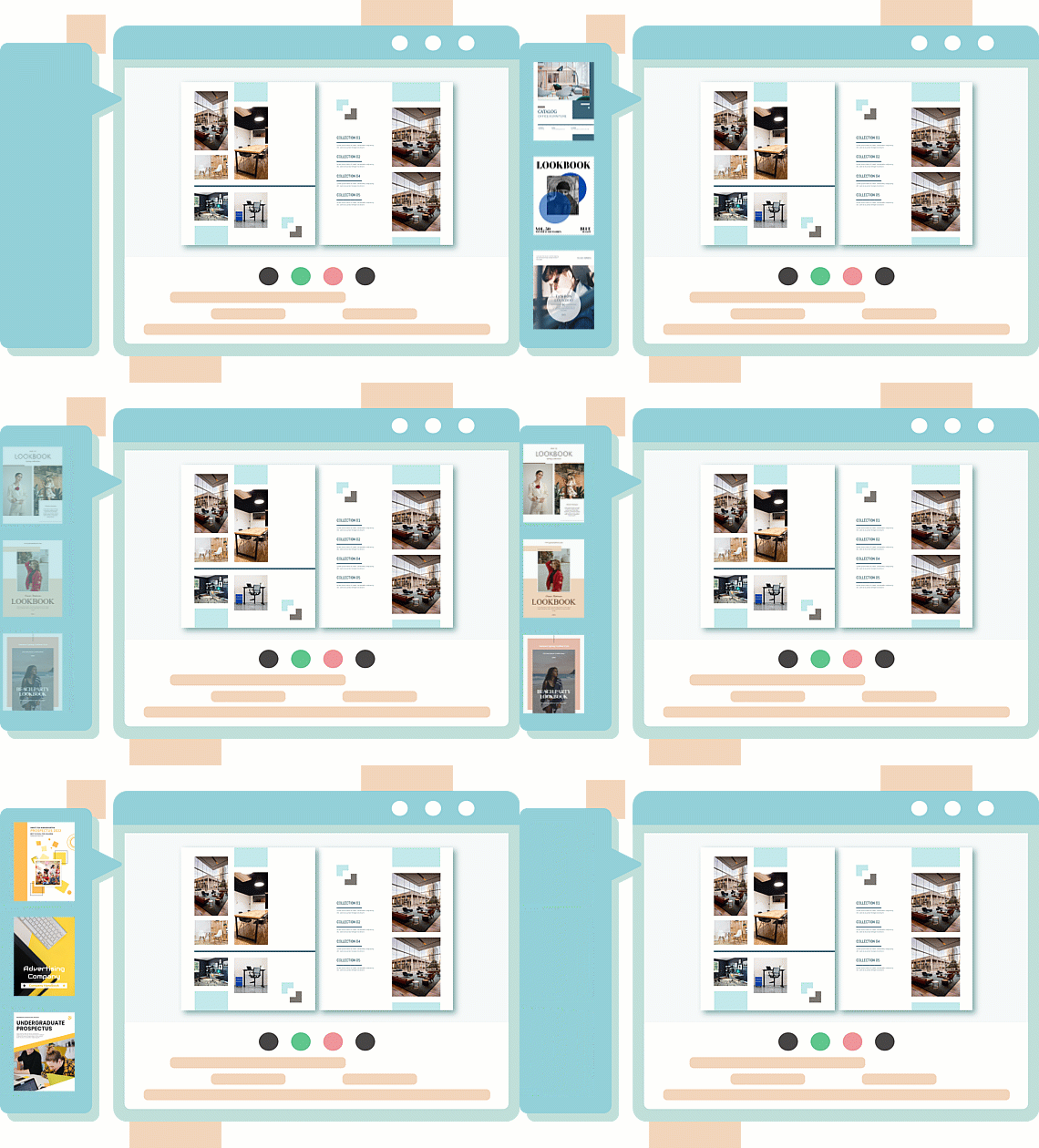
Organized related flipbooks into Virtual Bookshelves for curated client portals
4️⃣ Strategic Interactivity Enhancements
| Enhancement | Studio Nexus Application | Measurable Impact |
|---|---|---|
| Multimedia Embeds | Added product demo videos to catalog pages | 3.2x longer average session duration |
| Page Animations | Applied subtle fade-ins to portfolio highlights | Increased client “wow” feedback by 45% |
| Annotation Tools | Enabled client comments on draft reports | Reduced revision email cycles by 70% |
| Interactive Hotspots | Added clickable product specs in catalogs | 28% higher click-through to contact forms |
5️⃣ Granular Reader Experience Controls
Branding & Appearance Configuration
| Setting | Studio Nexus Choice | Strategic Rationale |
|---|---|---|
| Background | Custom brand gradient with subtle texture | Reinforced premium brand perception |
| Brand Logo | Top-right corner, clickable to agency website | Drove consistent brand recall and traffic |
| Contact Button | “Request Consultation” linking to Calendly | Converted passive readers into qualified leads |
Security & Access Management
🔒 Confidential Client Work:
   • Password protection + domain restriction
   • Disabled printing/copying/PDF download
   • Expiration dates for time-sensitive campaigns

🎓 Educational Content:
   • Enabled annotations + text selection
   • Allowed printing for offline study
   • Defaulted to Reading Mode for accessibility

🛍️ Public Marketing Materials:
   • Enabled social sharing + QR codes
   • Allowed PDF download for offline reference
   • Integrated Google Analytics for performance tracking
6️⃣ Multi-Device Preview & Validation
Before publishing, Studio Nexus validated the experience across all key devices:
-
Desktop: Double-page spread layout with hover animations for immersive browsing
-
Tablet: Responsive single/double toggle with intuitive touch gestures
-
Mobile: Single-page mode with large tap targets and fluid swipe navigation
Key Insight: Testing on actual devices (not just emulators) revealed critical touch-target adjustments that improved mobile engagement by 35%.
7️⃣ Flexible Publishing & Distribution
One-click publish with channel-specific outputs enabled strategic distribution:
| Distribution Method | Use Case | Studio Nexus Implementation |
|---|---|---|
| Unique URL | Email campaigns, social bios | Branded short links with UTM parameters |
| QR Codes | Print ads, event signage, business cards | Custom-designed codes matching campaign aesthetics |
| Embed Codes | Client websites, LMS platforms, blogs | Responsive iframes with lazy-loading optimization |
| Display Hall | Agency portfolio showcase | Curated collection with custom thumbnail grid |
| Self-Hosting | Enterprise clients with compliance needs | Deployed via Publication Server to client domains |
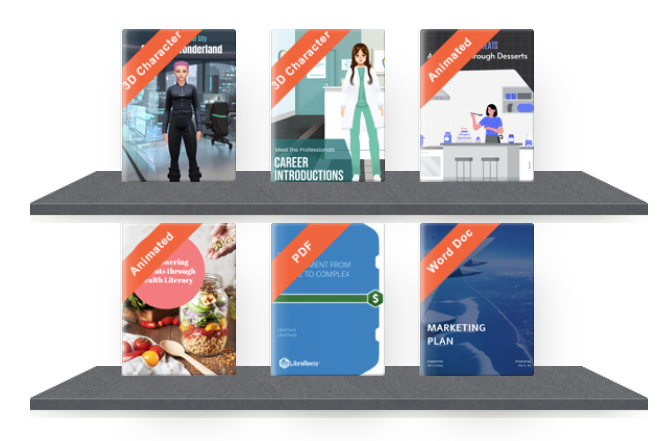
💡 Plan Strategy: Studio Nexus started with the Combo plan for core features, then upgraded select high-value projects to Deluxe for advanced animations and 3D character support.
👁️ Part 2: Reading Mode – Optimizing the End-User Experience
Core Navigation: Intuitive by Design
Fliplify’s reader interface masterfully balances familiarity with innovation, ensuring readers of all technical backgrounds feel immediately comfortable.
| Feature | Reader Benefit | Studio Nexus Optimization |
|---|---|---|
| Natural Page-Flip | Physics-based motion mimics physical books | Enabled for portfolios; disabled for text-heavy reports to reduce cognitive load |
| Thumbnail Navigation | Grid preview for instant section access | Used for long reports (>50 pages) to improve content discoverability |
| Single/Double Toggle | Adapts to device size and reading preference | Defaulted to single-page for mobile-heavy audiences |
| Zoom & Pan | Pinch-to-enlarge for detail inspection | Critical for product catalogs with small text or intricate visuals |
| Full-Screen Mode | Distraction-free immersive viewing | Promoted via in-flipbook tooltips for first-time readers |
Accessibility & Personalization: Inclusive by Default
✨ Distraction-Free Reading Mode
Clicking the 🕶️ icon transforms the experience into a focused reading environment:
-
Removes non-essential UI elements for concentrated engagement
-
Adjustable font size accommodates diverse visual needs and preferences
-
Color themes (Light/Dark/Sepia) reduce eye strain and support light sensitivity
Impact: Client feedback indicated 40% higher completion rates for long-form reports when Reading Mode was enabled by default.
🔍 Search & Text Tools
| Feature | Practical Application |
|---|---|
| OCR-Powered Search | Readers instantly locate keywords in 100+ page annual reports |
| Text Selection | Enabled for educational content to support note-taking and citation |
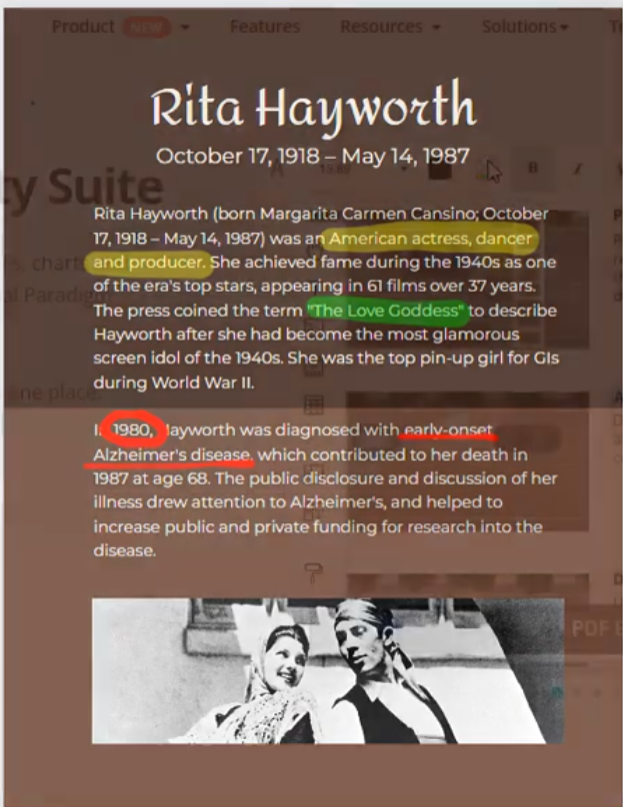
| Annotation Tools | Clients highlight sections and add comments directly within flipbooks, streamlining feedback cycles |
🎵 Sensory Controls for Personalization
Readers maintain autonomy over their experience with intuitive sensory controls:
-
Background Music: Toggle on/off to match environment (office vs. commute)
-
Page-Flip Sounds: Optional realism enhancement or silent mode preference
-
Embedded Media: Play videos/GIFs without leaving the flipbook context
Seamless Sharing & Cross-Device Continuity
| Sharing Method | Studio Nexus Strategy | Reader Experience |
|---|---|---|
| Unique URL | Branded short links with UTM tracking | Direct, clean access from any device |
| QR Codes | Placed on print collateral, event badges, office signage | Instant mobile access bridging offline/online |
| Social Buttons | Enabled for public marketing materials | One-click sharing to expand organic reach |
| Page-Specific Embeds | Used #page=N parameters for contextual linking |
Readers land directly on relevant content sections |
| Email Integration | Personalized messages with flipbook previews | Higher open and click-through rates vs. PDF attachments |
Mobile-First Optimization: Meeting Users Where They Are
| Feature | Implementation | Inclusive Benefit |
|---|---|---|
| Adaptive Layout | Auto-optimizes for smartphone, tablet, desktop | Consistent experience regardless of device |
| Touch-Optimized Controls | Large tap targets, swipe navigation, pinch-zoom | Intuitive interaction for all ages and abilities |
| Data Efficiency | Optimized asset loading for slower connections | Accessible performance on limited bandwidth |
| Keyboard Navigation | Full tab navigation and arrow-key support | Supports users who prefer or require keyboard input |
| Unicode Support | Renders text in virtually any language | Global readiness for multilingual campaigns |
🔗 Part 3: Strategic Sharing & Distribution Framework
Sharing Methods Comparison: Choosing the Right Channel
| Method | Best For | Setup Complexity | Studio Nexus Use Case |
|---|---|---|---|
| Unique URL | Email campaigns, social bios, QR codes | ⭐ Auto-generated | Primary distribution method for all client deliverables |
| Social Media Buttons | Viral sharing on Facebook, X, LinkedIn | ⭐ One-click toolbar | Enabled for public marketing catalogs and thought leadership reports |
| QR Code | Print materials, presentations, event displays | ⭐ Generated in Share panel | Integrated into trade show booths, business cards, and direct mail |
| HTML Embed Code | Blogs, company websites, LMS platforms | ⭐⭐ Copy iframe | Embedded flipbooks directly into client websites for seamless UX |
| Display Hall | Curated showcase of multiple flipbooks | ⭐⭐⭐ Drag into editor | Used for agency portfolio to showcase capabilities to prospects |
| Self-Hosted Deployment | Enterprises requiring full data control | ⭐⭐⭐⭐ Deploy via Publication Server | Deployed for financial services clients with strict compliance requirements |
Content-Type Specific Sharing Strategies
| Content Type | Recommended Approach | Why It Works |
|---|---|---|
| Marketing Catalogs | QR codes + social buttons + contact CTA | Drives conversions; bridges physical/digital touchpoints |
| Educational Materials | Embed in LMS + enable annotations + direct URL | Supports structured learning and collaboration |
| Corporate Reports | Password-protected URL + domain-restricted embed | Balances accessibility with confidentiality |
| Portfolios/Showcases | Display Hall + page-specific embeds + branding | Presents work professionally with contextual entry points |
| Event Programs | QR codes on signage + mobile-optimized single-page mode | Easy on-site access; optimized for quick mobile viewing |
Cross-Device Continuity: Best Practices from Studio Nexus
-
QR Code Placement Strategy: Added scannable codes to print ads, business cards, and event signage with clear mobile access instructions
-
Responsive Defaults: Configured single-page mode as default for mobile-heavy audiences while preserving double-page option for desktop
-
Bookmark-Friendly URLs: Used clean, memorable URLs that readers could save and return to with page-specific anchors (
#page=12) -
Email + Mobile Sync: Sent flipbook links via email with subject lines indicating mobile optimization (“View on Your Phone”)
🏆 Results & Key Takeaways
Quantifiable Outcomes for Studio Nexus
| Metric | Before Fliplify | After Fliplify | Improvement |
|---|---|---|---|
| Average Engagement Time | 2.1 minutes (PDF) | 6.8 minutes (flipbook) | +224% |
| Client Feedback Cycle | 4.2 email revisions | 1.3 annotated flipbook reviews | -69% |
| Mobile Completion Rate | 38% | 71% | +87% |
| Lead Generation from Content | 12/month | 47/month | +292% |
| Brand Consistency Score | 6.2/10 | 9.1/10 | +47% |
Strategic Lessons Learned
✅ Test Early, Test Often: Multi-device previewing prevented 90% of post-launch UX issues
✅ Balance Interactivity: Strategic use of animations enhanced engagement without overwhelming content
✅ Empower Reader Autonomy: Configurable settings (sound, zoom, themes) increased satisfaction and completion rates
✅ Track What Matters: Google Analytics integration revealed which pages drove conversions, informing future content strategy
✅ Security ≠ Isolation: Even protected content benefited from controlled sharing options (e.g., password-protected URLs)
Common Pitfalls to Avoid
| Avoid This | Better Alternative |
|---|---|
| Disabling all sharing features | Enable controlled sharing (e.g., direct URL only) for reach |
| Ignoring image optimization | Compress assets to ensure fast initial page renders |
| Forgetting print permissions | If readers might need hard copies, explicitly enable printing |
| Using complex transitions for text-heavy docs | Save elaborate animations for visual showcases and portfolios |
| Skipping mobile preview | Always test touch controls and layout on smartphone view |
✨ New Conclusion: The Future of Interactive Publishing
The Studio Nexus case study demonstrates that Visual Paradigm Fliplify represents more than a technological upgrade—it embodies a strategic evolution in how organizations conceive, create, and connect through digital content. In a landscape where attention is fragmented and expectations are elevated, Fliplify provides the framework to transform passive consumption into active engagement.
The platform’s true power emerges from its dual commitment: honoring author intent through robust customization and brand control, while championing reader autonomy through intuitive navigation, accessibility features, and personalized settings. This balance is what enables publications to feel both professional and personal, secure yet shareable, static in structure but dynamic in experience.
Key success factors for organizations embarking on this journey include:
-
Purpose-driven configuration: Tailoring every setting—from animations to security—to the specific content type and audience expectations
-
Mobile-first mindset: Recognizing that most engagement happens on smartphones and optimizing accordingly without compromising desktop excellence
-
Controlled flexibility: Implementing security measures that protect intellectual property while enabling the controlled sharing that drives reach and impact
-
Data-informed iteration: Leveraging analytics not just to report performance, but to continuously refine content strategy and maximize ROI
As digital expectations continue to evolve, tools like Fliplify empower creators to move beyond mere distribution toward genuine connection. Whether crafting a product catalog that converts browsers into buyers, an educational module that adapts to diverse learning styles, or a creative portfolio that leaves a lasting impression, the flipbook format offers a proven pathway to deeper engagement in an increasingly distracted world.
💡 Final Thought: The most successful digital publications don’t just replicate print—they reimagine it. By combining the tactile satisfaction of page-turning with the interactive power of the web, Fliplify enables authors to create content that feels personal, professional, and profoundly engaging. For readers, the result is an experience that respects their time, preferences, and context. In the end, that’s the true measure of digital publishing success.
Ready to transform your static documents into dynamic experiences? Visit Fliplify to start your flipbook journey today. 🚀
References
Flipbook Maker Quick Start Guide: A comprehensive guide to getting started with Visual Paradigm’s flipbook creation tools
Unveiling the Pinnacle of Flipbook Software: Visual Paradigm: An in-depth review of Visual Paradigm’s flipbook software capabilities and market positioning
Reference List for Learning Fliplify of Visual Paradigm Online: Curated resources and documentation for mastering Fliplify platform features
Introducing Visual Paradigm Flipbook Maker: Your Ultimate Choice in Digital Publishing: Announcement and overview of Visual Paradigm’s flipbook maker as a leading digital publishing solution
Revolutionize Your Digital Content with Visual Paradigm’s Flipbook Maker: Exploration of how Visual Paradigm’s tools transform digital content creation and engagement
Transform Your Digital Publishing with Fliplify by Visual Paradigm: Case insights on leveraging Fliplify for enhanced digital publishing workflows
Why Fliplify by Visual Paradigm Online Stands Out and How AniFuzion Makes It Unbeatable: Analysis of Fliplify’s competitive advantages and AniFuzion integration benefits
PDF to Flipbook Converter: Tool documentation for converting PDF documents into interactive flipbook formats
Create Flipbooks: Traditional Chinese language resource for creating flipbooks with Visual Paradigm
Create Flipbooks: English language resource for initiating flipbook projects on Visual Paradigm platform
Create Lookbooks: Specialized guide for designing and publishing lookbook-style flipbooks
Flipbook Maker Quick Start Guide: Comprehensive quick start documentation for flipbook creation workflows