
Mastering UML System Design with Visual Paradigm Community Edition
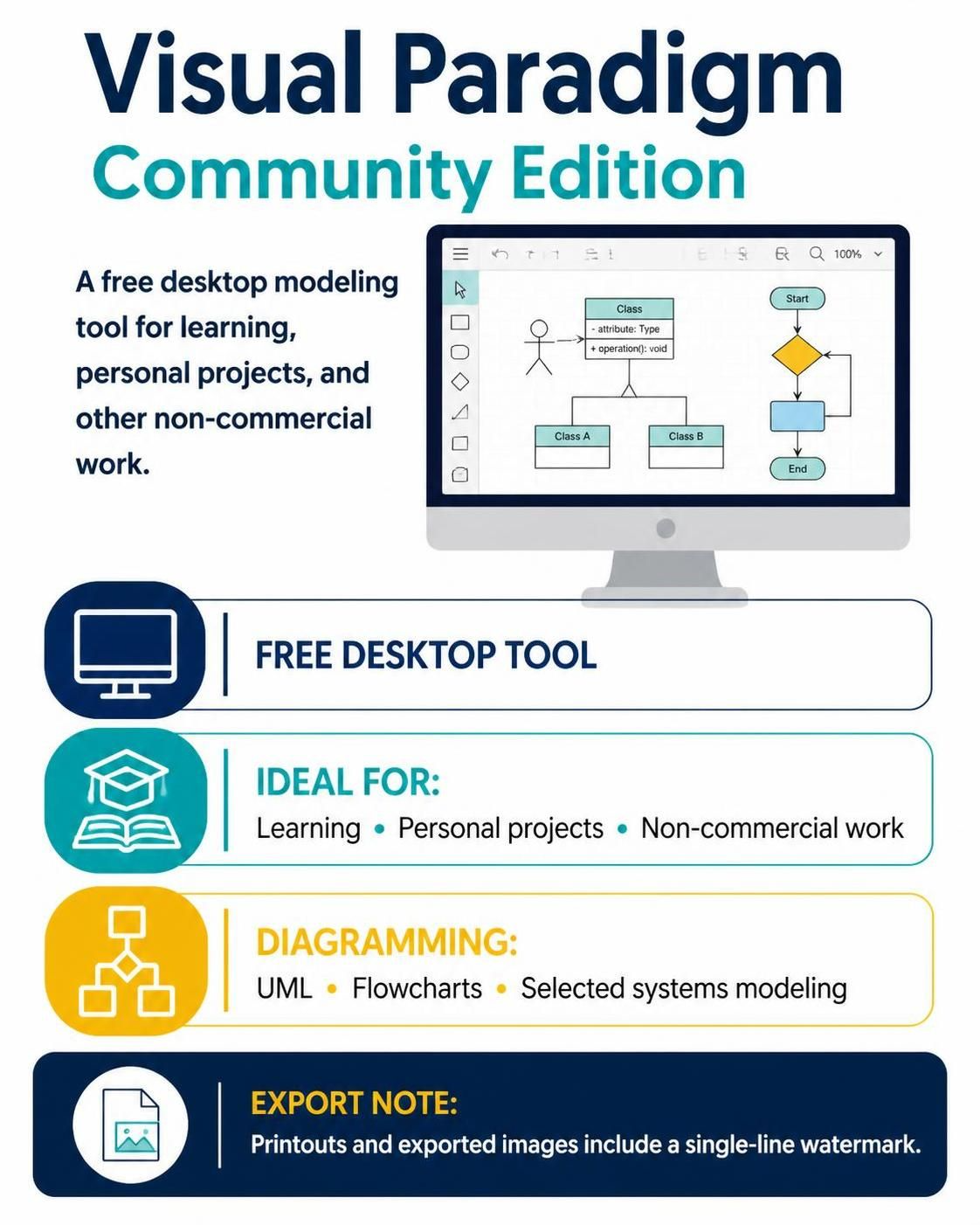
In the rapidly evolving world of software engineering and systems architecture, having the right tool for the job is paramount. For students, hobbyists, and independent developers, cost is often a significant barrier to entry for professional-grade modeling software. This is where Visual Paradigm Community Edition steps in as a game-changer.
This article serves as a comprehensive guide to understanding the capabilities of Visual Paradigm Community Edition (VPCE), focusing on its architecture, the modeling concepts it supports, and the practical limitations you need to navigate. Whether you are learning UML for the first time or building complex system models for a personal project, VPCE offers a robust, free alternative to enterprise licenses.
Understanding the Tool’s Architecture
Visual Paradigm is not merely a drawing tool; it is a sophisticated modeling environment. The Community Edition retains the core architectural engine of the professional version, allowing it to handle complex metadata and relationships.
The Desktop Environment
Unlike cloud-based SaaS (Software as a Service) tools, VPCE is a desktop application. This architecture offers several distinct advantages for the user:
- Data Sovereignty: Your diagrams and project files are stored locally on your machine, ensuring privacy and offline accessibility.
- Performance: Desktop rendering often handles heavy diagrammatic loads faster than browser-based counterparts.
- Integration: It integrates tightly with your operating system, allowing for easier file management and export to standard formats.
Core Modeling Concepts Supported
The infographic highlights three primary areas of diagramming capability. Let’s break down the technical concepts behind these features.
1. Unified Modeling Language (UML)
UML is the industry standard for visualizing, specifying, constructing, and documenting the artifacts of software systems. VPCE supports the full spectrum of UML diagrams:
- Structural Diagrams: Such as Class Diagrams (as seen in the example), Object Diagrams, and Component Diagrams. These define the static structure of the system.
- Behavioral Diagrams: Including Use Case, Activity, State Machine, and Sequence Diagrams. These capture the dynamic behavior of the system.
2. Flowcharts
Beyond software-specific modeling, the tool excels at general logic visualization. Flowcharts are essential for:
- Documenting algorithms before coding.
- Mapping out business processes.
- Creating user journey maps.
The interface typically supports standard symbols like terminators (ovals), processes (rectangles), and decision points (diamonds), allowing for clear logical flow representation.
3. Systems Modeling
Selected systems modeling tasks often involve System Architecture or Business Process Modeling Notation (BPMN). These diagrams bridge the gap between high-level business requirements and technical implementation, often involving entities that interact with the system rather than just software classes.
Step-by-Step: Creating a Basic Class Diagram
To demonstrate the power of VPCE, let’s walk through the conceptual steps of creating a Class Diagram, which is central to Object-Oriented Analysis and Design (OOAD).
- Initialize the Model: Open Visual Paradigm and select “New Project.” Choose a UML Modeling profile.
- Create the Class: Drag a Class element from the palette onto the canvas. Double-click to rename it (e.g.,
Customer). - Define Attributes: Click inside the class box to add attributes. In VPCE, these are automatically formatted with visibility modifiers (e.g.,
- name : String). - Add Operations: Define the methods the class can perform (e.g.,
+ login() : void). - Establish Relationships: Use the Association tool to connect the
Customerclass to other classes, such asOrder. You can define cardinalities (e.g., 1-to-many) directly on the connector.
+---------------------------------------+
|              Class Name               |
+---------------------------------------+
| - attribute1 : type                   |
| - attribute2 : type                   |
+---------------------------------------+
| + operation1()                        |
| + operation2(param: type) : returnType|
+---------------------------------------+
Limitations and Best Practices
While the Community Edition is powerful, it is important to understand the constraints to manage expectations effectively.
The Watermark Constraint
As noted in the official comparison, the Community Edition imposes a visual limitation on professional output. When you generate printouts or export images (such as PNG or PDF), a single-line watermark is automatically embedded into the file.
This feature is designed to prevent the tool from being used for commercial distribution of diagrams without a license. However, for personal use, educational presentations, or internal documentation, this watermark is usually acceptable and does not obscure the diagram’s content significantly.
Non-Commercial Usage
The license strictly limits the tool to learning and personal projects. Using VPCE to create diagrams for a commercial product, a client deliverable, or corporate training without a paid license violates the terms of service.
Conclusion
Visual Paradigm Community Edition democratizes access to high-level system architecture tools. By providing a robust desktop environment that supports UML, flowcharts, and systems modeling, it empowers developers to visualize their ideas effectively. While the watermark and non-commercial restrictions exist, they are reasonable trade-offs for the incredible value provided to the learning community.
Whether you are sketching out a new app’s database schema or mapping a complex business workflow, VPCE is a reliable companion in your development toolkit.