


Introduction
In today’s competitive digital marketing landscape, capturing and maintaining your audience’s attention is more challenging than ever. Static PDFs and traditional documents simply don’t cut it anymore. Enter Visual Paradigm Online’s Flipbook Maker (also known as Fliplify) – a revolutionary tool that transforms ordinary documents into stunning, interactive, animated flipbooks that captivate readers and drive real business results.
This comprehensive guide will take you on a complete journey from beginner to flipbook expert. Whether you’re a marketer looking to boost engagement, an educator creating interactive training materials, or a business owner wanting to showcase products dynamically, this guide provides everything you need to know. We’ll explore real-world applications, step-by-step tutorials, proven strategies for increasing website traffic, and how to leverage Google Analytics to track your success – all while keeping costs economical and results measurable.
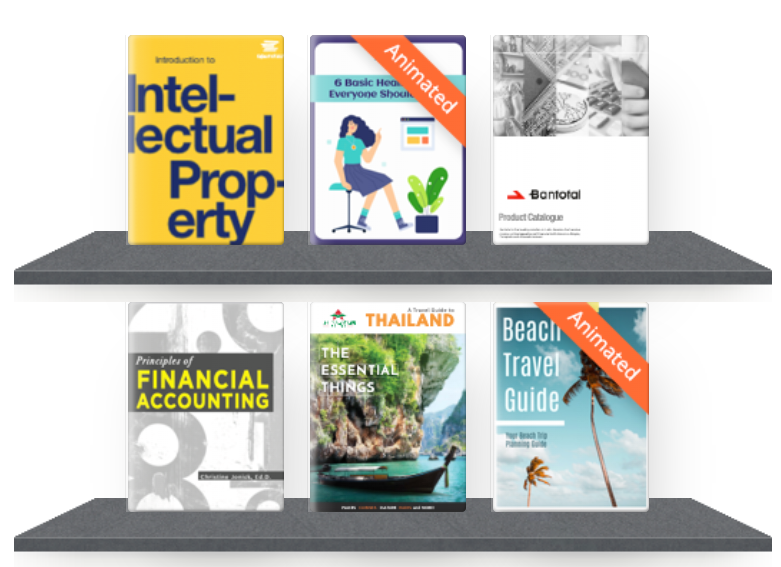
Why Visual Paradigm Online’s Flipbook Maker Stands Out: A Comprehensive Product Review
Who Is This Tool For?
Visual Paradigm Online’s Flipbook Maker (Fliplify) is designed for:
-
Digital Marketers seeking higher engagement rates
-
Educators and Trainers creating interactive learning materials
-
Business Owners showcasing catalogs, brochures, and proposals
-
Content Creators wanting to differentiate their publications
-
Enterprises requiring secure, self-hosted solutions
What Makes It Different from Competitors?
While traditional flipbook tools like Issuu or Flipsnack focus primarily on document conversion, Fliplify leverages Visual Paradigm’s broader design ecosystem to offer something truly unique:
1. Realistic 3D Page-Flip Effects
Experience the tactile feel of reading a physical book with fluid, physics-based page turns and optional sound effects. This immersive experience keeps readers engaged longer than static content.
2. AniFuzion Integration – 200+ 3D Characters
Fliplify’s secret weapon is its integration with the AniFuzion engine, allowing you to add over 200 unique 3D characters and animated avatars (from professional presenters to fun characters like animated coffee cups) directly into your flipbooks. This feature is virtually unmatched in the flipbook market.
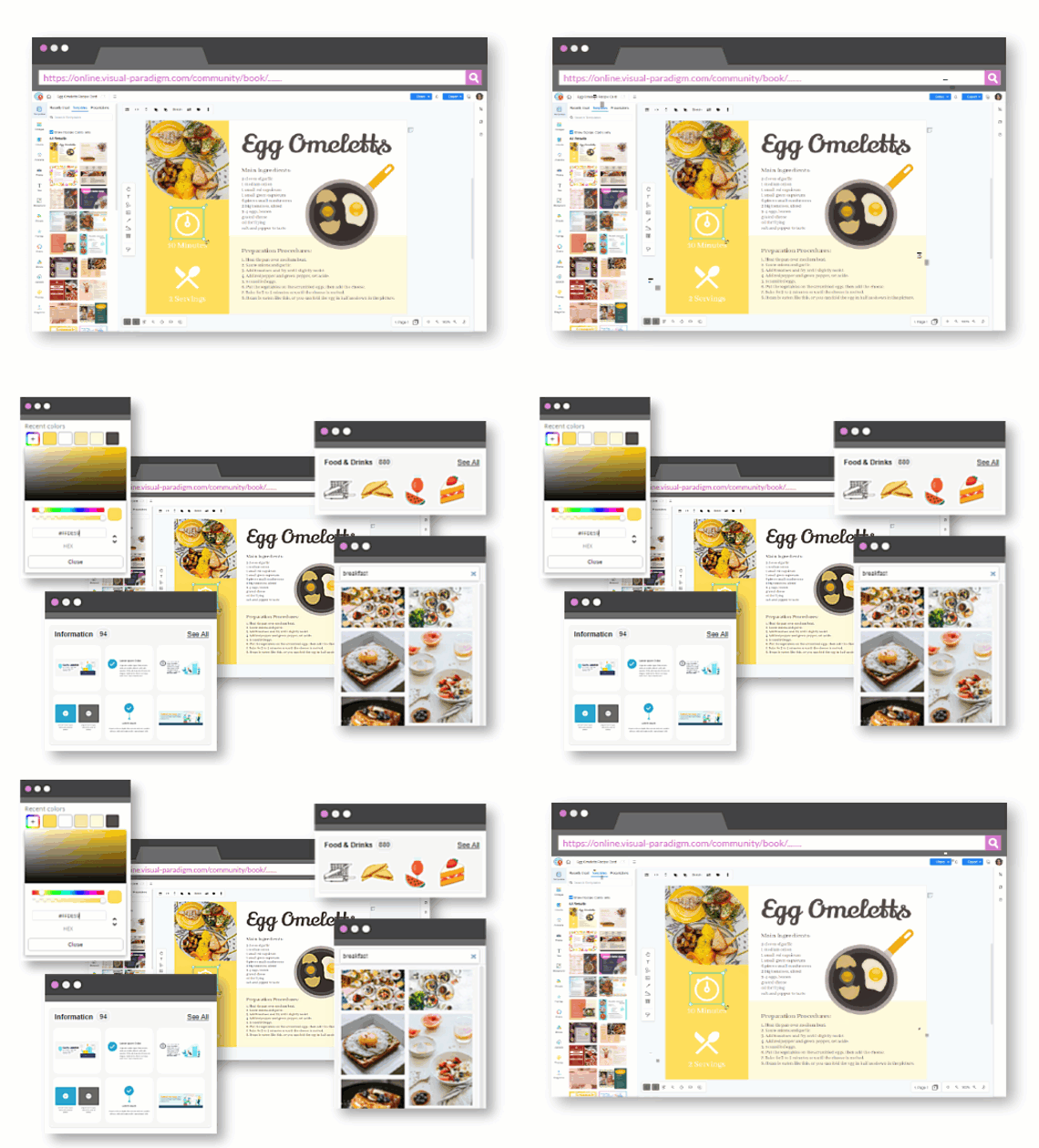
3. Advanced Animation Capabilities
-
70+ Page Transitions: Choose from fade, wipe, cube, and many more with customizable speed and direction
-
Dynamic Element Animation: Apply motion effects to individual text boxes, images, or shapes that trigger automatically when readers flip to that page
-
Automatic Motion Retargeting: Instantly apply complex pre-built animations (walking, gesturing, dancing) to any 3D character without manual keyframing
-
Hybrid 2D and 3D Layers: Uniquely allows simultaneous use of 2D and 3D animation layers within the same publication
4. Interactive Multimedia Integration
Embed animated GIFs, Lottie files, videos, audio clips, and interactive links directly into your layouts. Create a truly immersive reading experience that encourages exploration.

5. Design from Scratch or Use Templates
Unlike competitors that only convert existing PDFs, Fliplify includes an intuitive visual design tool to build animated content from the ground up, or you can start with professionally designed templates.
6. Self-Hosting Options for Enterprise Security
For businesses requiring complete control, Fliplify provides self-hosting capabilities, allowing you to host interactive publications on your own domain rather than being tied to the provider’s cloud.
7. Built-in SEO and Google Analytics Integration
Optimize your flipbooks for search engines and track performance with detailed analytics – crucial for measuring ROI and refining your content strategy.
8. Versatile File Format Support
Convert PDFs, Word documents, PowerPoint presentations, images, and eBooks into interactive flipbooks, saving time and maximizing your existing content investments.
Getting Started: A Beginner’s User Experience Journey
Step 1: Setting Up Your Account
Getting Started is Simple:
-
Visit the Visual Paradigm Online Flipbook Maker
-
Sign up for an account (free trial available)
-
Log in to access the intuitive Flipbook Maker dashboard
Pro Tip: Before diving in, explore the Quick Start Guide to familiarize yourself with the interface and basic functionalities.
Step 2: Understanding the Interface
The dashboard is designed with user-friendliness in mind:
-
Template Library: Browse hundreds of professionally designed templates
-
My Flipbooks: Access and manage all your created flipbooks
-
Analytics Dashboard: Track performance metrics
-
Settings: Configure SEO, branding, and hosting options
Step 3: Choosing Your Starting Point
Option A: Start from a Template (Recommended for Beginners)
-
Browse categories: Booklets, Lookbooks, Training Manuals, Prospectuses, Catalogs
-
Select a template that matches your content type
-
Customize with your branding and content
Option B: Build from Scratch
-
Upload your existing PDF, Word, or PowerPoint file
-
Use the visual editor to add animations and interactive elements
-
Design custom layouts using drag-and-drop tools
Step-by-Step Tutorial: Creating Your First Animated Flipbook
Phase 1: Design Your Flipbook Foundation
1. Choose and Customize Your Template
-
Browse the extensive template library
-
Select one that aligns with your brand style and content goals
-
Use the drag-and-drop editor to customize:
-
Layout and structure
-
Color schemes matching your brand
-
Fonts and typography
-
Logo and visual assets
-
2. Upload or Create Content
-
Import Existing Content: Upload PDFs, Word docs, or PowerPoint presentations
-
Create New Content: Use the built-in editor to design pages from scratch
-
Add Pages: Easily insert, delete, or rearrange pages
Phase 2: Add Interactive Elements
1. Insert Multimedia Content
-
Videos: Embed YouTube, Vimeo, or upload directly
-
Audio: Add background music or narration
-
Animated GIFs: Bring static images to life
-
Interactive Links:
-
Internal links (navigate between pages)
-
External links (direct to your website, social media, or product pages)
-
2. Add Call-to-Action Buttons
-
Create clickable buttons for:
-
“Buy Now” or “Learn More”
-
Contact forms
-
Social media follows
-
Newsletter signups
-
Phase 3: Bring It to Life with Animations
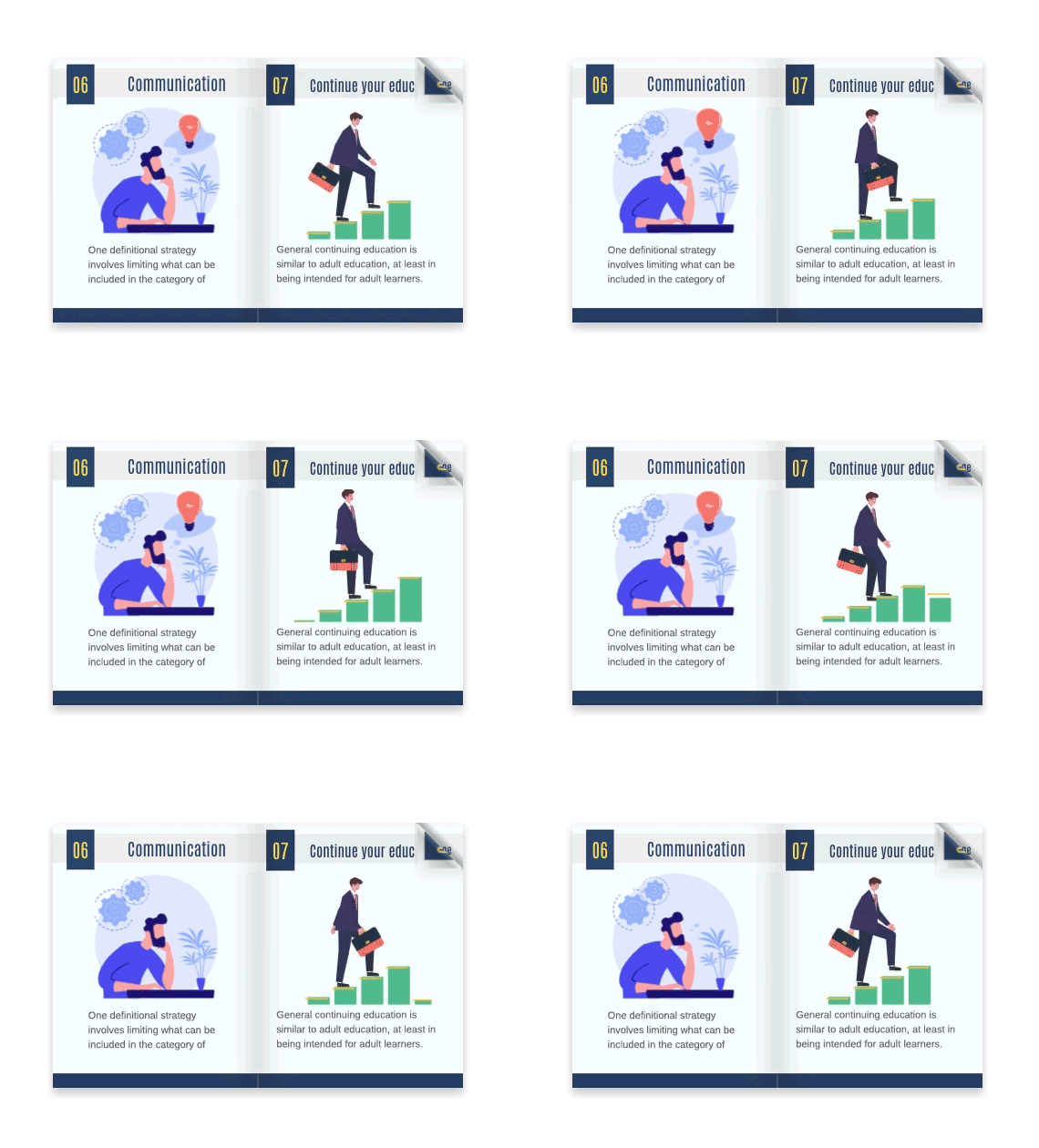
1. Use AniFuzion for 3D Characters
-
Browse the library of 200+ 3D characters
-
Select characters that match your brand personality
-
Position them strategically throughout your flipbook
-
Apply pre-built animations (walking, waving, presenting) with one click
-
No animation skills required – the automatic motion retargeting handles everything
2. Add Page Transitions
-
Choose from 70+ transition effects
-
Customize speed and direction
-
Apply different transitions to different sections for variety
-
Recommended: Use subtle transitions for professional content, dynamic ones for marketing materials
3. Animate Individual Elements
-
Select text boxes, images, or shapes
-
Apply motion effects (fade in, slide, bounce, rotate)
-
Set triggers (on page load, on click, on scroll)
-
Use the Super Easy Timeline to coordinate exactly when and how objects interact
Pro Animation Tips:
-
Don’t over-animate – use animations purposefully to guide attention
-
Keep loading times in mind – optimize large media files
-
Test on mobile devices to ensure smooth performance
-
Use animations to highlight key information or CTAs
Phase 4: Publish and Share
1. Configure Publishing Settings
-
SEO Optimization:
-
Add meta titles and descriptions
-
Include relevant keywords
-
Set canonical URLs
-
-
Privacy Settings: Choose between public, password-protected, or private
-
Branding: Add your logo, customize player controls, remove Fliplify branding (premium feature)
2. Choose Hosting Option
-
Cloud Hosting: Quick and easy, hosted on Visual Paradigm servers
-
Self-Hosting: Full control, host on your own domain (ideal for enterprises)
3. Share Your Flipbook
-
Direct Link: Share via email, social media, or messaging apps
-
Embed Code: Insert into your website or blog
-
QR Code: Generate for print materials or events
-
Social Sharing Buttons: Enable readers to share easily
Comprehensive Case Study: Real-World Applications
Case Study 1: E-Commerce Product Catalog
Challenge: An online fashion retailer struggled with low engagement on their static PDF catalog. Conversion rates were below industry average.
Solution:
-
Converted their seasonal catalog into an interactive flipbook
-
Added 3D animated models showcasing outfits
-
Embedded “Shop Now” buttons directly on product pages
-
Included video lookbooks within the flipbook
-
Implemented Google Analytics tracking
Results:
-
340% increase in time spent on catalog
-
185% boost in click-through rates to product pages
-
67% increase in sales from catalog referrals
-
Reduced printing costs by 80%
Case Study 2: Corporate Training Manual
Challenge: A multinational corporation needed to update employee training materials across 15 countries. Static PDFs resulted in low completion rates and poor knowledge retention.
Solution:
-
Created interactive training flipbooks with:
-
Animated scenario-based learning
-
Embedded video tutorials
-
Interactive quizzes with instant feedback
-
3D animated characters as training guides
-
Multi-language support
-
Results:
-
Completion rates increased from 45% to 92%
-
Knowledge retention improved by 58%
-
Training time reduced by 30%
-
Employee satisfaction scores increased significantly
Case Study 3: Real Estate Property Showcase
Challenge: A real estate agency needed to stand out in a competitive market and provide immersive property viewing experiences.
Solution:
-
Developed interactive property flipbooks featuring:
-
360-degree virtual tours embedded in pages
-
Animated floor plans
-
Video walkthroughs
-
Interactive mortgage calculators
-
Direct contact forms on each property page
-
Results:
-
Lead generation increased by 215%
-
Properties sold 40% faster on average
-
Website traffic from flipbooks grew by 380%
-
Client engagement scores improved dramatically
How to Boost Your Business and Website Traffic with Flipbooks
Strategy 1: Content Marketing Amplification
Transform Static Content into Engagement Magnets:
-
Blog Posts → Flipbooks: Convert your best blog content into beautifully designed flipbooks
-
Whitepapers & Reports: Make industry reports more shareable and engaging
-
Case Studies: Present success stories with multimedia elements
-
Newsletters: Create archival flipbooks of your best newsletters
Traffic-Boosting Tactics:
-
SEO Optimization: Each flipbook is indexable by search engines
-
Use keyword-rich titles and descriptions
-
Add alt text to images
-
Include internal links to your website
-
Generate unique URLs for each flipbook
-
-
Social Media Distribution:
-
Share flipbook links across all platforms
-
Create teaser content showing animated elements
-
Use eye-catching cover images
-
Post at optimal times for your audience
-
-
Email Marketing Integration:
-
Embed flipbooks in email campaigns
-
Use flipbooks as lead magnets
-
Create exclusive content for subscribers
-
Track open and click rates
-
Strategy 2: Lead Generation Machine
Turn Flipbooks into Lead Capture Tools:
-
Gated Content: Require email signup to access premium flipbooks
-
Interactive Forms: Embed contact forms directly in flipbooks
-
Progressive Profiling: Collect information across multiple flipbook interactions
-
CTA Integration: Place strategic calls-to-action throughout
Best Practices:
-
Offer genuine value (exclusive guides, templates, industry insights)
-
Keep forms short and simple
-
Provide immediate access after signup
-
Follow up with automated email sequences
Strategy 3: Sales Enablement Powerhouse
Empower Your Sales Team:
-
Product Catalogs: Interactive, always-updated product showcases
-
Proposal Presentations: Stand out with animated, branded proposals
-
Case Study Libraries: Easy-to-share success stories
-
Pricing Guides: Interactive pricing with embedded calculators
Benefits:
-
Sales teams can share professional materials instantly
-
Track which prospects engage with which content
-
Update materials centrally – no outdated PDFs circulating
-
Shorten sales cycles with engaging content
Strategy 4: Customer Education and Retention
Build Loyalty Through Value:
-
User Guides & Manuals: Make product documentation engaging
-
Onboarding Materials: Welcome new customers with interactive guides
-
Tips & Tricks Collections: Regular flipbook releases keep customers engaged
-
Exclusive Content: Reward loyal customers with premium flipbooks
Retention Impact:
-
Educated customers use products more effectively
-
Regular engagement keeps your brand top-of-mind
-
Reduces support ticket volume
-
Increases customer lifetime value
Strategy 5: Multi-Channel Distribution
Maximize Reach Across Platforms:
-
Website Integration:
-
Embed flipbooks on relevant landing pages
-
Create dedicated flipbook resource centers
-
Add to product pages as supplementary content
-
Feature in blog posts
-
-
Social Media:
-
LinkedIn: Share B2B content, whitepapers, case studies
-
Facebook/Instagram: Visual catalogs, lookbooks, portfolios
-
Twitter: Quick tips, infographics, news
-
Pinterest: Design portfolios, recipe books, DIY guides
-
-
Paid Advertising:
-
Use flipbooks as landing page content for ads
-
Retarget flipbook viewers with specific campaigns
-
Create flipbook-specific ad campaigns
-
-
Partnerships & Collaborations:
-
Co-create flipbooks with industry partners
-
Guest contribute to industry publications
-
Share flipbooks in relevant online communities
-
Tracking Success: Google Analytics – The Most Effective and Economical Way to Achieve Your Goals
Why Google Analytics Integration is Essential
In the world of digital marketing, data is king. Google Analytics integration with Visual Paradigm Online’s Flipbook Maker provides the most cost-effective way to measure performance, understand user behavior, and optimize your content strategy. Here’s why it’s indispensable:
Cost-Effective Advantages:
-
Free Tool: Google Analytics is free (with robust paid options if needed)
-
No Additional Software: Eliminates need for expensive proprietary analytics tools
-
Scalable: Works whether you have 100 or 100,000 flipbook views
-
Integration Simplicity: Built directly into Fliplify – no complex setup
Key Metrics to Track
1. Engagement Metrics
-
Page Views: Total number of flipbook pages viewed
-
Average Time on Page: How long users spend with your flipbook
-
Bounce Rate: Percentage who leave after viewing one page
-
Flipbook Completion Rate: How many users view the entire flipbook
2. Traffic Sources
-
Direct Traffic: Users who typed your flipbook URL directly
-
Referral Traffic: Visitors from other websites
-
Social Traffic: Engagement from social media platforms
-
Organic Search: Visitors finding your flipbook via search engines
-
Email Campaigns: Traffic from email marketing efforts
3. User Behavior
-
Most Viewed Pages: Which content resonates most
-
Exit Pages: Where users lose interest
-
Click-Through Rates: Performance of embedded links and CTAs
-
Interaction Events: Video plays, animation triggers, form submissions
4. Conversion Metrics
-
Goal Completions: Form submissions, downloads, purchases
-
Conversion Rate: Percentage of viewers who take desired action
-
Revenue Attribution: Sales generated from flipbook engagement
-
Lead Quality: Track flipbook viewers through your sales funnel
Setting Up Google Analytics Tracking
Step 1: Connect Your Account
-
Navigate to Flipbook Maker settings
-
Locate “Analytics & Tracking” section
-
Enter your Google Analytics Tracking ID (UA-XXXXXXXXX or G-XXXXXXXXXX)
-
Save settings
Step 2: Configure Goals
Set up specific goals in Google Analytics:
-
Destination Goals: Thank you page after form submission
-
Duration Goals: Time spent on flipbook (e.g., >3 minutes)
-
Pages/Screens per Session: Number of pages viewed
-
Event Goals: Clicks on specific buttons or links
Step 3: Create Custom Dashboards
Build dashboards to monitor:
-
Real-time flipbook activity
-
Traffic source performance
-
Conversion funnels
-
User engagement trends
Analyzing and Acting on Data
Weekly Review Process:
-
Check Overall Performance
-
Total views vs. previous week
-
Average engagement time
-
Top-performing flipbooks
-
-
Identify Trends
-
Which traffic sources drive most engagement?
-
What content types perform best?
-
When do users drop off?
-
-
Optimize Based on Insights
-
High bounce rate? Improve opening pages, add more engaging elements
-
Low completion rate? Shorten flipbook, improve content flow
-
Poor mobile performance? Optimize for mobile viewing
-
Low CTR on CTAs? Test different placements, copy, designs
-
Monthly Strategic Review:
-
ROI Analysis
-
Calculate cost per lead from flipbook campaigns
-
Compare flipbook performance to other content types
-
Assess revenue attributed to flipbook engagement
-
-
Content Strategy Adjustment
-
Double down on high-performing topics
-
Revise or retire underperforming content
-
Test new formats and approaches
-
-
Audience Insights
-
Demographics of engaged users
-
Geographic distribution
-
Device preferences
-
Behavioral patterns
-
Advanced Analytics Techniques
1. A/B Testing
-
Create two versions of a flipbook with different:
-
Cover designs
-
Content layouts
-
CTA placements
-
Animation styles
-
-
Use Google Analytics to determine which performs better
-
Implement winning elements across all flipbooks
2. Segmentation
-
Analyze behavior by:
-
New vs. returning visitors
-
Traffic source
-
Geographic location
-
Device type
-
Time of day/week
-
3. Attribution Modeling
-
Understand flipbook’s role in multi-touch customer journeys
-
Assign value to flipbook interactions at different funnel stages
-
Optimize content for awareness, consideration, or conversion
4. Heat Mapping Integration
-
Combine Google Analytics with heat mapping tools
-
Visualize where users click, scroll, and spend time
-
Identify engagement hotspots and dead zones
Economical Advantages Over Alternatives
Traditional Analytics Tools:
-
Expensive enterprise software: $500-$5,000/month
-
Require technical expertise to implement
-
Steep learning curves
-
Limited flexibility
Google Analytics + Fliplify:
-
Cost: Free (or minimal for premium GA features)
-
Implementation: Built-in, no coding required
-
Learning Curve: Extensive online resources and tutorials
-
Flexibility: Customize dashboards and reports as needed
-
Scalability: Grows with your business without cost increases
ROI Example:
A small business investing 5 hours/month in flipbook creation and analytics review:
-
Cost: ~$250/month (assuming $50/hour opportunity cost)
-
Result: 150 qualified leads, 12 new customers, $24,000 revenue
-
ROI: 9,500% return on time investment
Tips, Tricks, and Best Practices
Design Best Practices
1. Keep It Mobile-First
-
60%+ of flipbook views happen on mobile devices
-
Test on multiple screen sizes
-
Use responsive design principles
-
Keep text readable without zooming
-
Optimize images for fast loading
2. Balance Visual Appeal and Performance
-
Use high-quality images, but compress them
-
Limit video length and file size
-
Choose animations wisely – quality over quantity
-
Test loading times regularly
3. Maintain Brand Consistency
-
Use brand colors, fonts, and logos throughout
-
Match tone and style to your overall marketing
-
Create template standards for all flipbooks
-
Ensure professional, polished appearance
Content Strategy Tips
1. Hook Readers Immediately
-
Create compelling cover designs
-
Write attention-grabbing introductions
-
Use striking visuals on opening pages
-
Clearly communicate value proposition
2. Structure for Scannability
-
Use clear headings and subheadings
-
Break content into digestible sections
-
Include visual elements every 2-3 pages
-
Add page numbers and navigation aids
3. End with Strong CTAs
-
Tell readers exactly what to do next
-
Make CTAs visually prominent
-
Offer clear value for taking action
-
Test different CTA copy and designs
Animation and Interactivity Tips
1. Use Animations Purposefully
-
Guide attention to important elements
-
Illustrate concepts that static images can’t
-
Create emotional connections
-
Avoid distracting or annoying animations
2. Interactive Elements That Convert
-
Embedded calculators or configurators
-
Clickable hotspots revealing additional info
-
Quizzes and assessments
-
Social sharing buttons
3. 3D Character Best Practices
-
Choose characters matching your brand personality
-
Use them as guides or narrators
-
Don’t overuse – strategic placement is key
-
Ensure animations are smooth and professional
Distribution and Promotion Tips
1. SEO Optimization
-
Research relevant keywords
-
Include keywords in titles, descriptions, and content
-
Add alt text to all images
-
Create unique, descriptive URLs
-
Build backlinks to your flipbooks
2. Social Media Strategy
-
Create platform-specific promotional content
-
Use eye-catching preview images
-
Write compelling captions with clear CTAs
-
Engage with comments and shares
-
Post at optimal times for your audience
3. Email Marketing Integration
-
Segment your email list for targeted flipbook distribution
-
Write compelling subject lines
-
Include flipbook previews in emails
-
Track email-specific engagement metrics
-
Follow up with engaged recipients
Technical Tips
1. File Optimization
-
Compress PDFs before uploading
-
Use appropriate image formats (JPEG for photos, PNG for graphics)
-
Limit video file sizes
-
Test on slow connections
2. Browser Compatibility
-
Test on Chrome, Firefox, Safari, Edge
-
Check mobile browsers (iOS Safari, Chrome Android)
-
Ensure fallback options for older browsers
3. Loading Speed
-
Enable lazy loading for images
-
Use content delivery networks (CDN) for self-hosted flipbooks
-
Minimize external scripts
-
Monitor and optimize continuously
Conclusion
Visual Paradigm Online’s Flipbook Maker (Fliplify) represents more than just a document conversion tool – it’s a comprehensive platform for creating engaging, interactive, and animated digital content that drives real business results. From the realistic page-flip effects to the groundbreaking AniFuzion integration with 200+ 3D characters, this tool offers capabilities that set it far apart from traditional flipbook makers.
Key Takeaways:
-
Engagement is Everything: In a world of content overload, static documents simply don’t cut it. Animated, interactive flipbooks capture attention and keep readers engaged longer.
-
Accessibility Meets Power: Whether you’re a beginner using templates or an advanced user creating from scratch, Fliplify provides the tools you need without requiring extensive technical skills.
-
Business Impact is Measurable: With built-in Google Analytics integration, you can track every interaction, measure ROI, and continuously optimize your content strategy – all without expensive proprietary analytics tools.
-
Versatility Across Industries: From e-commerce catalogs to corporate training, real estate showcases to educational materials, flipbooks serve diverse purposes across multiple sectors.
-
Cost-Effective Growth: The combination of free Google Analytics, affordable flipbook creation, and proven traffic-boosting strategies makes this one of the most economical ways to enhance your digital marketing efforts.
Your Next Steps:
-
Start Small: Create your first flipbook using a template
-
Experiment: Test different animations, layouts, and content types
-
Track Everything: Set up Google Analytics from day one
-
Iterate: Use data to continuously improve
-
Scale: Expand your flipbook strategy as you see results
The digital publishing landscape is evolving, and businesses that embrace interactive, animated content will have a significant competitive advantage. Visual Paradigm Online’s Flipbook Maker provides the perfect platform to make this transition – powerful yet accessible, feature-rich yet user-friendly, affordable yet professional.
Ready to transform your static content into dynamic engagement machines? Start your flipbook journey today and watch your business metrics soar!
Further Learning Resources
To further enhance your skills and knowledge about Visual Paradigm Online’s Flipbook Maker, explore these comprehensive resources:
-
Visual Paradigm Online Flipbook Maker: Online Flipbook Maker
-
Learn how to create stunning flipbooks with Visual Paradigm Online’s robust platform.
-
-
Quick Start Guide: Flipbook Maker Quick Start Guide
-
Get familiar with the basics of designing, publishing, and sharing your flipbooks online.
-
-
Publish as Flipbooks: Free Online Flipbook Maker
-
Discover how to add interactions to your flipbooks and engage your audience with dynamic content.
-
-
Visual Paradigm Blog: Setting the Standard for Digital Publishing
-
Read about the unique features and benefits that set Visual Paradigm’s Flipbook Maker apart from the competition.
-
-
AniFuzion Integration: The Ultimate Online Flipbook Creator
-
Learn how to integrate 2D and 3D animations into your flipbooks using AniFuzion.
-
-
Fliplify Features: Flipbook Creator and PDF Editing Features
-
Explore the extensive features and tools available in Fliplify for creating interactive flipbooks.
-
-
Designing Infographic-Style Flipbooks: Creating Infographic-Style Flipbooks: A Step-by-Step Guide with Fliplify
-
Learn how to create visually appealing infographic-style flipbooks with Fliplify.
-
Templates for a Quick Start
Fliplify provides a wide selection of templates to help you get started on your flipbook projects. With these templates, you can create a professional-grade digital media experience by simply selecting a template, modifying the characters, and adjusting the text and some animation. Here are some flipbook templates for you to explore:

How Did Trick-or-Treat Became A Halloween Custom? (edit this template)

Elegant Accessories Lookbook (edit this template)
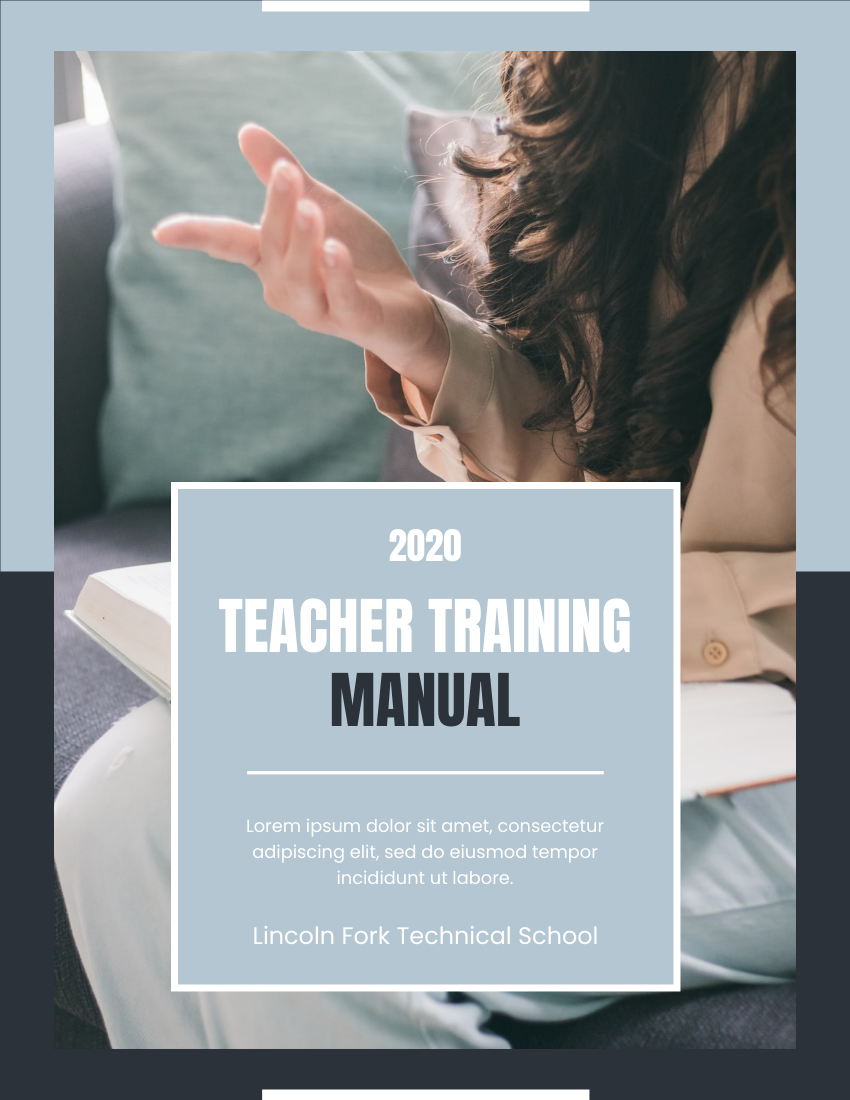
Teaching Training Manual (edit this template)

Professional Kindergarten Prospectus (edit this template)
In conclusion, Fliplify is an all-in-one online platform that makes it easy to create, share, and track interactive flipbooks. With its advanced digital flipbook maker, user-friendly reader experience, 3D characters, SEO and Google Analytics integration, and self-hosted flipbook service, Fliplify is the perfect tool for anyone looking to create dynamic and engaging online content. Give it a try today and elevate your digital content to new heights.
Reference List
- Comprehensive Guide to Fliplify and AniFuzion: Powerful Tools from Visual Paradigm Online: Complete overview of Fliplify and AniFuzion integration capabilities.
- The Best Animated Flipbook Maker: The Future of Digital Publishing: Transform static PDFs into engaging flipbooks with advanced animation features.
- Top 10 Flipbook Tools in the Market: A Comprehensive Comparison 2025: Detailed comparison of leading flipbook creation tools and their features.
- The Complete Tutorial to Visual Paradigm Flipbook Maker: Step-by-step tutorial for mastering Visual Paradigm’s flipbook creation tools.
- The Complete Fliplify User Journey: From Static PDF to Interactive Digital Publishing: Comprehensive guide covering the entire flipbook creation process from start to finish.
- Visual Paradigm Flipbook Maker: Elevate Your Digital Presence with Dynamic and Engaging Flipbooks: Learn how to enhance your digital marketing with interactive flipbooks.
- Comprehensive Guide to Creating Animated Content for Flipbooks with Visual Paradigm Online’s Flipbook Maker: In-depth guide on adding animations and interactive elements to flipbooks.
- Introducing Fliplify: The Ultimate Flipbook Creator with 200+ Fun and Fictitious Avatars: Discover the extensive library of 3D characters and avatars available in Fliplify.
- Visual Paradigm’s Flipbook Maker: Setting the Standard for Digital Publishing: Explore the unique features and benefits that differentiate Visual Paradigm’s solution.
- Why Fliplify by Visual Paradigm Online Stands Out and How AniFuzion Makes It Unbeatable: Detailed analysis of Fliplify’s competitive advantages and AniFuzion integration.
- Why Fliplify by Visual Paradigm Online Stands Out and How AniFuzion Makes It Unbeatable: Additional insights into the powerful combination of Fliplify and AniFuzion.
- Visual Paradigm’s Flipbook Maker: A Game Changer for Interactive Content: How Visual Paradigm is revolutionizing interactive content creation.

