
Enterprise Architecture (EA) is the blueprint that aligns a complex organization’s business, applications, data, and technology. The ArchiMate modeling language provides the rigorous, standardized vocabulary to document this blueprint. However, the process of translating high-level strategy into hundreds of compliant, interconnected diagrams has historically been a slow, manual, and knowledge-intensive bottleneck.
That era is over.
The arrival of the ArchiMate Generator, such as AI Chatbot of VP Online, is not just an incremental improvement; it is a revolution that transforms the architect’s workflow from a drafting exercise into a dynamic, conversational one. You can now shift your focus entirely from drawing to strategy and validation.
💡 The Bottleneck: Why Traditional ArchiMate Modeling is Slow
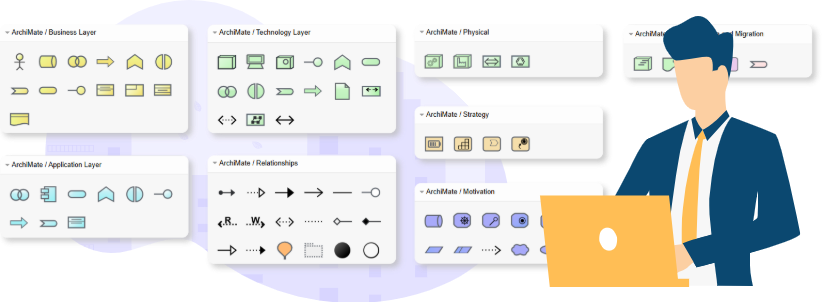
Before AI, creating ArchiMate diagrams involved significant friction and overhead:
- Complexity & Notation: Architects must know the correct symbols, colors, and the highly specific relationships (e.g., Realization, Assignment, Serving) across the motivation, strategy, business, application, and technology layers.
- Viewpoint Overhead: ArchiMate defines 26 official viewpoints, each requiring a precise selection of elements tailored for a specific stakeholder (e.g., a process model for the Business Owner, a technology map for the Operations Team). Manually generating dozens of these views is prohibitively time-consuming, leading to outdated or missing documentation.
- Documentation Lag: The diagram is often complete long before the accompanying written documentation, leading to a delay in stakeholder communication and project kickoff.
⚡ The AI Solution: Conversational Architecture
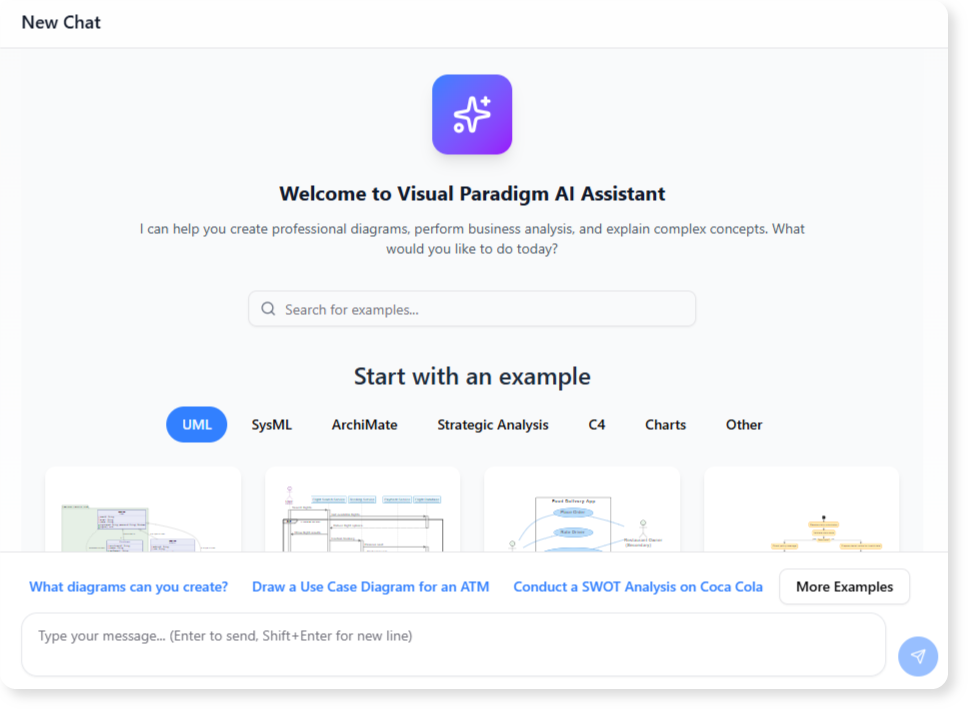
The AI Chatbot eliminates the blank canvas problem by accepting natural language prompts and instantly generating structured, compliant ArchiMate models.
1. Instant Diagram Generation from Plain Text
Instead of hunting for shapes and connecting them manually, you simply describe your architectural concept in plain English:
Example Prompt: “Create an ArchiMate model for a customer support system. It has a Business Service called ‘Issue Resolution’ which is performed by the Application Component ‘Ticketing System.’ This component accesses a Data Object called ‘Customer Record’ and is hosted on an Infrastructure Service called ‘Cloud Compute Cluster.'”
In seconds, the AI generates a complete, multi-layered draft:
- It correctly identifies and uses the ArchiMate symbols for Business Service, Application Component, Data Object, and Infrastructure Service.
- It automatically applies the correct Serving, Access, and Assignment relationships between the elements, ensuring notational compliance.
2. Conversational Refinement and Expansion
The AI acts as a co-pilot, allowing you to refine the model interactively. This is the true power of the chatbot interface—your diagram becomes a living document you can talk to.
| Command Type | Example Prompt | Action Performed by AI |
|---|---|---|
| Refinement | “Rename the ‘Ticketing System’ component to ‘Zendesk Application’ and update the layer color to green.” | Instantly updates the label and visual style across all connected diagrams and the underlying model. |
| Expansion | “Add a Business Actor called ‘Support Agent’ who performs the ‘Issue Resolution’ service.” | Adds the actor and correctly connects them using the Assignment relationship. |
| Viewpoint Generation | “Generate the Product Viewpoint for this system and focus it for the Product Owner.” | Instantly filters the model to display only the relevant elements (Products, Services, Contracts, etc.) and presents it with the correct audience focus. |
3. Immediate Stakeholder Value: Documentation and Translation
Beyond drawing, the AI Chatbot leverages the power of Large Language Models (LLMs) to unlock critical communication features:
- Model Querying: You can query the model itself. For example: “Ask the diagram what business processes are directly impacted if the ‘Cloud Compute Cluster’ service goes offline?” The AI can trace the relationships and provide a direct, data-backed answer.
- Instant Documentation: Generate a summary, technical specification, or detailed report based on the elements, relationships, and viewpoints in the active diagram with a single command. This slashes the documentation lag from weeks to minutes.
- Cross-Lingual Communication: Translate the text descriptions and elements within the diagram to different languages, ensuring clear global communication for multinational teams.
✅ Benefits: A New Standard for Enterprise Architects
The shift from manual drawing to AI generation provides immediate, measurable benefits:
| Benefit | Description | Strategic Impact |
|---|---|---|
| Accelerated Time-to-Diagram | Reduces the time to create a complex, multi-layered model from hours to seconds or minutes. | Increases Agility: Allows architects to keep pace with agile development cycles and rapidly model change scenarios. |
| Guaranteed Compliance | The AI is trained on the ArchiMate standard, ensuring correct notation, colors, and relationships are always used. | Reduces Errors: Minimizes the need for manual validation and ensures all models are standardized and reusable. |
| Enhanced Stakeholder Alignment | Instantly generates tailored Viewpoints for non-technical audiences, improving clarity and decision-making. | Drives Strategy: Ensures IT implementation directly supports business goals by improving communication across all layers of the organization. |
The AI ArchiMate Chatbot empowers architects to become true strategic consultants, leveraging AI to handle the mechanical complexity so they can focus on solving the organization’s biggest challenges.