


Introduction
In the modern software development lifecycle, documentation is no longer an afterthought—it is a critical component of system architecture and team communication. The “Diagram-as-Code” paradigm has emerged as a powerful solution, allowing engineers to version-control, review, and maintain diagrams using familiar text-based workflows. However, this approach comes with a significant friction point: syntax sensitivity. A single missing bracket in PlantUML, a misplaced semicolon in Mermaid.js, or an incorrect node definition in Graphviz can break the entire rendering process, forcing developers to shift from creative architectural design to tedious debugging.
This case study explores how Visual Paradigm addressed this industry-wide pain point through VPasCode, a unified text-to-diagram platform. Specifically, we examine the evolution of its AI Code Error Fixing feature—from a simple one-click repair tool to a transparent, educational engine powered by the new AI Fix Details panel. By analyzing the workflow enhancements, user benefits, and technical transparency, we demonstrate how VPasCode is not just fixing code, but fundamentally changing how engineers interact with diagramming syntax.
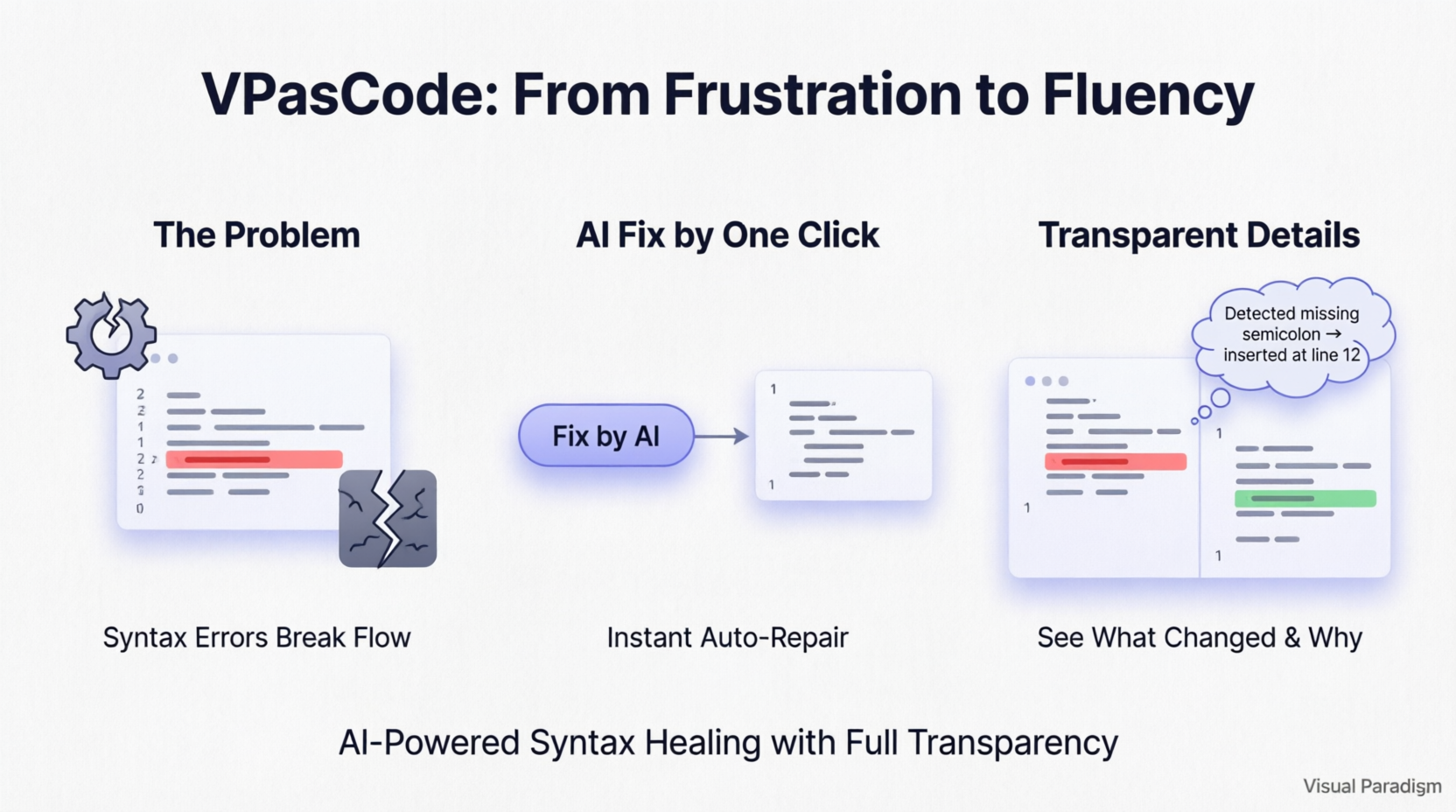
The Challenge: Syntax Errors as Productivity Bottlenecks
For engineering teams adopting tools like PlantUML, Mermaid, and Graphviz, the learning curve is often steep. Unlike visual drag-and-drop editors, text-based diagramming requires strict adherence to syntax rules. When a script fails to render, the feedback loop is often broken:
-
Ambiguous Error Messages: Standard compilers may provide cryptic error codes that do not clearly indicate the root cause.
-
Context Switching: Developers must leave their flow state to manually hunt for typos, missing brackets, or keyword errors.
-
Loss of Momentum: The time spent debugging syntax detracts from high-value tasks like system design and logic formulation.
Visual Paradigm recognized that while AI could automate the fix, trust and understanding were equally important. Engineers need to know what changed and why, ensuring that automated corrections align with their architectural intent.
Solution Phase 1: One-Click Syntax Healing
To address the immediate frustration of broken diagrams, VPasCode introduced AI Code Error Fixing. This feature transformed the error handling process from a manual search into an automated, assistive workflow.
How It Works
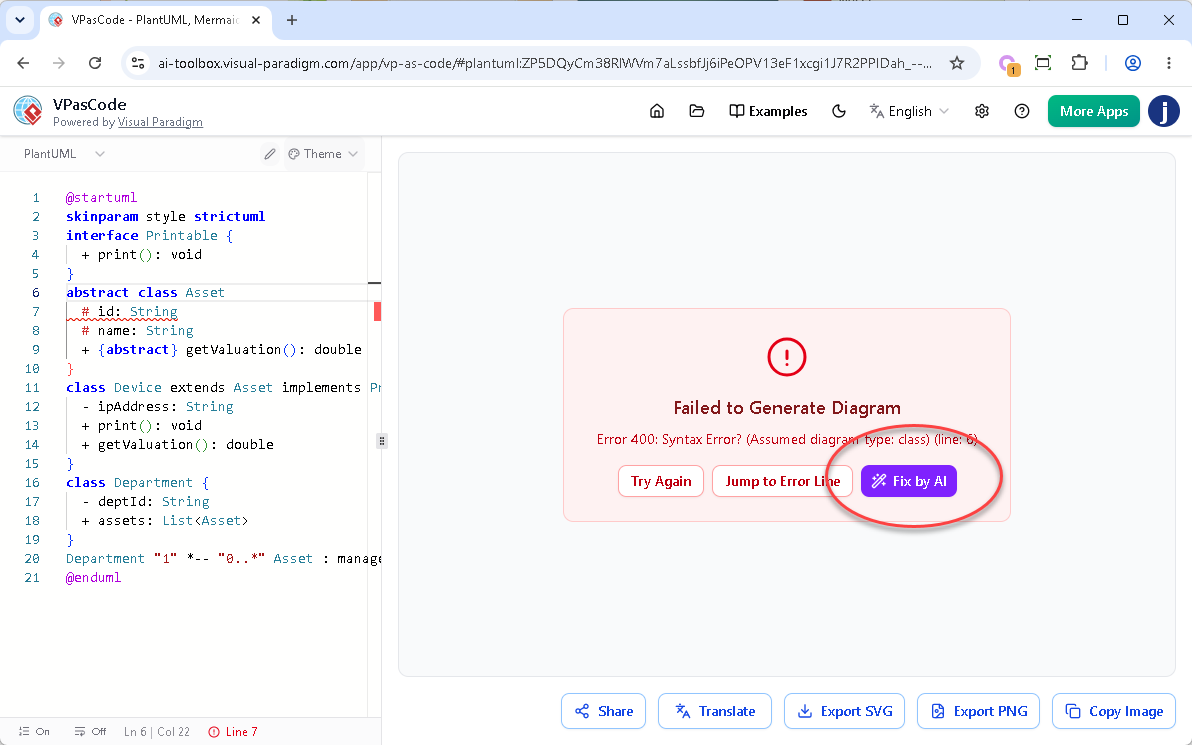
VPasCode monitors syntax in real-time. When a rendering error occurs, the platform shifts into troubleshooting mode:
-
The Rendering Error: If a script contains an error (such as a missing opening bracket
{), the diagram viewer displays a “Failed to Generate Diagram” warning block, detailing the suspected error type and line number. -
Triggering the AI: Instead of manually scanning hundreds of lines of code, users simply click the purple “Fix by AI” button within the error overlay.
-
The Auto-Fix: The AI engine cross-references the diagram type’s syntax rules against the active code. It isolates the issue, generates the correct solution, and automatically injects the corrected code back into the editor.
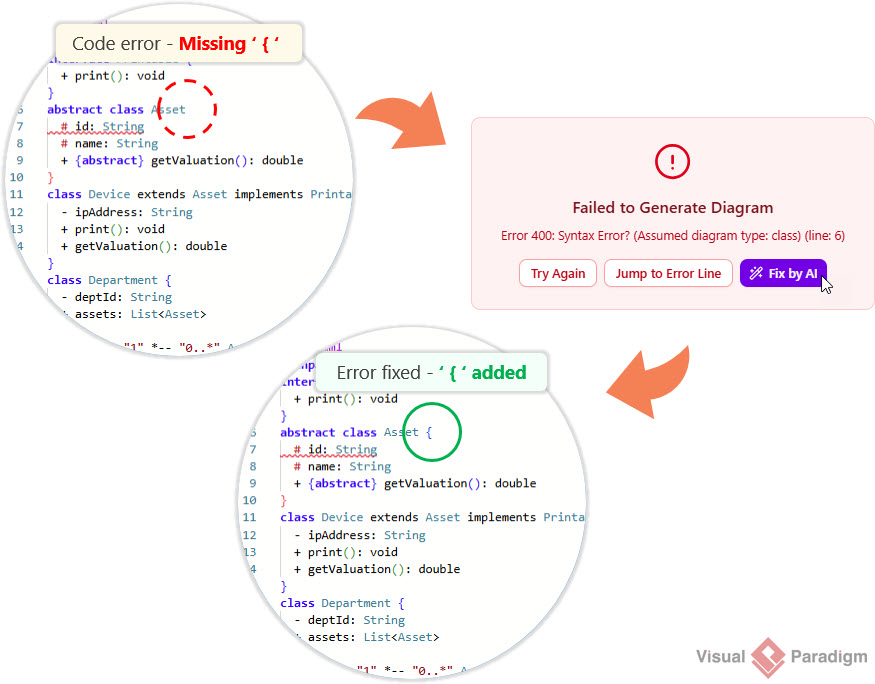
As soon as the AI applies the fix, the diagram instantly re-renders. This initial iteration eliminated the guesswork and allowed developers to maintain their creative momentum without interruption.
Solution Phase 2: Transparency Meets Learning
While the one-click fix was a massive productivity booster, Visual Paradigm identified a gap: transparency. Automated fixes can feel like a “black box,” leaving engineers uncertain about what changes were made to their underlying logic. To bridge this gap, VPasCode rolled out a major enhancement: the AI Fix Details panel, featuring a side-by-side code diff component and natural language reasoning.
The Upgraded Workflow
The core functionality remains fast, but users now have complete visibility over code modifications:
-
The Fix: When “Fix by AI” is triggered, the engine repairs the syntax and renders the diagram.
-
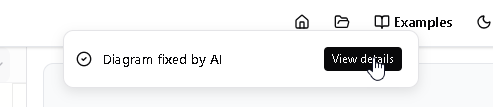
The Notification: A sleek notification banner appears at the top of the screen with the message: “Diagram fixed by AI”.
-
The Reveal: A “View details” button next to the banner opens a comprehensive popup dialog box detailing the exact changes.
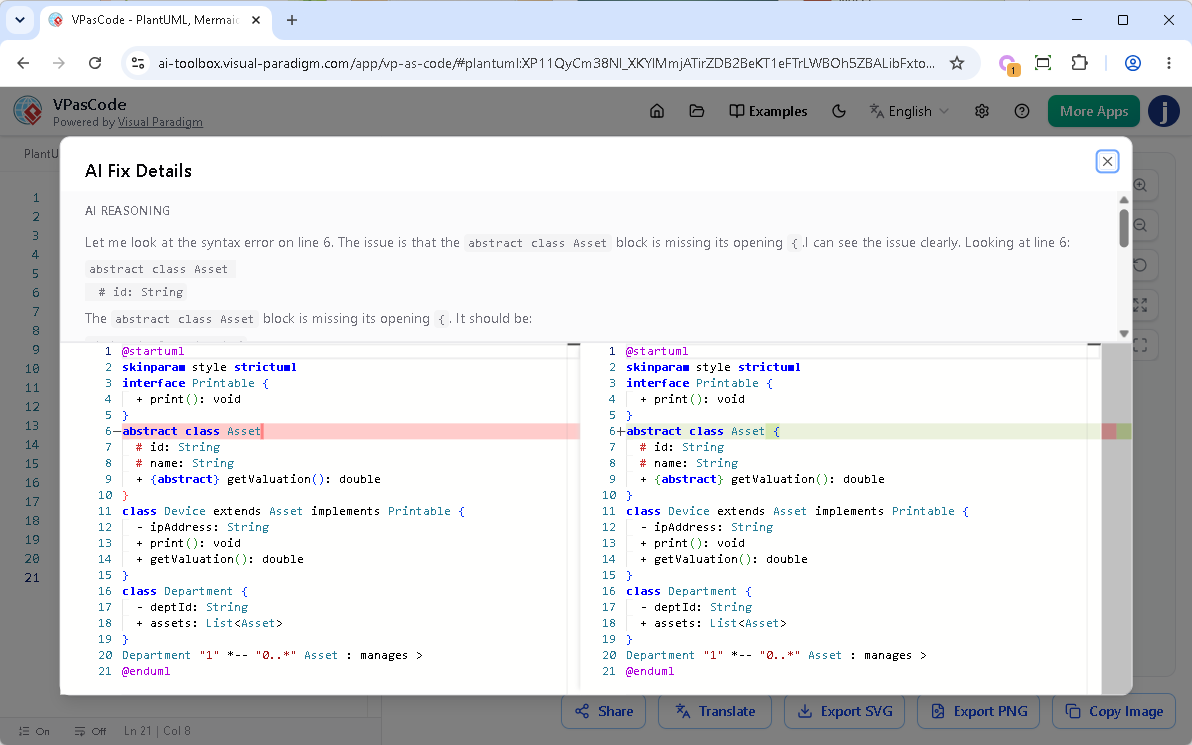
Inside the AI Fix Details Dialog
The new dialog box is designed for clarity and auditability, divided into two key sections:
-
Upper Part (AI Reasoning): A plain-English explanation generated by the AI. It details exactly what syntax issue was discovered (e.g., “Missing opening bracket on line 12”) and explains the logic behind the solution.
-
Lower Part (Code Diff Component): A precise, side-by-side comparison of the code before and after the modification. Red highlights mark the broken or missing sections on the left, while green highlights show the repaired syntax on the right.
Impact Analysis: Why This Enhancement Is a Game-Changer
The introduction of the AI Fix Details panel delivers three critical benefits to engineering teams:
1. Absolute Trust and Control
Developers are often hesitant to allow software to edit their work automatically due to fear of unintended consequences. The code diff component provides total peace of mind, proving that the AI is targeting only the specific syntax error without making arbitrary changes to business logic or structural definitions. This transparency builds trust in the AI assistant.
2. Interactive Learning On the Go
Syntax rules across PlantUML, Mermaid, and Graphviz can be nuanced and confusing. By reading the AI’s plain-text reasoning and viewing the visual diff, the platform transforms from a simple editor into a learning tool. Engineers can master subtle syntax nuances by seeing exactly where they went wrong and how it was corrected, reducing the likelihood of repeating the same mistakes.
3. Effortless Auditing and Quick Reversals
In large-scale diagrams, tracking minor code modifications can be difficult. The AI Fix Details panel allows teams to easily audit changes. If the AI’s correction differs from the user’s original intent, the clear visualization enables quick manual reversals or adjustments, ensuring the final diagram accurately reflects the desired architecture.
Feature Availability and Accessibility
The AI Code Error Fixing tool, including the enhanced AI Fix Details panel, is a premium capability designed to maximize engineering productivity. It is available to users with:
-
Visual Paradigm Online Combo Edition (or higher).
-
Visual Paradigm Desktop Professional Edition (or higher) with an active maintenance plan.
Note for Desktop Users: If you are running Visual Paradigm Professional Edition (or higher) with active maintenance, you already have full access to the web apps included in the VP Online Combo Edition. This means you can log into VPasCode and start using the “Fix by AI” tool immediately.
Conclusion
The evolution of VPasCode’s AI Code Error Fixing feature illustrates a broader trend in developer tools: the shift from pure automation to intelligent assistance. By combining the speed of one-click syntax healing with the transparency of detailed AI reasoning and code diffs, Visual Paradigm has created a tool that not only saves time but also enhances developer skills.
For teams committed to Diagram-as-Code, VPasCode removes the friction of syntax errors while providing the visibility needed to maintain control and confidence. Whether building complex enterprise architectures in PlantUML, charting sprints in Mermaid.js, or organizing data clusters in Graphviz, engineers can now focus on what matters most: designing robust, scalable systems. With VPasCode, syntax errors are no longer roadblocks—they are opportunities for learning and refinement.
Reference
- Comprehensive Guide to VPasCode by Visual Paradigm: A detailed overview of VPasCode features, including syntax handling and AI integration.
- Introducing VPasCode: The Ultimate Unified Text-to-Diagram Platform: Official release notes introducing VPasCode and its core capabilities.
- Clarity by Design: Streamlining Infrastructure Documentation with VPasCode and Graphviz: A guide on using VPasCode for infrastructure documentation with Graphviz support.
- Mastering VPasCode: The Ultimate Guide to AI-Powered Diagram as Code with Multi-Engine Support: An advanced guide covering AI features and multi-engine support in VPasCode.
- How the Visual Paradigm AI Chatbot and VPasCode Function as an Integrated Ecosystem for Diagramming: Insights into the integration between VPasCode and Visual Paradigm’s AI chatbot.
- VPasCode Features Overview: A summary of key features offered by VPasCode.
- Break Language Barriers Natively with VPasCode’s New AI Diagram Translation: Release notes on AI-driven diagram translation capabilities.
- Case Study: Accelerating Software Architecture Documentation with VPasCode – A Diagram as Code Revolution: A real-world case study demonstrating the impact of VPasCode on software architecture documentation.
Related posts:
 Revolutionizing Diagramming with VPasCode’s Unified Text-to-Diagram Platform
 How to Use Visual Paradigm’s AI Chatbot to Generate and Refine Component Diagrams
 AI-Powered SysML Requirement Diagrams: A Modern Approach to Systems Engineering
 A Practitioner’s Review of Visual Paradigm Pipeline’s “Concept-to-Docs” Revolution