


Draw UML Diagrams online, with an easy-to-use online UML tool
📝 Introduction
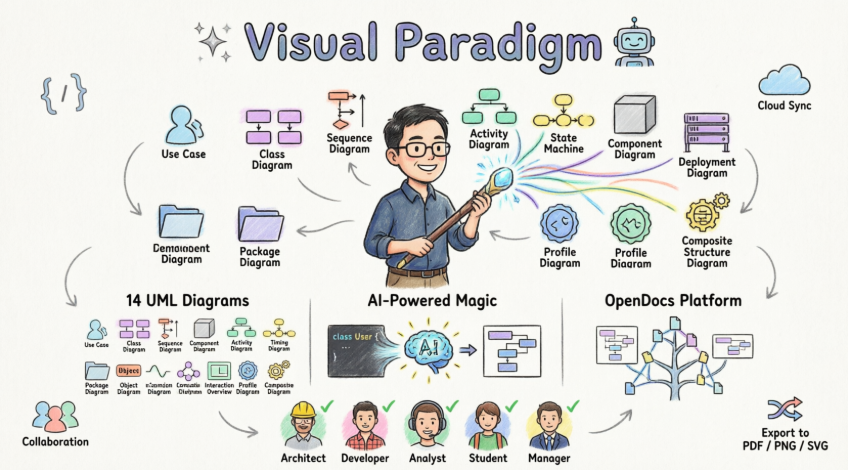
- 🎨 Create professional UML diagrams in minutes—not hours
- 🔗 Maintain traceability across models, diagrams, and projects
- 🤖 Leverage generative AI to accelerate design and reduce manual effort
- 👥 Collaborate in real-time with stakeholders anywhere in the world
- 🔄 Bridge the gap between visual models and production code
🎯 What Is Visual Paradigm Online?
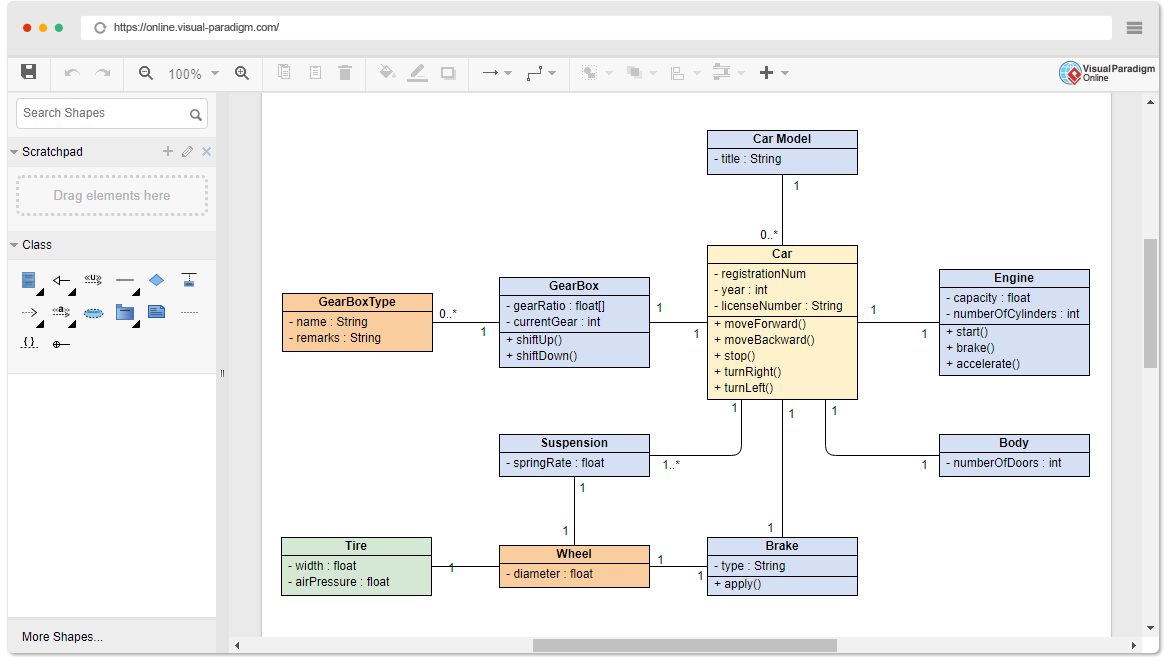
Visual Paradigm Online is a powerful, browser-based UML modeling tool that enables developers, architects, and business analysts to create professional UML diagrams without installing software. With intuitive drag-and-drop functionality, real-time syntax validation, and cloud collaboration, it bridges the gap between simple drawing tools and enterprise-grade modeling platforms.
📊 Supported UML Diagram Types
Visual Paradigm Online supports all 14 UML 2.x diagram types, including:
1. Class Diagram
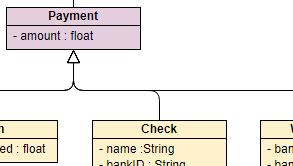
Class Diagram
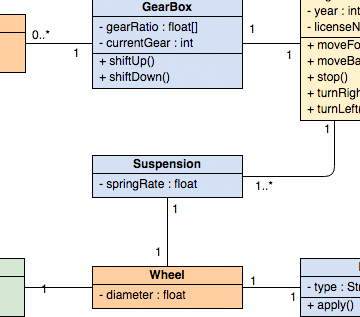
Model static structure: classes, attributes, operations, and relationships.
2. Use Case Diagram

Use Case Diagram
Capture functional requirements and actor interactions.
3. Sequence Diagram
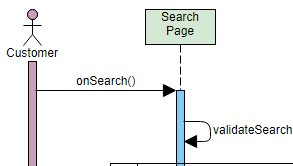
Sequence Diagram
Visualize object interactions and message flows over time.
4. Activity Diagram
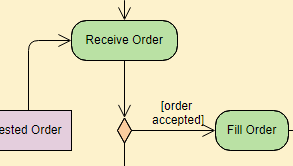
Activity Diagram
Model workflows, business processes, and operational logic.
5. Deployment Diagram
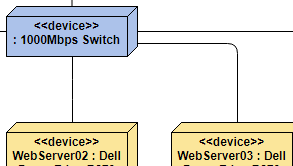
Deployment Diagram
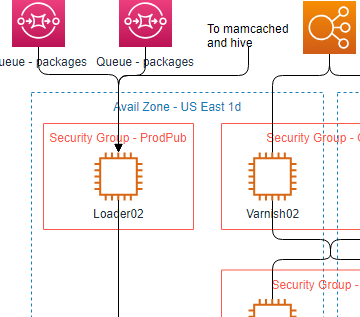
Map software components to physical infrastructure.
6. Component Diagram
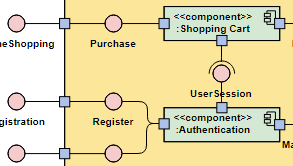
Component Diagram
Illustrate modular architecture and component dependencies.
7. State Machine Diagram
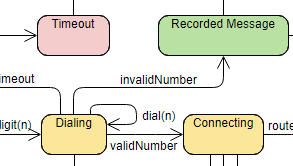
State Machine Diagram
Define object states, transitions, and event-driven behavior.
8. Package Diagram
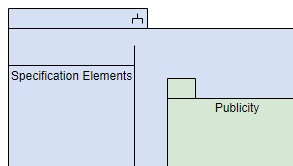
Package Diagram
Organize model elements into logical namespaces and modules.
⚡ Fast & Intuitive Diagramming Features
Draw UML diagrams effortlessly with intuitive web UML tools. We provide everything you need to draw UML quickly without sacrificing the quality and integrity of your work.
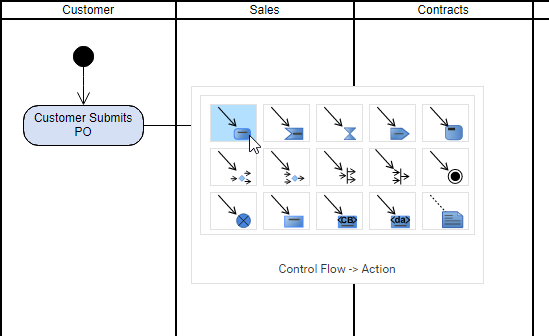
Key Productivity Features:
-
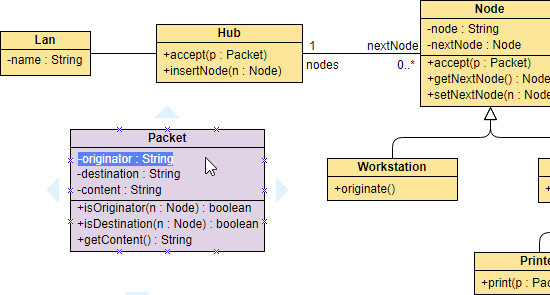
✅ Inline editing of shape names and members (attributes, operations)
-
✅ Resource Catalog for quick shape creation
-
✅ Group shapes and move them together
-
✅ 1-Click alignment and distribution tools
-
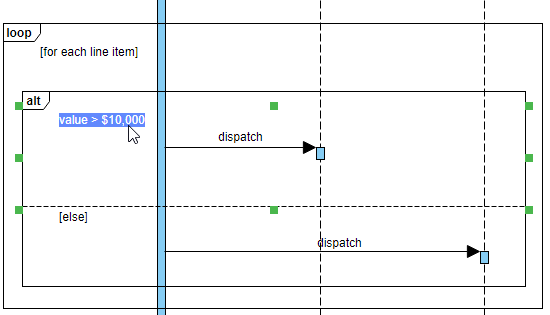
✅ Drag-and-drop sequence message creation
🔧 Advanced Editing Capabilities
Inline Editing of Class Members
Class members are selectable and editable compartments managed within a class shape, not free text labels.
Easy-to-Use Sequence Diagram Editor
Sequence Diagrams are constructed with specialized UML shapes instead of primitive shapes like rectangles and arrows.
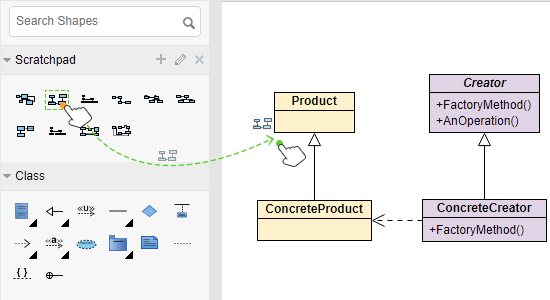
Reuse Shapes Across Diagrams
Keep commonly-used shapes in palette and reuse them in other diagrams. This not only saves your time from re-working, but also makes your design consistent.
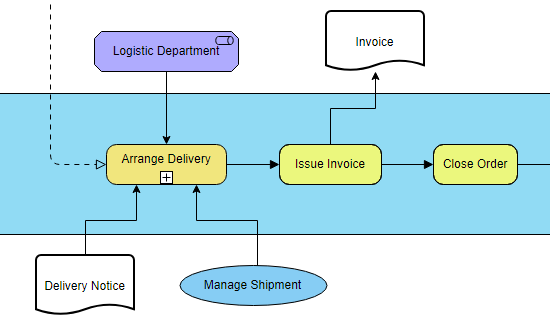
Mixed Use of Notations
Leverage the power of UML diagramming, convey the right messages with the mixed use of notations beyond standards. You can incorporate any kind of notations into any diagrams, regardless of their standards.
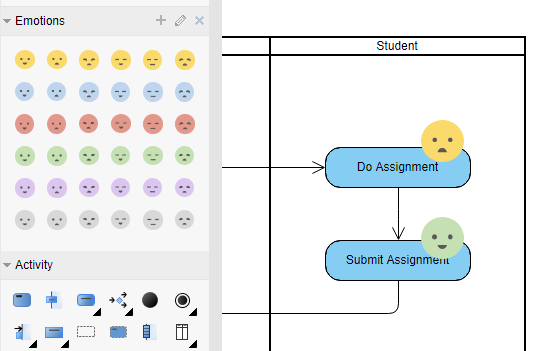
Design with Your Own Shapes
Visual Paradigm supports hundreds of shape types from various standards, and you can add even more by using the import function. You can create a palette consisting of your stencils in image formats (e.g. SVG, JPG, PNG, etc) and use them in your design.
Find out more about drawing features →
🌐 Much More Than a UML Software

Get Started Now
Create diagrams and charts in a simple and flexible way.
Start Drawing for Free
Comprehensive Diagram Library
🔧 Technical Diagrams
💼 Business Diagrams
☁️ Cloud Architecture Design Tools
🎨 Additional Tools
-
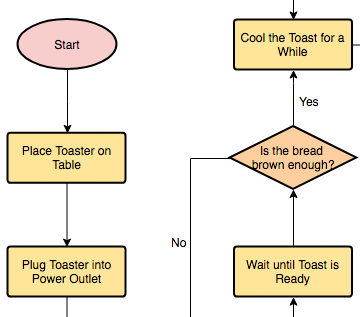
Powerful Flowchart, Floor plan, Mind map and Venn diagram tool
-
Process Map Designer with templates like Customer Journey Mapping, Competitor Analysis, Root Cause, etc.
🏆 Best UML Tool for Visual Modeling

Get Started

Overview
UML (Unified Modeling Language) has become a widely used industry standard for modeling software systems. However, we need good process and modeling tool support to unleash the full power of visual modeling capability provided by UML. The business world is complex, dynamic, and fast-changing—and there is no “one-size-fits-all” methodology. Visual Paradigm provides a rich variety of UML design tools for developers to pick and match for today’s challenging projects.

A comprehensive UML tool that supports latest UML 2.x diagrams and notations.
Key Capabilities:
-
✅ Class Diagram
-
✅ Integrate UML with BPMN
-
✅ Create Product Backlog from Use Case Model
-
✅ Use Case Scenario Sequence Diagram Generation
-
✅ Wireframe in Use Case
-
✅ IDE Integration
-
✅ Synchronization between ERD and UML Class Diagram
-
✅ Document Generation
-
✅ Communicate Software Design Online
-
✅ Sequence Diagram Tool
🎯 Addressing Common Challenges
❌ Limitations of Basic Web Diagrammers
-
Elements created in one diagram cannot be referenced elsewhere or across projects
-
Diagrams are isolated pieces without traceability
-
No supporting toolset for agile development, code engineering, or enterprise project management
❌ Limitations of Traditional Tools (e.g., Visio)
-
Suitable only for simple diagrams
-
Lacks advanced editing features for complex layouts
-
Produces standalone diagrams that don’t scale with software development processes
✅ Visual Paradigm’s Solution
🧰 Excellent Visual Modeling Toolset
-
Full support for latest UML 2.x standard with all 14 diagram types
-
Integrated support for related standards: BPMN, Mind Map, Textual Analysis, ArchiMate, Fishbone, PERT, Gantt, WBS, Radar Chart, and more
🔄 Integrate UML with Agile/Scrum Process
-
Seamlessly apply use case modeling with agile development via story maps
-
Send visual models (requirements) to agile product backlog from use cases, activity diagrams, BPMN tasks, or mind maps
-
Transform large requirements (e.g., use cases) into manageable user stories or epics
-
Break down stories into tasks managed automatically by the task manager
💻 Code Engineering Toolset
-
Generate code from class and state diagrams for popular programming languages
-
Generate database schemas from ERDs and map to class diagrams using Hibernate framework
-
Integrate with leading IDEs: Visual Studio, IntelliJ, NetBeans, Eclipse, Android Studio
🔗 Inter-Model Traceability
-
Support model traceability through references, sub-diagrams, cross-project links, annotations
-
Generate sequence/activity diagrams from use case scenarios
-
Elaborate scenarios with wireframe tools
-
Identify classes from sequence diagrams via the Model Transitor feature
📄 On-Demand Report Designer
-
Drag & drop model elements to compose custom reports in Word, PDF, or HTML
-
Embed diagrams into corporate documentation with the Fill-in Documentation Composer
👥 Team Collaboration
-
Concurrent editing with automatic version control and conflict resolution
-
PostMania: Comment and discuss diagrams online via cloud
-
Organize references and documents in a visual File Cabinet
🌐 Web Diagrams & Samples Online
-
Web Diagram feature supports BPMN, ArchiMate®, class, use case, sequence, flowchart, PERT, ITIL, AWS, Azure diagrams—available at no extra cost
-
Try sample diagrams in the Visual Paradigm Community Circle for learning and experimentation
🤖 AI-Powered UML Generation
Visual Paradigm has integrated generative AI to automate manual shape placement and structural planning.
✨ AI Features:
-
Text-to-Diagram: Describe a system (e.g., “A banking app login sequence”) and the AI generates a technically accurate Sequence or Class diagram instantly
-
Guided AI Wizards: Tools like the AI-Assisted Class Diagram Generator walk you through identifying classes, attributes, and relationships step-by-step
-
Intelligent Refinement: Use a chatbot-style interface to give commands like “Add a payment gateway” or “Rename ‘Employee’ to ‘Staff'”, and the diagram updates in real-time
-
Automated Analysis: The AI can critique your design, identifying missing actors or suggesting architectural improvements
💰 Pricing & Availability
| Version | Description | Best For |
|---|---|---|
| Visual Paradigm Online | Browser-based version for quick, accessible modeling | Individuals, small teams, education |
| Visual Paradigm Desktop | Full professional suite for advanced engineering and offline work | Enterprise teams, complex projects |
| Community Edition | Free version for non-commercial use | Students, hobbyists, open-source projects |
| Professional Licenses | Paid versions with advanced features and support | Commercial teams, enterprise deployments |
🏁 Conclusion
Key Takeaways:
✅ True Modeling, Not Just Drawing: Reusable elements, cross-diagram traceability, and syntax validation elevate your work from sketches to engineering-grade artifacts.
✅ AI-Powered Productivity: Text-to-diagram generation, intelligent refinement, and automated analysis help you iterate faster and design smarter.
✅ Seamless Integration: Connect your models to IDEs, generate code or database schemas, and embed diagrams into documentation—closing the loop between design and implementation.
✅ Team-Ready Collaboration: Concurrent editing, cloud commenting, and version control make distributed teamwork effortless and transparent.
Who Should Use Visual Paradigm Online?
- 🧑💻 Developers seeking to visualize architecture before coding
- 🏗️ System Architects designing scalable, maintainable solutions
- 📋 Business Analysts capturing requirements through use cases and workflows
- 🎓 Students & Educators learning or teaching software engineering fundamentals
- 🌐 Remote Teams needing a shared, accessible modeling environment
Final Thought
🔗 Reference List
- Overview of the 14 UML Diagram Types: Comprehensive guide to all UML 2.x diagram types and their applications in software development projects.
- Visual Paradigm: Your Complete Guide to UML Modeling: In-depth review covering free beginner tools to advanced AI-powered UML modeling solutions.
- Comprehensive Review: Visual Paradigm’s AI Diagram Generation Features: Detailed analysis of AI-powered diagram generation capabilities and practical use cases.
- UML Tool Features: Official feature overview of Visual Paradigm’s UML modeling capabilities and online tool functionality.
- What is UML?: Foundational guide explaining Unified Modeling Language concepts, history, and industry applications.
- UML Practical Guide: Step-by-step tutorial for applying UML modeling techniques in real-world software projects.
- UML Modeling Software, Process and Tool: Guide to effective modeling tools, element transformation, syntax validation, and custom properties in Visual Paradigm.
- Online UML Tool: Feature page for the browser-based UML diagramming tool with examples and tutorials.
- UML Modeling Software Process and Tool: Detailed explanation of modeling workflows, tool integration, and validation features.
- UML Tool Solution: Enterprise-focused overview of Visual Paradigm’s UML modeling solution for software architecture and design.
- Guide to AI-Powered UML Diagram Generation: Tutorial on leveraging generative AI for automated UML diagram creation from natural language prompts.
- AI Profile Diagram Generator Update: Release notes and feature updates for AI-assisted UML diagram generation capabilities.
- AI Diagram Generation Features: Official documentation on AI-powered diagram creation, refinement, and analysis tools.
- AI-Assisted UML Class Diagram Generator: Step-by-step wizard for generating class diagrams with AI guidance on attributes, operations, and relationships.
- Use Case to Activity Diagram Tutorial: Guide for transforming use case scenarios into executable activity diagrams for workflow modeling.
- Visual Paradigm AI Demo: Class Diagram Generation: Video demonstration of AI-powered class diagram creation from textual requirements.
- Visual Paradigm AI Demo: Sequence Diagram Generation: Video tutorial showing how to generate sequence diagrams using natural language descriptions and AI assistance.
💡 Ready to start modeling?
Create your first UML diagram for free →
Visual Paradigm combines intuitive design, enterprise-grade modeling, and AI-powered automation to help teams visualize, communicate, and build better software systems. 🚀
Related posts:
 Mastering Swimlane Activity Diagrams in UML: A Comprehensive Guide with ATM Cash Withdrawal Case Study – Now Enhanced with Visual Paradigm’s AI Automation
 How to Use Visual Paradigm’s AI Chatbot to Generate and Refine Component Diagrams
 Visual Paradigm Community FREE Edition: Your Complete Guide to UML Modeling with AI-Powered Enhancement
 UML Class Diagrams vs. Sequence Diagrams: When to Use Which (and How AI Helps)