
🎨 Send Your Visual Paradigm Online Creations Directly to OpenDocs
A Complete User Experience & Feature Guide
🚀 User Experience Sharing Journey: From Idea to Living Documentation
Imagine this workflow: You’re finalizing a UML sequence diagram for your API documentation. Instead of exporting a PNG, emailing it to yourself, uploading it to your wiki, and hoping it stays updated—you simply click Export > Send to OpenDocs Pipeline. Minutes later, that same diagram appears in your OpenDocs knowledge base, fully editable, version-controlled, and ready for your team to collaborate on.
This is the new reality with Visual Paradigm’s unified cloud workflow.
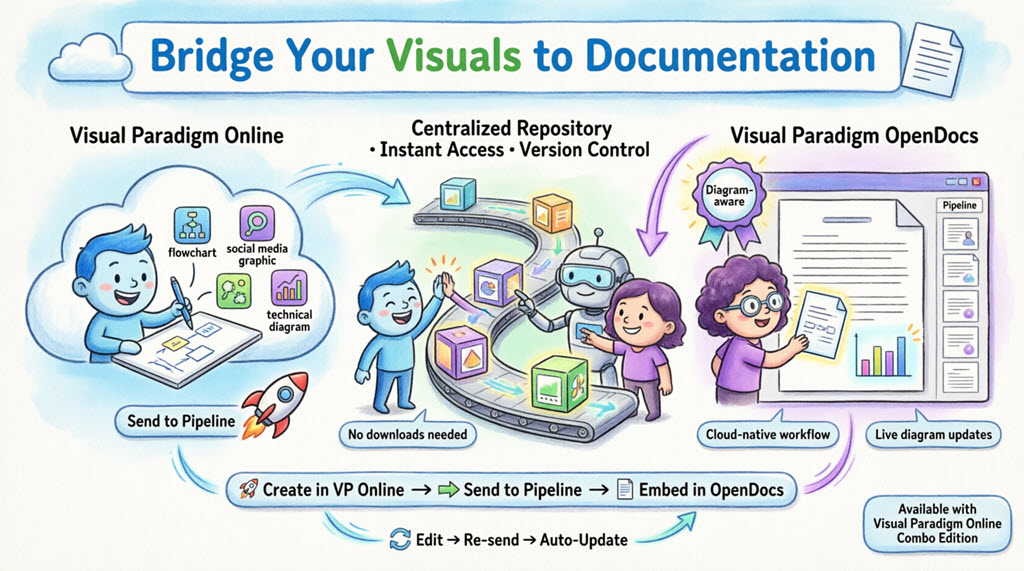
The Journey in 3 Simple Stages:
-
Create → Design your visual in Visual Paradigm Online (browser-based, no install)
-
Transit → Send to the Pipeline (your cloud asset hub)
-
Embed → Insert directly into OpenDocs with one click
No downloads. No file management. No version confusion. Just pure, cloud-native productivity.
📋 Product & Features Review Guide
🔍 What is Visual Paradigm OpenDocs?
OpenDocs is Visual Paradigm’s premier diagram-aware knowledge and document management platform. Unlike traditional word processors that treat images as static attachments, OpenDocs integrates a full diagramming engine directly into the editor. This means you can:
-
Insert, view, and re-edit visuals without leaving the page
-
Maintain live connections between source diagrams and documentation
-
Leverage AI-assisted content generation alongside your visuals
-
Collaborate with role-based permissions across technical and non-technical teams
By connecting Visual Paradigm Online to OpenDocs, your cloud diagrams become living, evolving parts of your documentation—not just snapshots.
🔄 Understanding the Pipeline: Your Asset Transit Hub
The Pipeline is the intelligent backbone of this integration. Think of it as:
| Feature | Benefit |
|---|---|
| Centralized Repository | Store all diagrams, graphics, and artifacts in one searchable cloud space |
| Cross-App Compatibility | Share assets seamlessly between VP Online, VP Desktop, Chatbot, and OpenDocs |
| Version Control | Track revisions, compare changes, and roll back if needed |
| Metadata & Comments | Add descriptions, tags, and context to make assets discoverable |
| Instant Sync | Update documentation with one click when source diagrams change |
When you “Send to Pipeline” from Visual Paradigm Online, you’re placing that artifact into a shared space where OpenDocs can instantly access and embed it.
👥 Who Is This For?
| Role | Use Case |
|---|---|
| Product Managers | Embed roadmaps, user journey maps, and feature specs directly into PRDs |
| Technical Writers | Keep API diagrams, architecture visuals, and flowcharts in sync with documentation |
| UX/UI Designers | Share wireframes, user flows, and mockups with development teams without file handoffs |
| DevOps Engineers | Document infrastructure diagrams, deployment pipelines, and system architectures |
| Agile Coaches | Maintain living retrospectives, sprint boards, and process maps |
| Marketing Teams | Embed campaign visuals, social media graphics, and brand assets into strategy docs |
✨ Why This Integration Stands Out
-
True Cloud-Native Workflow
Eliminate the download/upload cycle. Everything stays in the browser, reducing friction and saving time. -
Living Documentation
Diagrams aren’t static images—they’re connected to their source. Update the model, and your docs can update with one click. -
AI-Enhanced Collaboration
Generate diagrams from text prompts using Visual Paradigm’s AI Chatbot, then send them straight to OpenDocs via the same Pipeline. -
Role-Based, Single Source of Truth
Modelers work in VP Online; writers work in OpenDocs. Both contribute to a unified, always-current knowledge base. -
Enterprise-Ready Security
All assets in the Pipeline are securely stored with access controls, audit trails, and compliance-ready infrastructure.
🛠️ Step-by-Step: How to Send Visuals from VP Online to OpenDocs
Phase 1: Export to Pipeline
-
Open your diagram or graphic in Visual Paradigm Online.
-
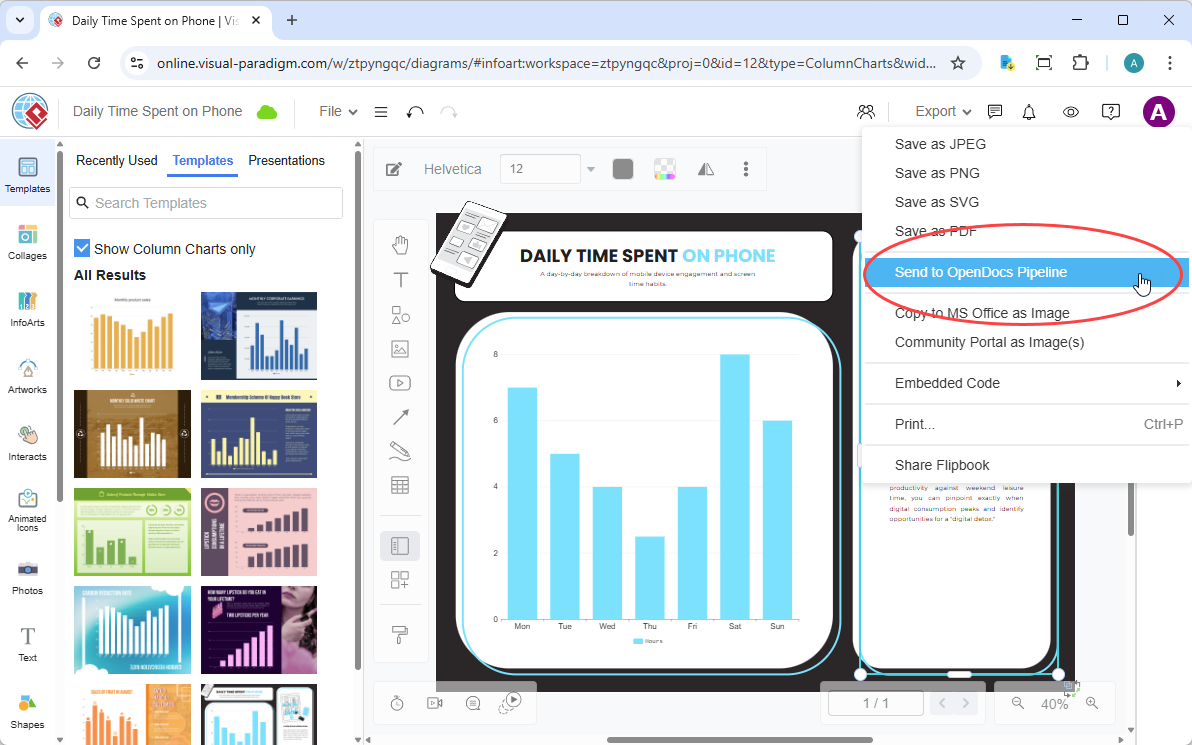
In the top menu, select Export > Send to OpenDocs Pipeline.
-
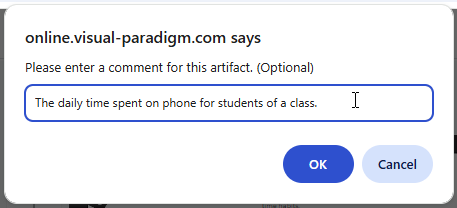
(Optional) Add a comment to describe the artifact. This makes it easier to find later in the Pipeline pane.
-
Confirm the export. Your visual is now securely stored in the Pipeline.
Phase 2: Embed into OpenDocs
-
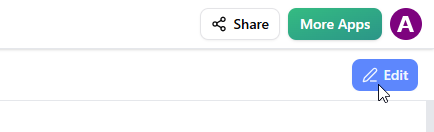
Open any document page in OpenDocs and click Edit.
-
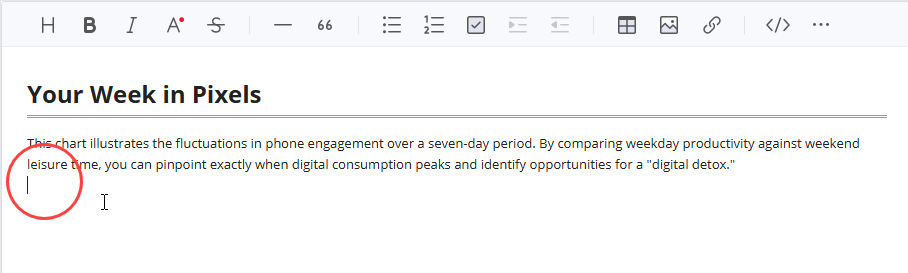
Click on the page where you want to insert the diagram.
-
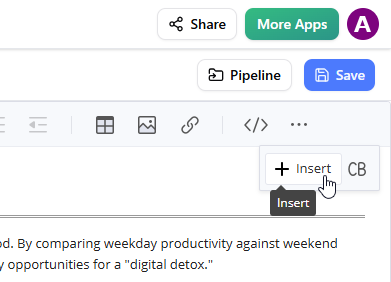
On the toolbar, click Insert.
-
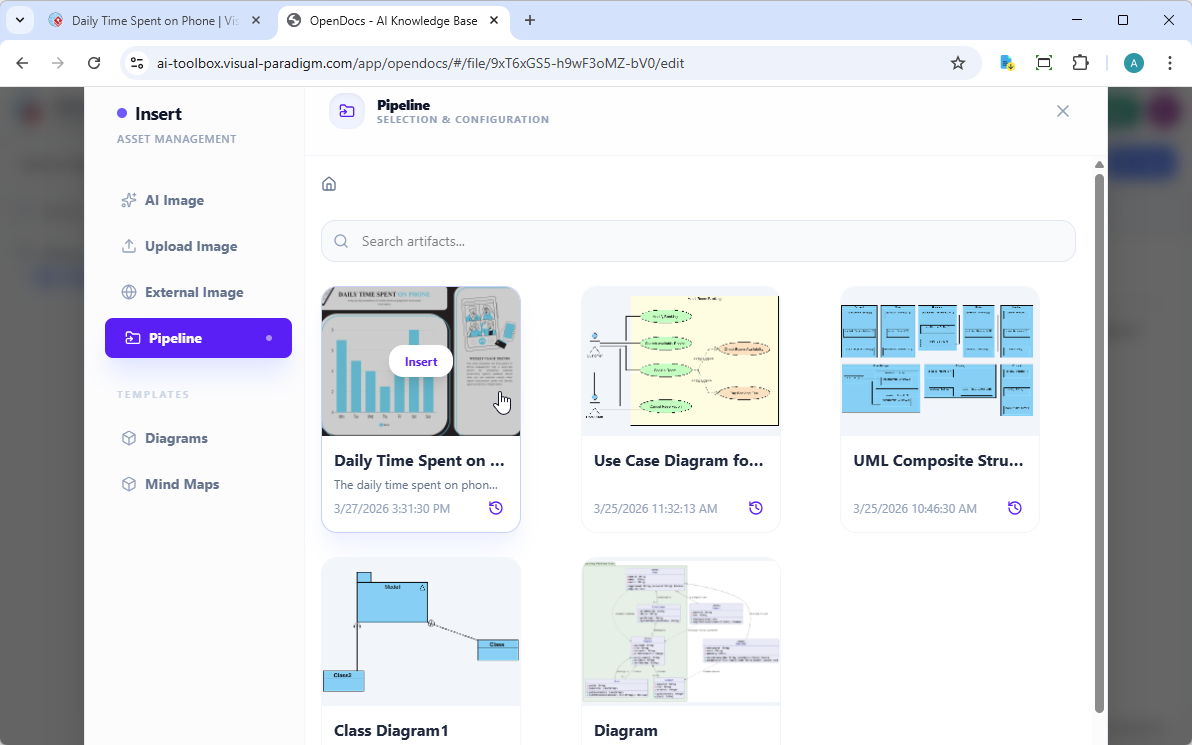
In the Insert window, select Pipeline from the left-hand sidebar. Your sent diagrams will appear here.
-
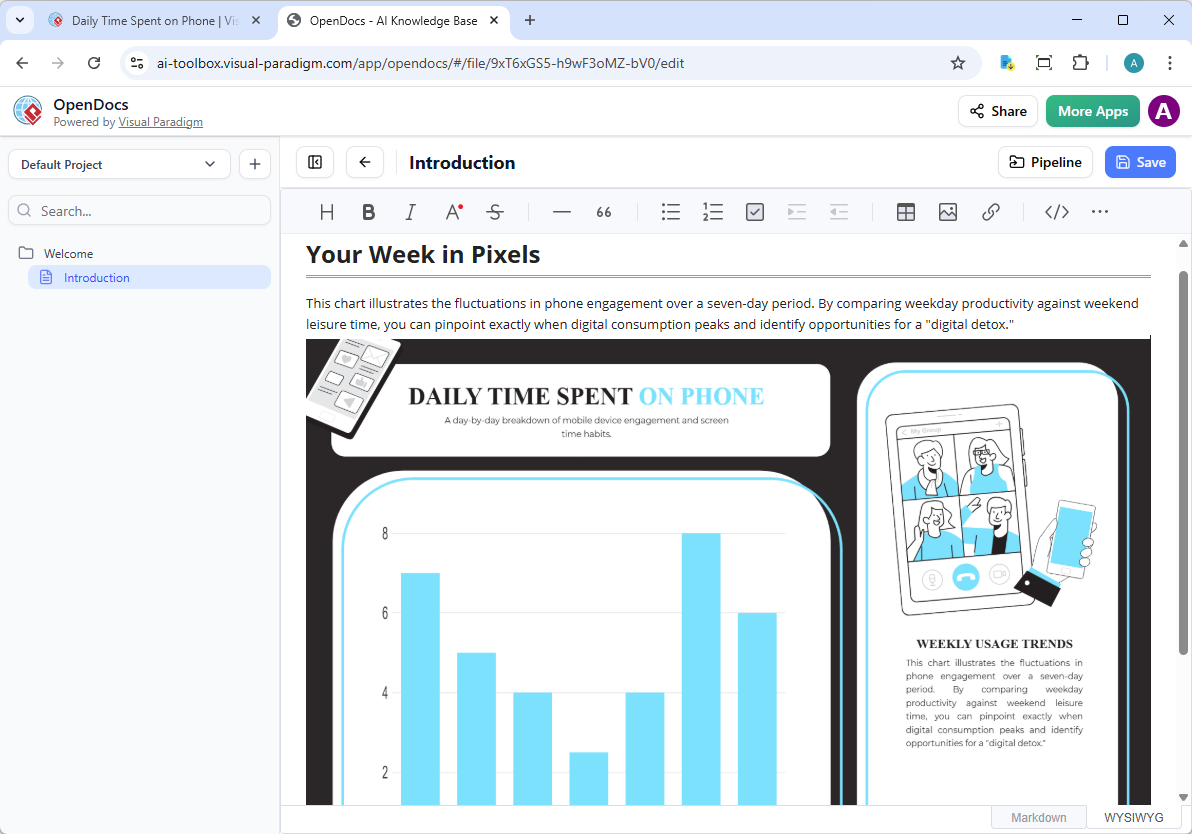
Click on the diagram to insert the image directly at your cursor position.
🔄 Keeping Your Documentation in Sync: Updating Artifacts
One of the most powerful aspects of this integration is the ability to update your documentation as your models evolve.
Step 1: Open the Source Diagram
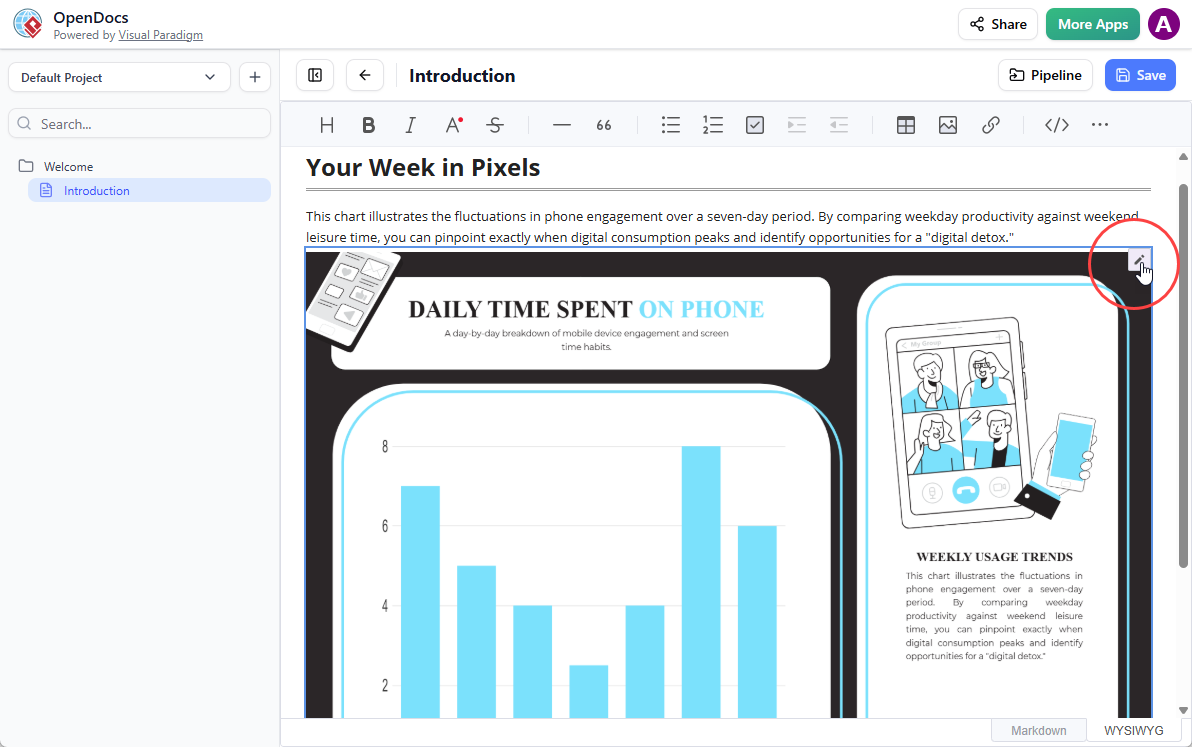
In OpenDocs, click the Edit icon at the top right of the diagram image to open the Edit Diagram window.
Step 2: Edit and Re-send
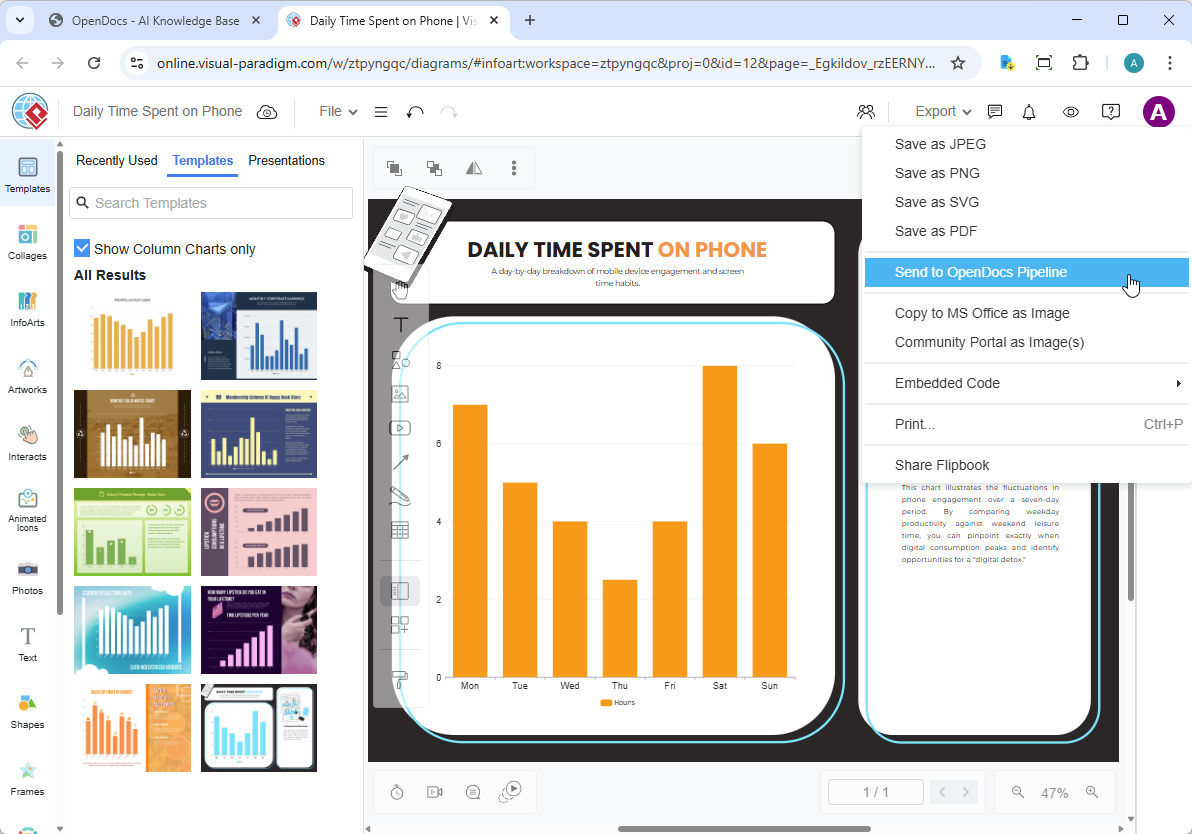
Modify your diagram in Visual Paradigm Online. Once finished, select Export > Send to OpenDocs Pipeline from the top menu again.
Step 3: Swap to the Latest Revision
-
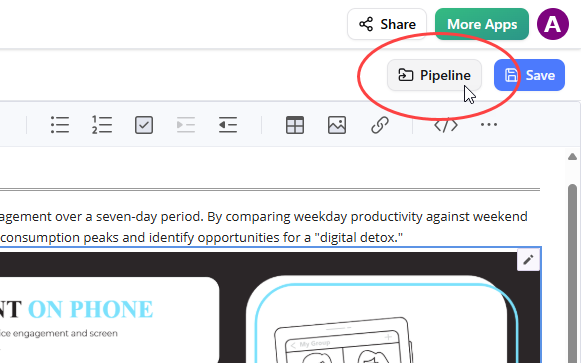
Back in the OpenDocs editor, click Pipeline at the top right.
-
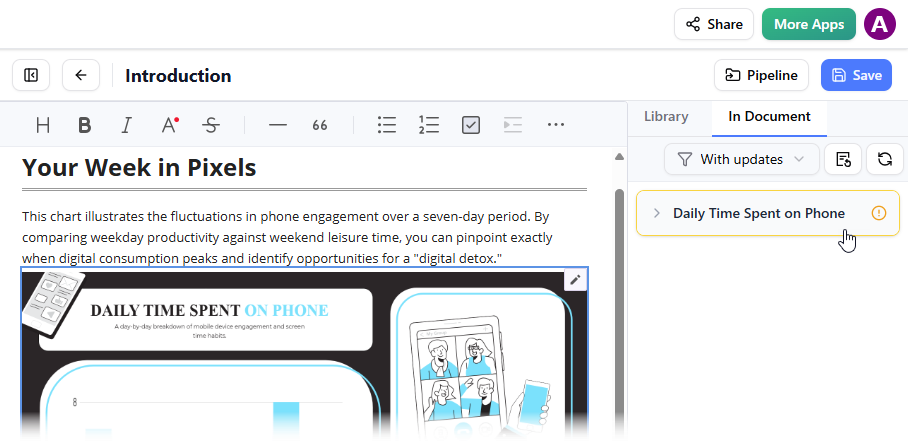
Open the In Document tab. The filter “With updates” is active and the pane now lists the modified artifacts. Click on the visual you just modified.
-
You can see the available revisions for the selected visual. Click on the latest revision to instantly swap the old diagram for the updated version. Or click Update to latest revision directly.
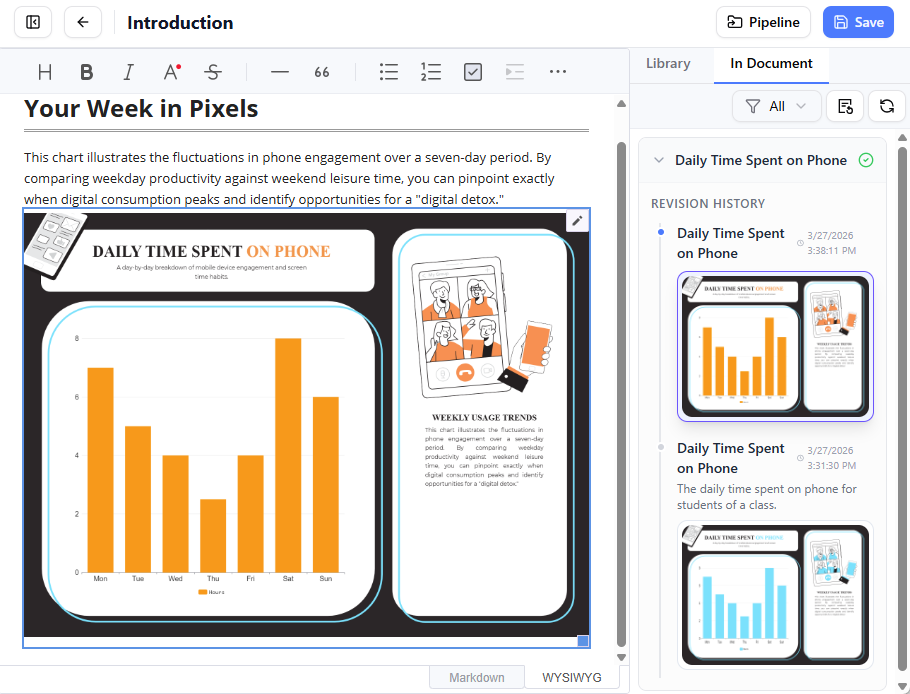
✅ Pro Tip: Enable notifications in OpenDocs to alert documentation owners when linked diagrams have updates available.
🔗 Related Releases & Resources
Expand your workflow with these complementary integrations:
-
Exporting diagrams from Visual Paradigm Desktop to OpenDocs
For teams using the desktop application who want the same seamless sync experience. -
Exporting diagram images from Visual Paradigm Chatbot to OpenDocs
Generate diagrams from natural language prompts and send them directly to your docs.
🔗 Quick Launch Links
Open VP Online | Launch OpenDocs
📚 Reference List
- Visual Paradigm Online to OpenDocs Export Release: Official announcement and detailed guide for sending VP Online creations directly to OpenDocs via the Pipeline, including step-by-step instructions and workflow benefits.
- Mastering the Pipeline in Visual Paradigm OpenDocs: A Complete Guide to Streamlined Knowledge Management: In-depth third-party tutorial covering Pipeline best practices, asset organization strategies, and advanced collaboration techniques for teams.
- Visual Paradigm OpenDocs Features Overview: Official product page detailing OpenDocs’ core capabilities, including diagram-aware editing, AI integration, version control, and enterprise security features.
- Visual Paradigm OpenDocs: The Complete Guide to AI-Powered Knowledge Management and Diagram Generation: Comprehensive review exploring how OpenDocs leverages AI for automated documentation, intelligent diagram suggestions, and contextual knowledge retrieval.
- Exporting Diagram Images from Visual Paradigm Chatbot to OpenDocs: Release guide for using Visual Paradigm’s AI Chatbot to generate diagrams from text prompts and seamlessly integrate them into OpenDocs documentation via the Pipeline.
- Exporting Diagrams from Visual Paradigm Desktop to OpenDocs: Companion guide for desktop users, explaining how to sync locally-created diagrams with cloud-based OpenDocs documentation while maintaining version integrity.
💡 Final Thought: This integration isn’t just about moving files—it’s about reimagining how teams create, share, and maintain knowledge. By bridging visual modeling and documentation in a unified cloud workflow, Visual Paradigm empowers teams to work faster, collaborate smarter, and keep their knowledge base perpetually up-to-date.