Introduction
Visual Paradigm’s AI ecosystem is designed to streamline the entire workflow—from ideation to enterprise delivery—through four interconnected AI pillars. Each pillar serves a unique purpose, yet they integrate seamlessly to form a closed-loop, end-to-end process. This guide explores each pillar’s purpose, features, ideal use cases, and how they work together.
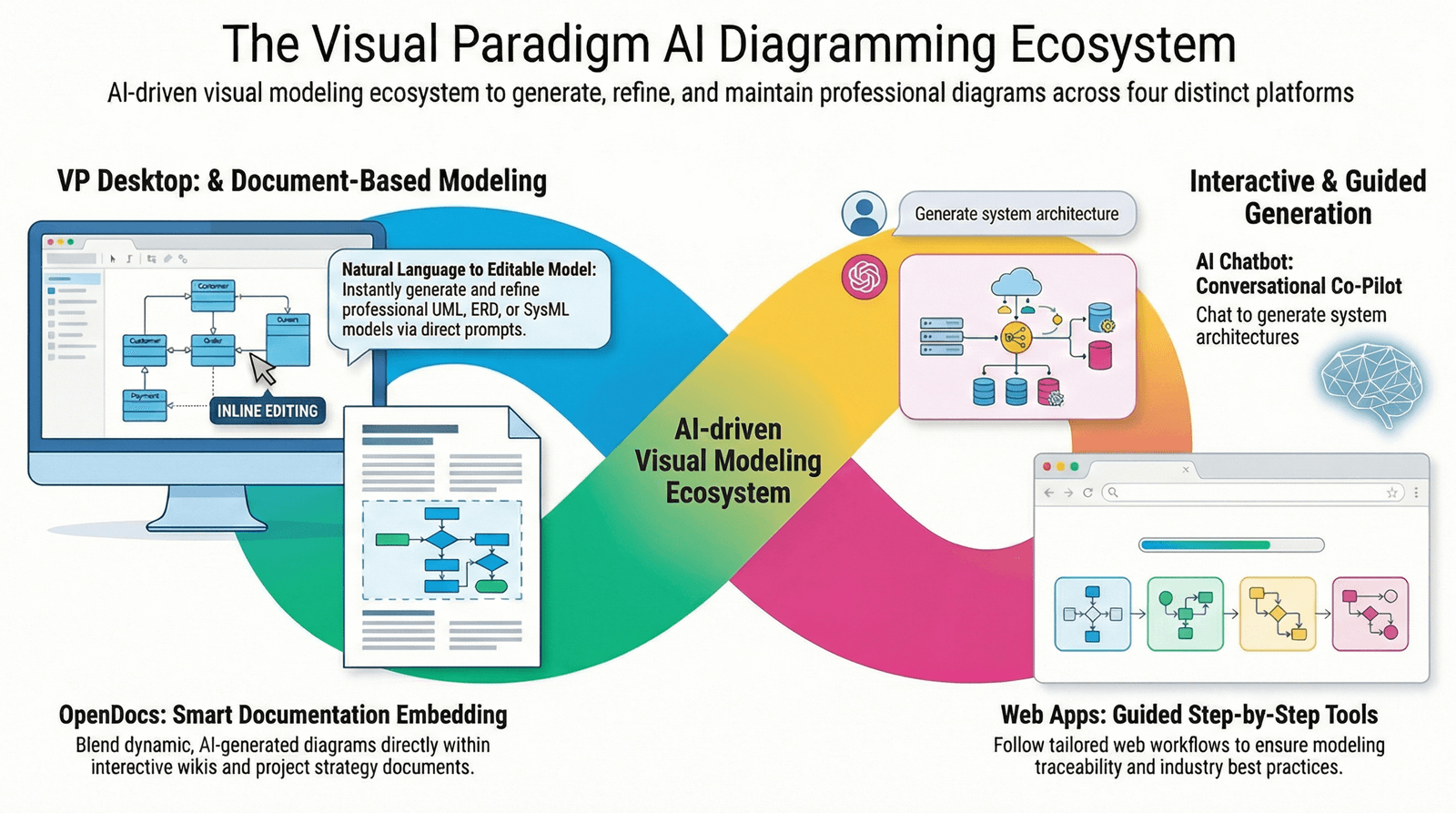
1. VP Desktop – The Professional Engine Room
Purpose
VP Desktop is the core platform for professional modeling, analysis, and design. It provides robust tools for creating complex diagrams, managing requirements, and supporting enterprise-level projects.
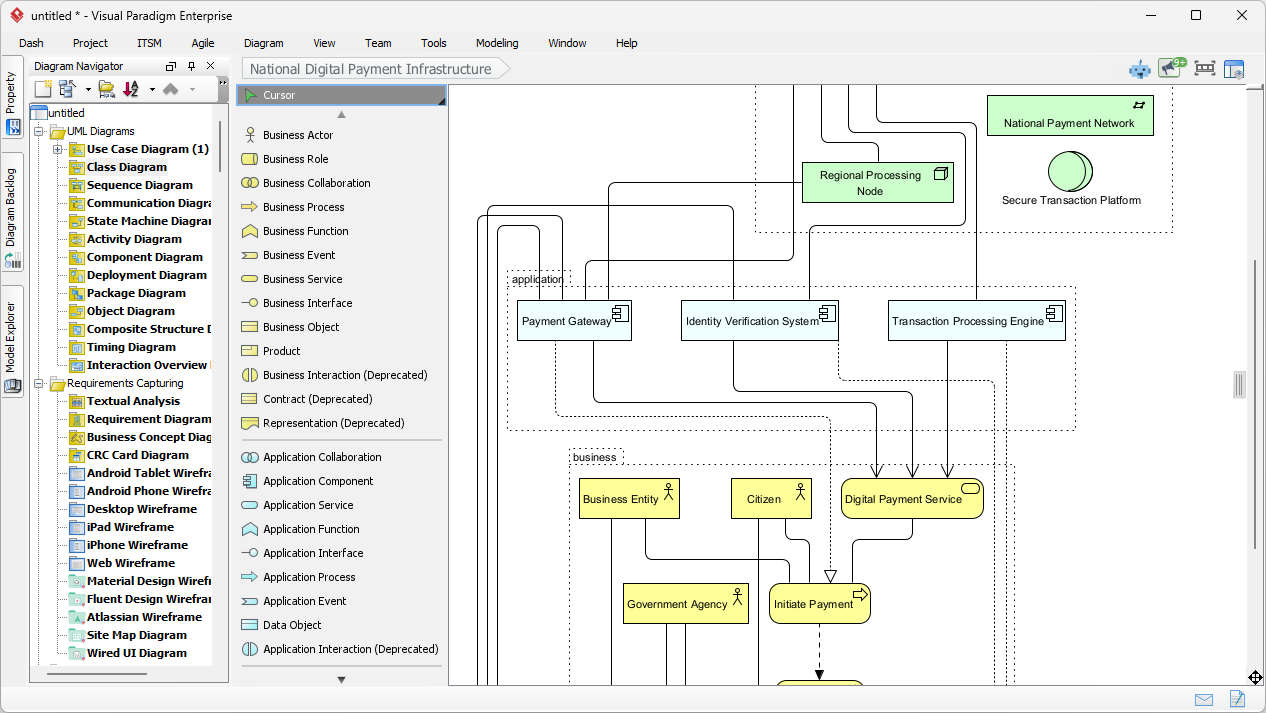
Key Features
-
Advanced diagramming: UML, BPMN, ERD, flowcharts, and more.
-
Requirement management: Traceability, versioning, and collaboration.
-
Code engineering: Round-trip code generation and reverse engineering.
-
Team collaboration: Real-time co-editing and cloud-based project sharing.
Ideal Use Cases
-
Enterprise architecture and system design.
-
Software development lifecycle management.
-
Business process modeling and optimization.
Integration
VP Desktop acts as the central hub, feeding data and models into other pillars for further refinement and execution.
2. OpenDocs – The Living Knowledge
Purpose
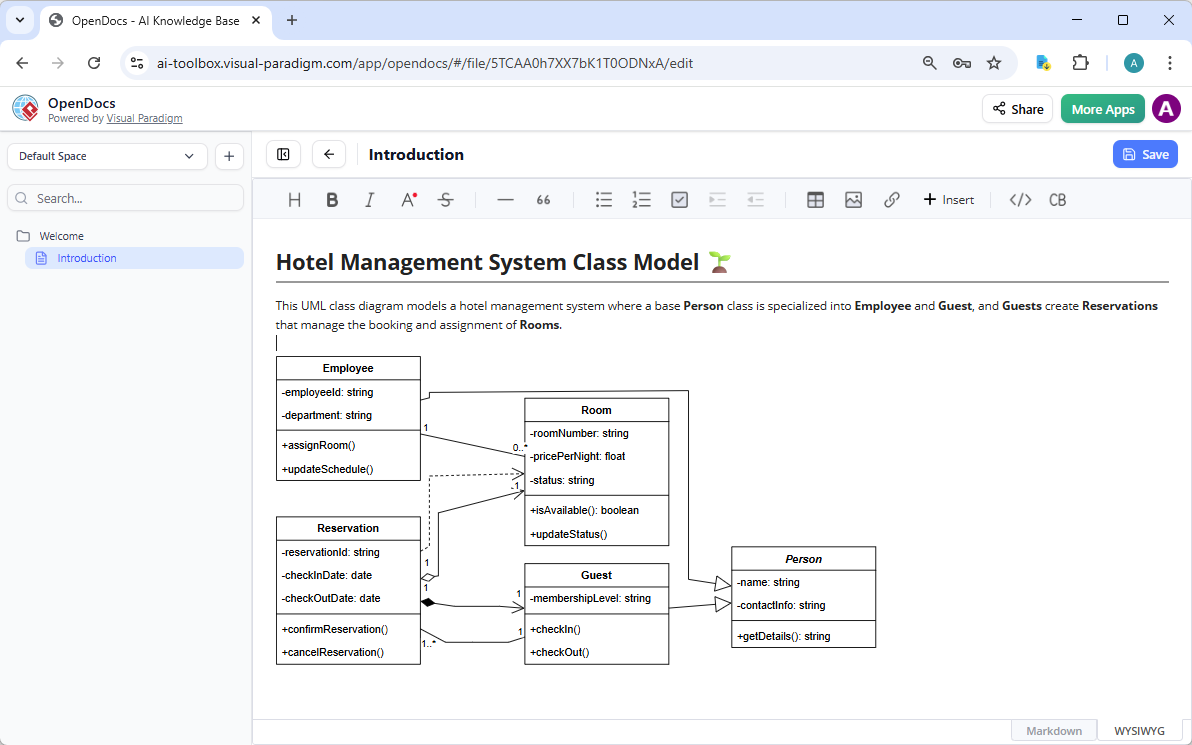
OpenDocs is a dynamic repository for documentation, knowledge sharing, and collaborative content creation. It ensures that all stakeholders have access to up-to-date, relevant information.
Key Features
-
Centralized documentation: Store, organize, and retrieve project documents.
-
AI-powered search: Quickly locate information using natural language queries.
-
Version control: Track changes and maintain document history.
-
Collaboration tools: Commenting, annotations, and real-time updates.
Ideal Use Cases
-
Maintaining project documentation and user manuals.
-
Knowledge management for teams and organizations.
-
Compliance and audit documentation.
Integration
OpenDocs syncs with VP Desktop and other pillars, ensuring that documentation is always aligned with the latest models and requirements.
3. AI Visual Modeling Chatbot – The Conversational Ideation Co-Pilot
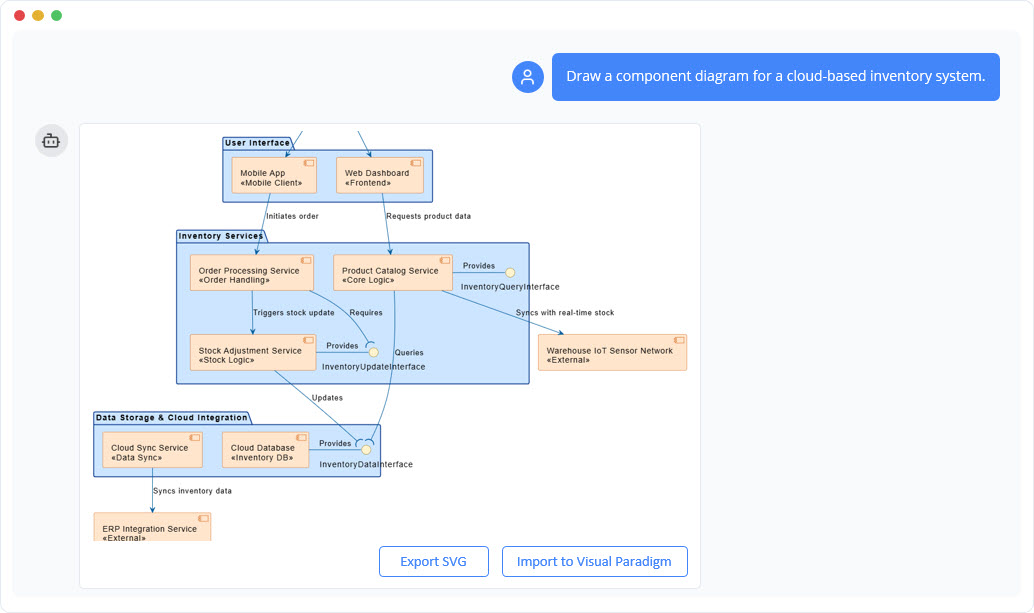
Purpose
The AI Visual Modeling Chatbot is an interactive assistant that helps users brainstorm, visualize ideas, and generate models through natural language conversations.
Key Features
-
Natural language processing: Convert text descriptions into diagrams and models.
-
Interactive guidance: Ask questions and receive suggestions for model improvements.
-
Rapid prototyping: Quickly iterate on ideas and visualize concepts.
Ideal Use Cases
-
Early-stage brainstorming and concept validation.
-
Collaborative workshops and ideation sessions.
-
Onboarding new team members with visual guides.
Integration
The chatbot feeds ideas and drafts into VP Desktop for further refinement and into OpenDocs for documentation.
4. AI Apps & Studios (Web Apps) – The Guided Domain Experts
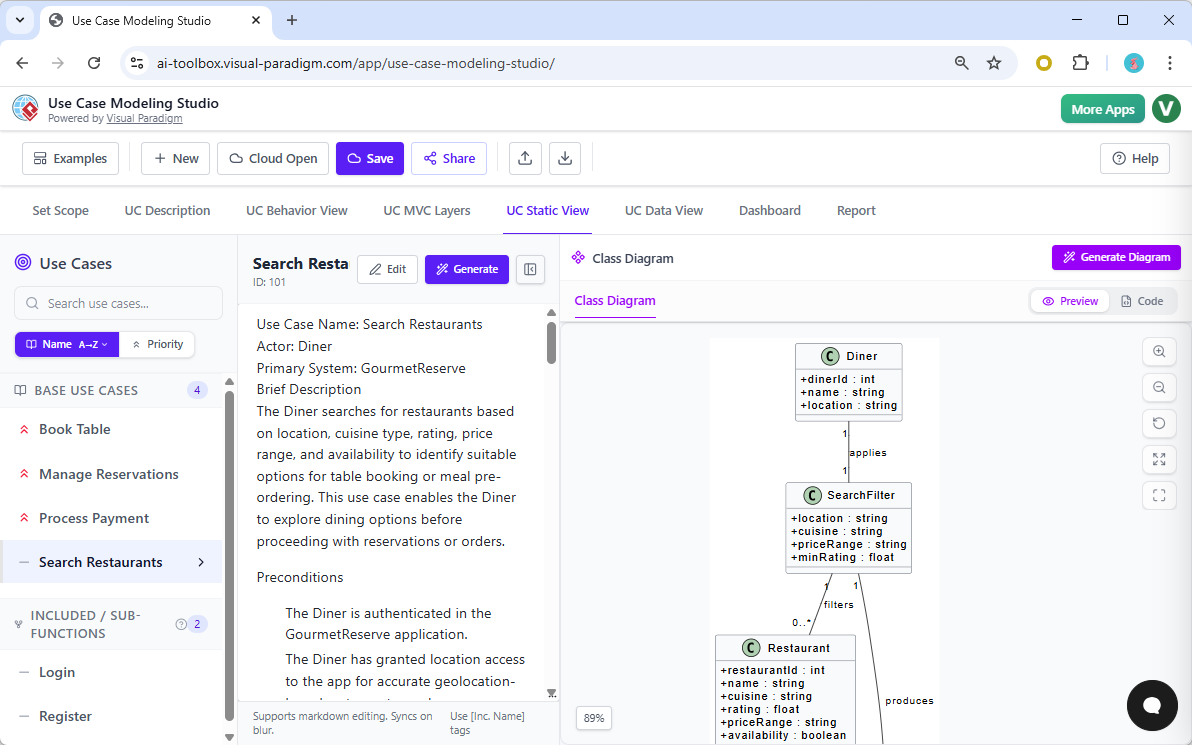
Purpose
AI Apps & Studios provide step-by-step guidance for domain-specific tasks, enabling users to follow best practices and achieve consistent results.
Key Features
-
Step-by-step workflows: Guided processes for specific domains (e.g., Agile, BPMN, UX).
-
Template libraries: Pre-built templates for common scenarios.
-
Automated validation: Check for compliance and best practices.
-
Customizable studios: Tailor workflows to organizational needs.
Ideal Use Cases
-
Standardizing processes across teams.
-
Training and upskilling employees.
-
Ensuring compliance with industry standards.
Integration
AI Apps & Studios output structured models and documentation, which can be imported into VP Desktop and OpenDocs for further use.
Closed-Loop Workflow: From Brainstorming to Enterprise Delivery
-
Ideation: Use the AI Visual Modeling Chatbot to brainstorm and visualize ideas.
-
Modeling: Refine and formalize models in VP Desktop.
-
Documentation: Store and manage documentation in OpenDocs.
-
Execution: Follow guided workflows in AI Apps & Studios to implement and validate solutions.
-
Feedback Loop: Continuously improve models and documentation based on real-world use and feedback.
Conclusion
Visual Paradigm’s AI ecosystem is a powerful, integrated suite that supports every stage of the project lifecycle. By leveraging each pillar’s strengths, teams can achieve greater efficiency, consistency, and innovation.
Reference
- AI Diagram Generators – Visual Paradigm Ecosystem: Detailed overview of Visual Paradigm’s four AI-powered platforms (VP Desktop, OpenDocs, AI Visual Modeling Chatbot, and Web Apps / Guided Tools), including use cases, benefits, and how they form a complete ecosystem for diagram generation and modeling.
- Visual Paradigm – AI-Powered Visual Modeling Platform: Official main page introducing the AI engine, core features like instant diagram generation, and references to the integrated tools including the chatbot, OpenDocs, and desktop modeling capabilities.
- AI Chatbot – Visual Paradigm: Official feature page for the AI Visual Modeling Chatbot, explaining instant diagram generation from text prompts, conversational refinement, supported diagram types (UML, SysML, ArchiMate, etc.), and integration with desktop and online tools.
- AI Chatbot | Diagramming & Modeling with Visual Paradigm: Direct access page to the standalone AI Visual Modeling Chatbot, highlighting its role as a co-pilot for creating and refining diagrams via natural language, with examples and export options to professional tools.
- Visual Paradigm AI: The Ultimate Guide to Intelligent Modeling for Engineers, Architects & Teams: In-depth user guide and review covering the four pillars of Visual Paradigm AI, with comparisons, workflows, and recommendations for different roles (e.g., architects, product managers).
- Harnessing Visual Paradigm’s AI for Diagram Generation: The Ultimate 2026 Guide: Comprehensive 2026 guide exploring Visual Paradigm’s AI capabilities across the four approaches (chatbot, guided apps/studios, desktop, and more), including methods, strengths, and real-world applications.
- Unlock the Future of Visual Modeling with Visual Paradigm AI – Where AI Meets Enterprise-Grade Design: Article introducing the four pillars (VP Desktop, AI Visual Modeling Chatbot, OpenDocs, and Web App Studios), emphasizing the closed-loop workflow from ideation to enterprise delivery.