Despite its growing adoption, ArchiMate is still surrounded by misunderstandings that can discourage teams from using it effectively. Some misconceptions come from comparing it directly with UML or BPMN, while others stem from older versions of the language that lacked today’s modern features. As enterprise architecture evolves, it is important to clarify what ArchiMate can and cannot do, especially when supported by a modern EA modeling tool that enhances its clarity and usability.
This article clears up the most common misunderstandings and helps architects, managers, and stakeholders build an accurate picture of what the ArchiMate language truly offers.
“ArchiMate is too complex for business stakeholders.”
This is one of the most common misconceptions, often based on seeing dense diagrams that try to capture an entire architecture landscape in one view. The problem is not the language itself, but how it is applied.
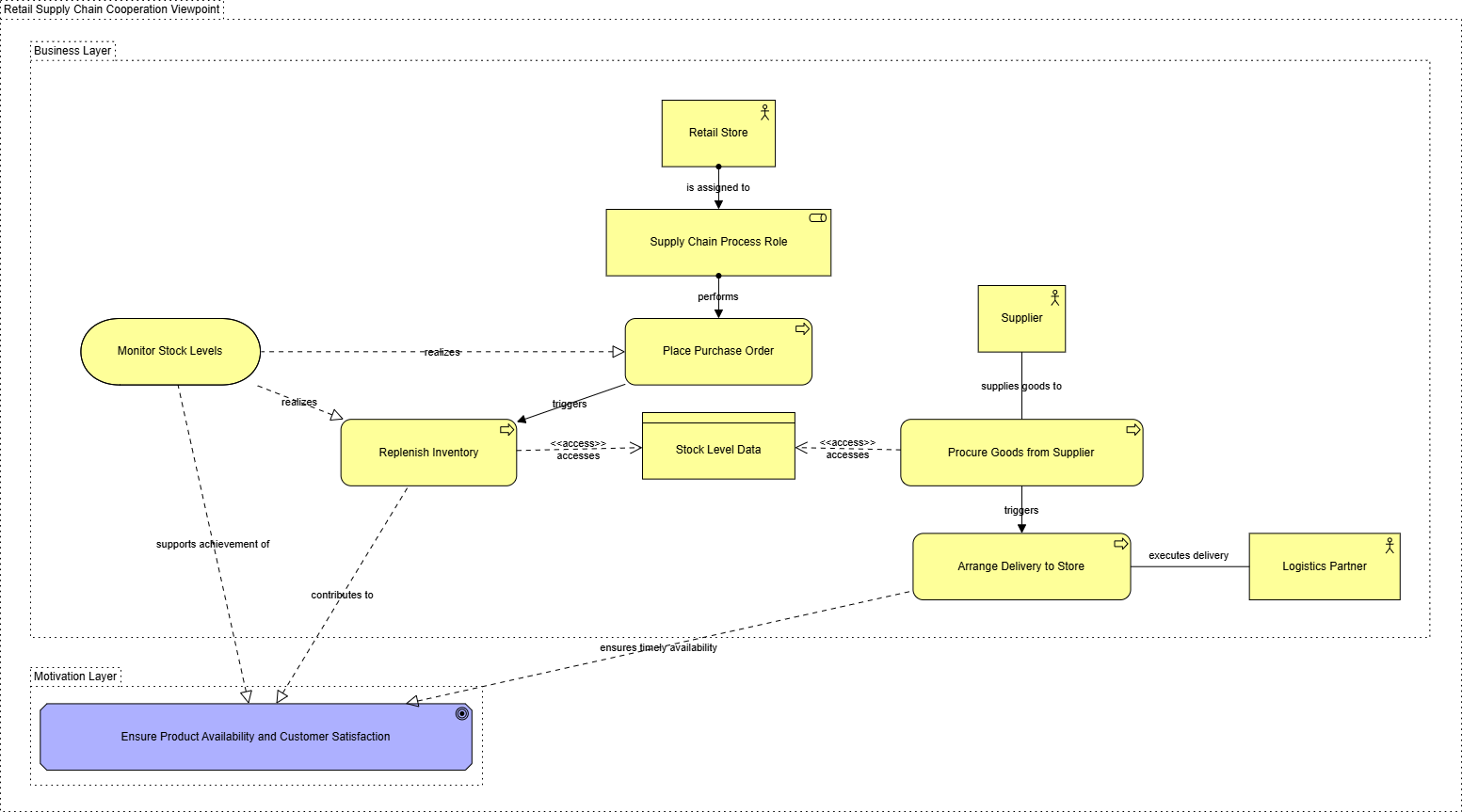
ArchiMate actually scales well for non-technical audiences when used with the right level of abstraction. In fact, many EA teams use ArchiMate to create capability maps, value streams, and motivation models that executives understand immediately. When an enterprise architecture tool offers layering controls, filtering, and viewpoint templates, the diagrams become even clearer and more digestible.
ArchiMate is only “complex” when everything is shown at once, which goes against its own viewpoint guidelines.
“ArchiMate and UML do the same thing.”
This confusion is natural because both languages contain elements related to applications and systems. However, they serve different purposes.
- UML was built for software design, focusing on class structures, behaviors, and object interactions.
- ArchiMate was created for enterprise architecture, focusing on relationships across business, application, data, and technology layers.
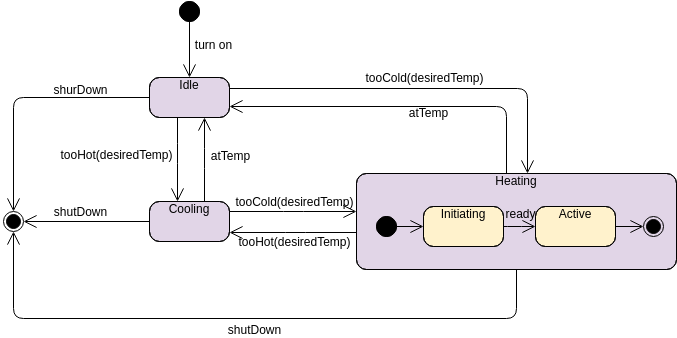
While ArchiMate can express structural and behavioral concepts, it does not replace UML for detailed software engineering. Conversely, UML does not provide the strategic or cross-layer perspective that architects need.
The two are complementary, not interchangeable.
“ArchiMate is only useful for technology landscapes.”
Early adopters sometimes focused heavily on technology views, leading to the misconception that ArchiMate mainly serves infrastructure modeling. But the language has expanded significantly.
Modern ArchiMate includes:
- Motivation and Strategy elements for goals, outcomes, capabilities, and drivers
- Business layers that model processes, roles, products, and services
- Implementation and Migration concepts that map out project stages and plateaus
Today, it spans the entire architecture journey, from strategic intent to technology realization, making it one of the most holistic EA modeling languages available.
“ArchiMate is too rigid and prescriptive.”
Some believe ArchiMate forces architects into strict modeling patterns. In reality, the language is deliberately flexible. It provides clear rules for relationships and element types, but it does not dictate how detailed each model must be or which views are mandatory.
With a modeling tool that supports viewpoints, filtering, and layering, teams can tailor how they use ArchiMate based on:
- Stakeholder needs
- Project scope
- Maturity level
- Governance requirements
ArchiMate offers structure, but never rigidity.
“ArchiMate diagrams must be extremely detailed to be valuable.”
This misconception often leads to oversized, unreadable diagrams—ironically causing the very frustration people blame on ArchiMate.
The value of ArchiMate comes from clarity, not volume.
Good practice focuses on:
- Modeling at the right level of abstraction
- Using viewpoints to highlight only what matters
- Letting tools automate layout, relationships, and dependency checks
An effective ArchiMate model may be simple, minimal, and high-level. The goal is insight, not diagram density.
“ArchiMate is not aligned with TOGAF or other EA frameworks.”
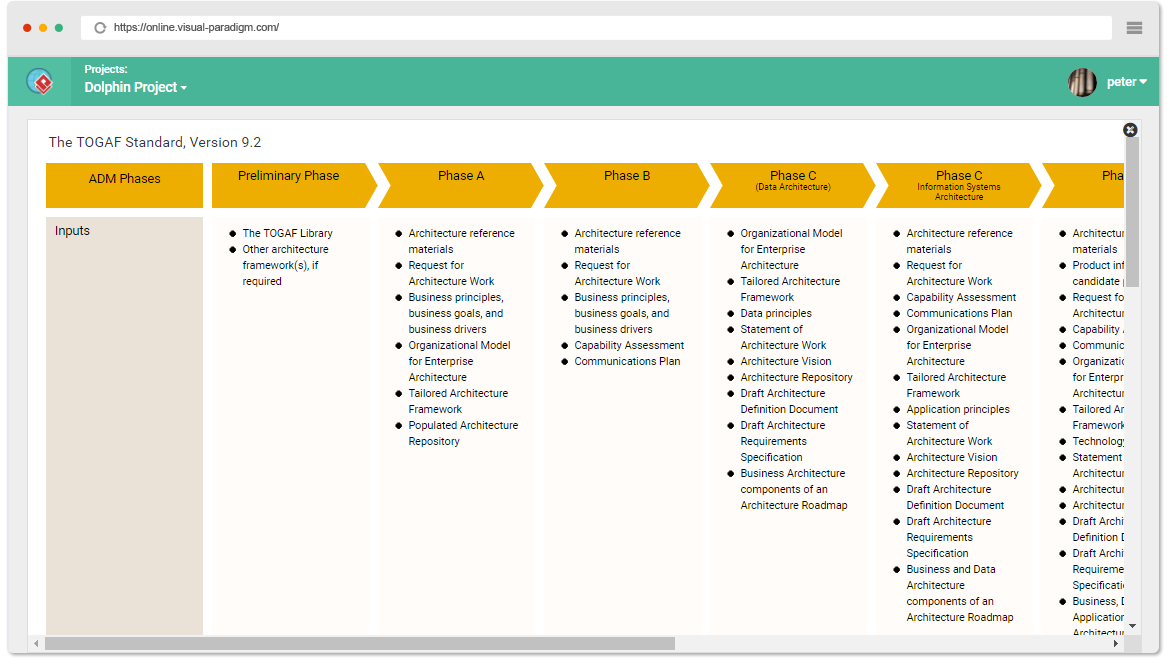
This was true decades ago when early EA frameworks had no unified modeling notation. Today, ArchiMate is officially linked to TOGAF through The Open Group, giving teams a consistent language to express architecture artifacts throughout the ADM cycle.
ArchiMate also fits well with:
- Capability-based planning
- Roadmapping
- Application portfolio management
- Business architecture practices
The alignment is stronger than ever, making ArchiMate one of the most framework-friendly modeling languages available.
Clearing Misconceptions Strengthens EA Practice
Many misunderstandings about ArchiMate arise from old habits or comparing it to languages designed for different purposes. When used correctly—and especially when supported by a modern EA modeling tool—ArchiMate becomes a clear, flexible, and scalable way to represent complex architecture landscapes.
By viewing ArchiMate through an accurate lens, teams unlock a structured language that helps them communicate more effectively, reduce ambiguity, and guide transformation with confidence.