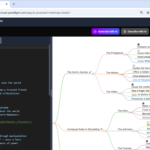
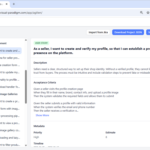
In January 2026, the role of a software architect has transformed dramatically. What used to involve endless hours of manual diagramming, notation debates, and iterative refinements now feels more like directing an intelligent partner—one that listens, suggests, critiques, and builds alongside you. That partner is Visual Paradigm’s AI Chatbotand its suite of generative modeling tools, collectively positioning the platform as the premier AI co-pilot for UML and enterprise modeling.
Gone are the days when architects fought blank canvases or wrestled with layout perfection. Visual Paradigm’s 2025–2026 AI evolution—spanning version 18.0 enhancements, the dedicated AI Chatbot at chat.visual-paradigm.com, specialized apps like the AI-Assisted UMLClass Diagram Generator, and ongoing updates to component, sequence, timing, and use case modeling—has turned UML from a chore into a collaborative, conversational superpower.
This isn’t generic ChatGPT-style output slapped onto diagrams. It’s a purpose-built modeling intelligence trained on UML 2.5+,SysML, ArchiMate, BPMN, and enterprise standards, delivering notation-accurate, semantically rich models that professionals actually trust and use in production.
Why Architects Need an AI Co-Pilot in 2026
Modern software projects demand speed without sacrificing quality:
- Tight sprint cycles leave little room for manual modeling.
- Distributed teams need instant alignment on architecture.
- Requirements evolve rapidly—diagrams must keep pace.
- Junior team members need guidance to produce professional-grade artifacts.
- Architects want to focus on strategic decisions, not syntax minutiae.
Visual Paradigm’s AI addresses all of these pain points by acting as an ever-available, infinitely patient co-pilot that:
- Generates diagrams from natural language in seconds
- Refines models through conversation (“Make this composition instead of aggregation”)
- Answers deep UML questions (“When should I use include vs. extend?”)
- Suggests improvements and detects design smells
- Exports seamlessly to full Visual Paradigm projects for code gen, documentation, and collaboration
Core Components of the Visual Paradigm AI Co-Pilot
1. The AI Chatbot – Your Conversational Modeling Partner
Accessible at chat.visual-paradigm.com (or integrated into Desktop with active maintenance), this is the heart of the revolution. It supports:
- Instant diagram generation across UML (class, sequence, use case, state machine, component, object, package, timing), plus ERD,DFD, ArchiMate, C4, mind maps, and more.
- Iterative refinement: “Add error handling to the sequence diagram,” “Show inheritance hierarchy,” “Generate PlantUML source.”
- Explanations and tutoring: Ask “Explain the difference between aggregation and composition” and get clear, example-backed answers.
- Multi-language support and export to desktop for advanced editing.
Recent 2025–2026 updates dramatically improved layout quality, relationship accuracy, and stability—especially for complex diagrams like component and timing views.
2. Specialized AI Generators – Wizard-Style Precision
For structured workflows, Visual Paradigm offers dedicated AI tools (ai.visual-paradigm.com):
- AI-Assisted UML Class Diagram Generator — Guided scope definition → AI-proposed classes/relations → one-click diagram + architect analysis report.
- Use Case Modeling Studio — From goal statement to full use case descriptions, flows, preconditions/postconditions, then auto-generated use case, activity, and sequence diagrams.
- AI Diagram Generator — Quick text-to-diagram for dozens of types, now including enhanced support for DFD, ERD, timing diagrams, and object diagrams.
3. Intelligent Analysis & Suggestions
The co-pilot doesn’t just draw—it thinks:
- Flags potential issues (“This many-to-many association might benefit from an intermediary class”)
- Proposes patterns (“Consider applying the Factory pattern here”)
- Generates documentation summaries or alternative views
This turns the tool from a drawing aid into a true design companion.
Real-World Scenarios: The Co-Pilot in Action
Scenario 1: Rapid Architecture Kickoff in a Sprint
An architect types: “Create a component diagram for a microservices-based e-commerce platform with services for catalog, cart, order, payment, inventory, user auth, and API gateway.”
TheAI Chatbot instantly produces a clean, layered component diagram with provided/required interfaces, dependencies, and logical grouping. The architect follows up: “Highlight scalability concerns and add caching components.” Seconds later, refinements appear.
Scenario 2: Mentoring & Onboarding
A junior developer asks: “Generate a sequence diagram for user login with OAuth2.” The co-pilot delivers a standards-compliant diagram, then explains key elements when queried. The team iterates conversationally until the diagram matches the intended flow.
Scenario 3: Complex Enterprise Refactoring
During a legacy modernization project: “Analyze this description of our current monolithic system and suggest a modular component architecture with domain-driven design boundaries.”
The AI proposes bounded contexts as components, suggests interfaces, and generates both current-state and target-state diagrams for comparison.
Key Benefits That Set It Apart
- Standards Fidelity — Unlike general-purpose AIs, Visual Paradigm’s engine deeply understands UML nuances (e.g., correct multiplicity notation, fragment types in sequences, composition vs. aggregation diamonds).
- Living Models — Diagrams remain editable, linked to requirements, and exportable to code, documentation, or team repositories.
- Speed + Quality — Architects report 5–10× faster initial modeling with higher consistency.
- Learning Accelerator — Students and new hires produce professional diagrams from day one while absorbing best practices through interaction.
- Seamless Ecosystem — Generated artifacts flow intoVisual Paradigm Desktop for version control, code engineering, simulation, and collaboration.
Practical Tips for Maximum Value (2026 Edition)
- Use clear, domain-rich prompts — mention key entities, actions, and constraints for best results.
- Iterate conversationally — the co-pilot excels at refinement.
- Combine tools — Start in the Chatbot for exploration, export to Desktop for polish.
- Check licensing — As of January 2026, full AI features require active Professional (or higher) edition maintenance or subscription.
- Experiment across types — Try timing diagrams for real-time systems or ArchiMate for enterprise overlays.
The Revolution Is Here
Visual Paradigm’s AI co-pilot doesn’t replace human architects—it amplifies them. It handles the tactical heavy lifting so you can stay in the strategic sweet spot: defining boundaries, choosing patterns, aligning stakeholders, and innovating.
In a world where software complexity grows exponentially and time-to-value shrinks, every architect needs this kind of intelligent ally.
Ready to meet your new co-pilot? Head to chat.visual-paradigm.com for instant access, explore the AI toolbox, or download Visual Paradigm 18+ (with active maintenance) to unlock desktop integration.
The modeling revolution isn’t coming. It’s already in your browser—waiting for your next prompt.