
Introduction
In the world of software development and system design, having access to professional-grade modeling tools can make the difference between a well-architected system and a chaotic mess. Unfortunately, many powerful UML tools come with hefty price tags that put them out of reach for students, educators, and independent developers. Visual Paradigm Community Edition changes that equation by delivering enterprise-level visual modeling capabilities completely free for non-commercial use. This comprehensive review explores whether this free tool can truly compete with paid alternatives and if it deserves a place in your development toolkit.
What Is Visual Paradigm Community Edition?
Visual Paradigm Community Edition is a robust, cross-platform UML modeling solution designed for students, educators, hobbyists, and anyone engaged in non-commercial software design or system modeling. Built on Java, it runs seamlessly on Windows, macOS, and Linux, providing comprehensive support for UML 2.x diagrams, Entity Relationship Diagrams (ERD), and select SysML capabilities—all wrapped in a clean, professional interface that prioritizes productivity over clutter.
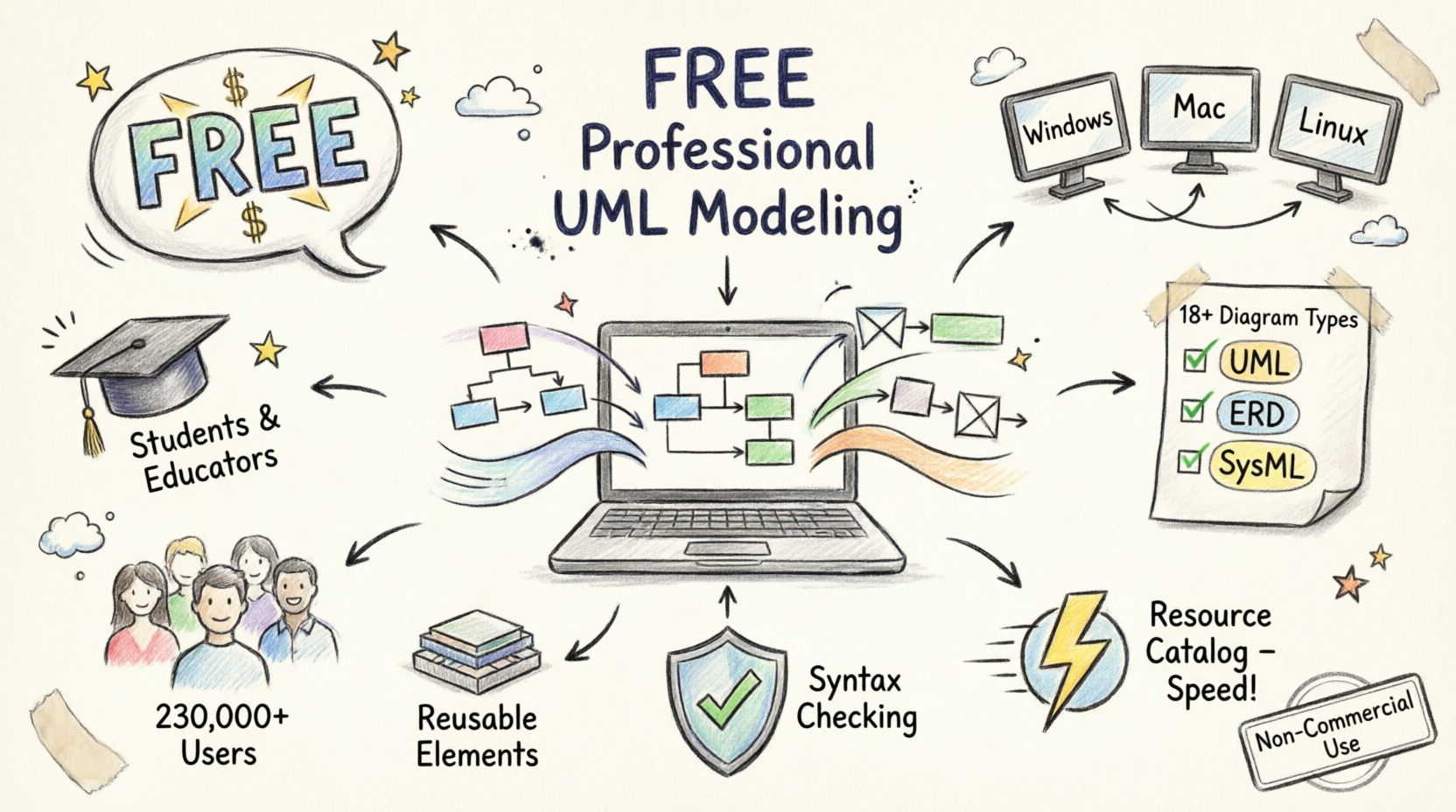
Unlike basic diagramming applications that merely let you draw shapes, Visual Paradigm emphasizes genuine modeling practices with reusable elements, automatic syntax checking, and multi-level abstraction support.
Core Features Breakdown
Comprehensive UML 2.x Support
The tool enables you to draw any of the UML 2.x diagrams with full notation fidelity. Whether you’re designing APIs with class diagrams, capturing requirements through use cases, or modeling interactions in sequence diagrams, Visual Paradigm provides everything needed in one place.

UML Support
Draw ANY of the UML2 diagrams
Advanced Modeling Capabilities
What sets Visual Paradigm apart from simple drawing tools is its focus on real modeling. The software supports:
-
Reusable elements across different diagrams and models
-
Automatic syntax checking to maintain design correctness
-
Sub-diagrams for multiple levels of abstraction
-
Model validation to ensure consistency

Modeling Capability
Re-usable elements, syntax checking, sub-diagrams, etc.
Efficiency-Driven Interface
Visual Paradigm’s thoughtful UI design recognizes that small details matter. The difference between a click and a drag, keyboard shortcuts, and intuitive workflows make the modeling experience feel natural and fast. The interface eliminates redundant widgets and distractions, keeping your focus on what matters: creating quality models.

Efficiency
We care about the difference between a click and a drag.
True Cross-Platform Compatibility
Whether you’re working on Windows, Mac OS X, or Linux, Visual Paradigm delivers a consistent, seamless modeling experience. As a Java-enabled application, it runs on virtually any modern operating system without compromise.

Cross Platforms
Modeling in ANY Java-enabled platforms – Windows, Mac OS X, Linux
Resource Catalog: Accelerate Your Workflow
The Resource Catalog is a standout feature that dramatically speeds up diagram creation. Acting as your secret weapon for productivity, it allows you to build high-quality, professional UML diagrams with just a few mouse clicks. Instead of hunting for shapes or connectors, the Resource Catalog keeps everything at your fingertips, maintaining consistency while you focus on modeling rather than mechanics.

Real Modeling Tools, Not Just Drawing
Unlike basic diagramming apps that treat UML as simple shapes on a canvas, Visual Paradigm emphasizes genuine modeling practices:
-
Element Reuse: Use the same element across multiple diagrams without duplication
-
Built-in Syntax Checking: Catch modeling errors before they become problems
-
Layered Abstraction: Create sub-diagrams to manage complexity
-
External References: Link to external design artifacts, documentation, and resources
If you’ve used professional modeling software before, you’ll immediately appreciate how these capabilities streamline complex projects and improve outcome quality.

Element Referencing: Create Connected Models
Visual Paradigm enables robust connections between model elements and external resources including webpages, files, and documents. This creates a traceable, living model where everything stays linked and contextual. Need to reference a requirements document or link to an API specification? Element referencing makes it seamless.

Supported Diagram Types
Visual Paradigm Community Edition shines across common UML and modeling scenarios. Here’s what you can create:
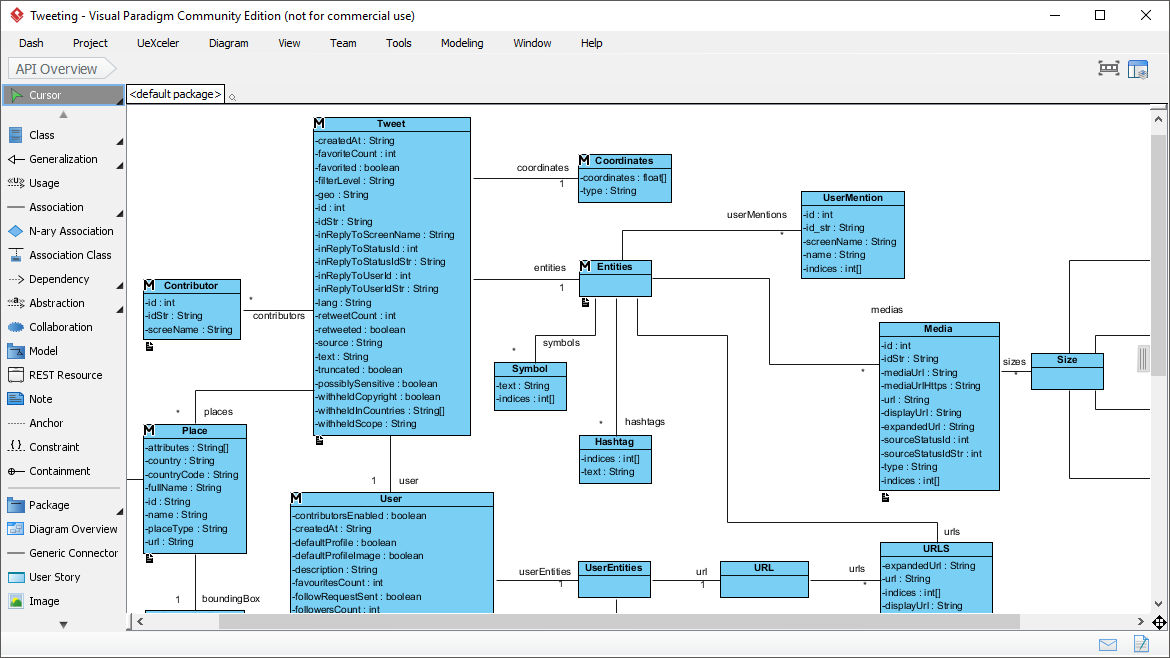
Class Diagram
Design APIs or system structures in a spacious, distraction-free editor. Perfect for object-oriented design and database schema planning.

Entity Relationship Diagram (ERD)
Model database structures and relationships with professional ERD notation.

Sequence Diagram
Visualize object interactions and message flows over time.

Requirement Diagram (SysML)
Capture and manage system requirements using SysML notation.

Use Case Diagram
Map functional requirements and actor interactions.

Feature Comparison: Community vs. Modeler Edition
Understanding what’s included helps set proper expectations:
Community Edition (FREE for non-commercial use)
Includes single-line watermark on prints/exports
Supported Diagrams:
-
Use Case Diagram
-
Class Diagram
-
Sequence Diagram
-
Communication Diagram
-
State Machine Diagram
-
Activity Diagram
-
Component Diagram
-
Deployment Diagram
-
Package Diagram
-
Object Diagram
-
Composite Structure Diagram
-
Timing Diagram
-
Interaction Overview Diagram
-
Entity Relationship Diagram (ERD)
-
SysML Requirement Diagram
-
SysML Block Definition Diagram
-
SysML Internal Block Diagram
-
SysML Parametric Diagram
-
Business Concept Diagram
-
Printing & Image exporting (PNG, JPG) — with watermark
Modeler Edition ($6/month for any purposes)
Unlocks advanced collaboration, BPMN, DFD, flowchart, team and task management, glossary, textual analysis, and other business diagramming features (EPC, Organization Chart, Network/Rack diagrams, etc.)
FREE Download – Community Edition | FREE Trial – Full Editions
Who Should Use Visual Paradigm Community Edition?
Over 230,000 users trust Visual Paradigm, including:
-
Students learning software engineering and system design
-
Educators teaching UML and modeling concepts
-
Independent developers working on personal projects
-
Small businesses with non-commercial modeling needs
-
Hobbyists exploring system architecture
-
Universities and government organizations for educational purposes
The tool’s balance of power, usability, and free access for non-commercial work makes it a go-to choice for learning, teaching, and personal projects.
Limitations to Consider
While impressive, the Community Edition does have constraints:
-
Watermark: All exports and prints include a single-line watermark
-
Non-commercial use only: Commercial projects require a paid license
-
Limited collaboration: Team features are restricted
-
No BPMN/DFD: Business process and data flow diagrams unavailable
-
No advanced features: Glossary, textual analysis, and team management excluded
For many users, especially students and independent developers, these limitations are acceptable trade-offs for accessing professional-grade tools at no cost.
Conclusion
Visual Paradigm Community Edition proves that free doesn’t mean feeble. It delivers a genuinely professional UML modeling experience without the enterprise price tag, making it an exceptional choice for students, educators, and independent developers. The combination of a clean, intuitive interface, the productivity-boosting Resource Catalog, real modeling features like syntax checking and element reuse, plus comprehensive UML 2.x, ERD, and SysML support, sets it far apart from lighter drawing tools.
Yes, the watermark on exports and the non-commercial restriction are notable limitations, but they’re minor compared to the value provided. For anyone learning UML, teaching software design, or working on personal projects, Visual Paradigm Community Edition offers an outstanding foundation that can scale with your growing needs. It’s not just a free alternative—it’s a legitimate professional tool that happens to be free.
Download it today and discover focused, high-quality visual modeling without the bloat or the bill.
References
Free UML Tool: Official page presenting Visual Paradigm Community Edition as a free UML software for visual modeling with UML 2.x diagrams, including feature highlights, screenshots, and comparison table.
Download Visual Paradigm Community Edition: Direct download portal for the free Community Edition (non-commercial use), with system requirements and version details.
Easy-to-Use UML Tool: In-depth feature overview of UML diagramming capabilities, diagram types, and modeling tools.
Compare Visual Paradigm Product Editions: Edition comparison showing what Community Edition includes versus paid tiers.
Visual Paradigm Community Edition: The Best Free UML Tool on the Market: Independent review highlighting extensive UML support, usability, and key strengths.