
Introduction: Why I Tested This Free UML Tool
As a software developer who’s bounced between expensive desktop tools and clunky free alternatives, I was genuinely curious when several colleagues mentioned Visual Paradigm Online for quick UML work. Over the past few weeks, I’ve used it for personal side projects, team documentation, and even teaching UML basics to junior developers. This isn’t a sponsored post—just my real-world experience with what the free edition actually delivers, where it shines, and where you might want to look elsewhere.
First Impressions: No Install, No Hassle
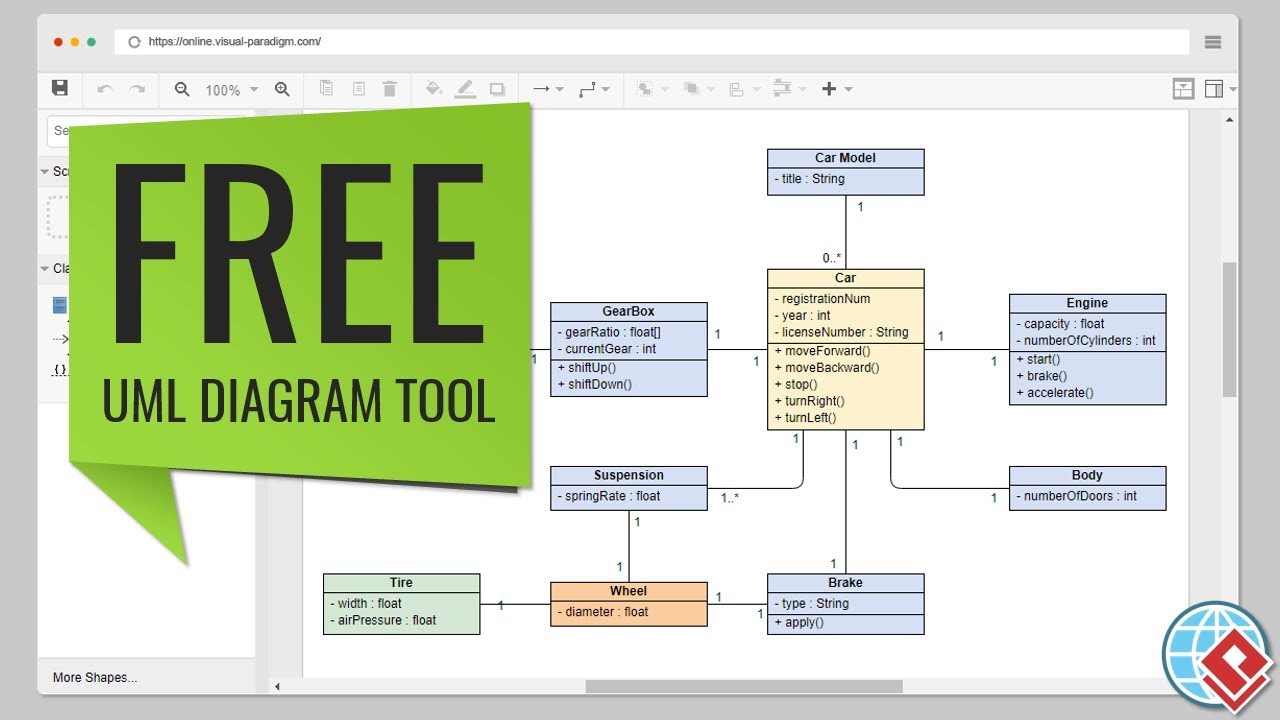
What struck me immediately: I opened the editor in my browser and started drawing within seconds. No account creation wall, no download prompts, no “upgrade now” pop-ups blocking core features. For someone who’s wasted hours troubleshooting desktop UML tool installations, this was refreshing.
The interface feels clean and intentionally minimal. Reviewers I’ve spoken with who prefer heavy-duty enterprise tools might find it “too simple,” but for rapid diagramming? That simplicity is the point.
What “Free” Actually Means Here (Based on My Testing)
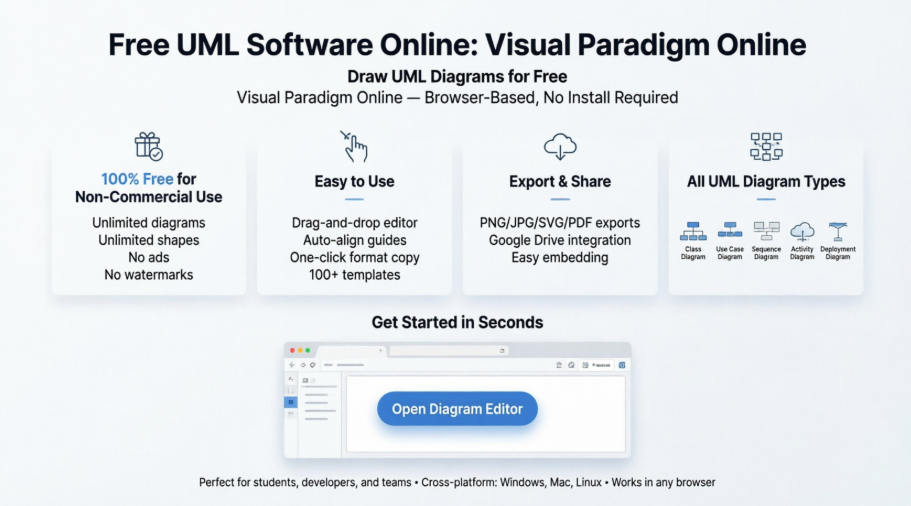
Many free tools slap watermarks on exports or limit you to three diagrams. Visual Paradigm Online’s free edition surprised me:
-
✅ Unlimited diagrams and shapes – I created a dozen class diagrams for a microservices project without hitting a cap
-
✅ Unlimited access period – No 14-day trial countdown hovering over my work
-
✅ No ads – The workspace stayed distraction-free, unlike some “free” tools that flood sidebars with promotions
-
✅ Export to PNG/JPG/GIF/SVG/PDF – I exported sequence diagrams for a client presentation in SVG; quality was crisp
Important caveat: The free edition is for non-commercial use. If you’re diagramming for a client project or corporate work, you’ll need to check their licensing terms. For learning, personal projects, or open-source contributions? It’s genuinely usable.
Hands-On: Creating Diagrams Felt Intuitive
Drag-and-Drop That Actually Works
I tested the editor by recreating a use case diagram for an ATM system. Shapes snapped to connectors cleanly, alignment guides appeared when I moved elements, and copying formatting between shapes took one click. After years fighting with tools where connectors “float away” when you reposition a box, this felt polished.
Template Library Saved Me Time
Instead of building from scratch, I browsed their template gallery. The ATM use case example loaded instantly, and I could modify it for my needs. For someone teaching UML concepts, having ready-made examples to adapt is invaluable.
Formatting Options: More Than Expected
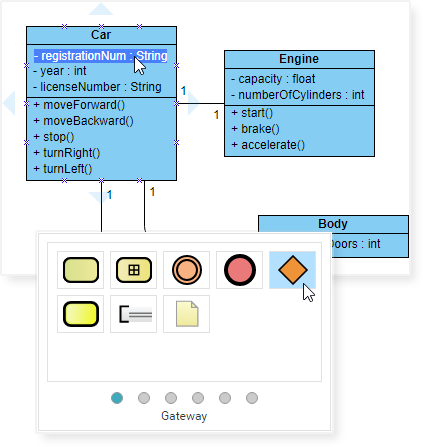
I worried “free” would mean basic black-and-white shapes. Instead, I found:
-
Gradient fills and shadow effects for shapes
-
40+ connector styles to clarify relationship types
-
RTF caption support for rich text annotations
-
Easy rotation of shapes and labels
These aren’t just cosmetic—they help make diagrams clearer for stakeholders who aren’t technical.
Real-World Testing: Export, Share, Collaborate
I exported an activity diagram as a PNG for a Slack discussion and as a PDF for formal documentation. Both retained sharp lines and readable text. The Google Drive integration let me save work directly to my team folder—no manual downloads/uploads.
One limitation I noticed: real-time collaboration isn’t in the free tier. If your team needs simultaneous editing, you’d need a paid plan. For asynchronous sharing via exported files? The free edition handles it well.
Diagram Types I Tested (With Live Examples)
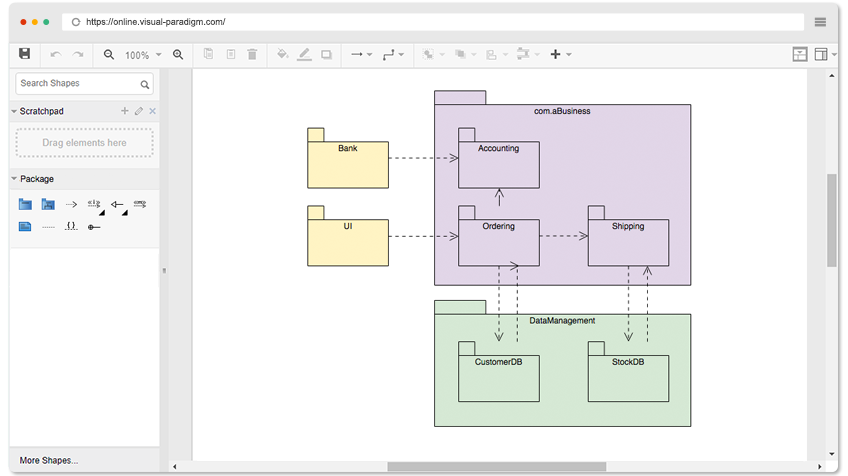
The free edition supports all core UML diagrams. Below are examples I opened and modified during testing—click any to try them yourself:
Open Diagram
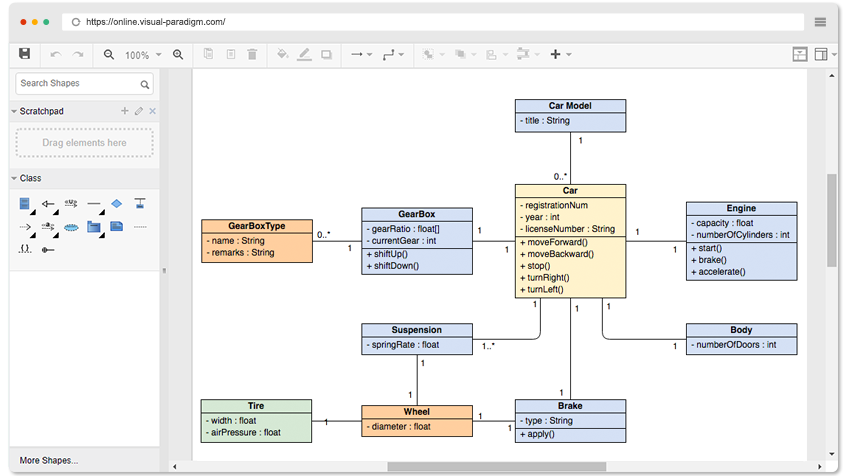
Open Diagram
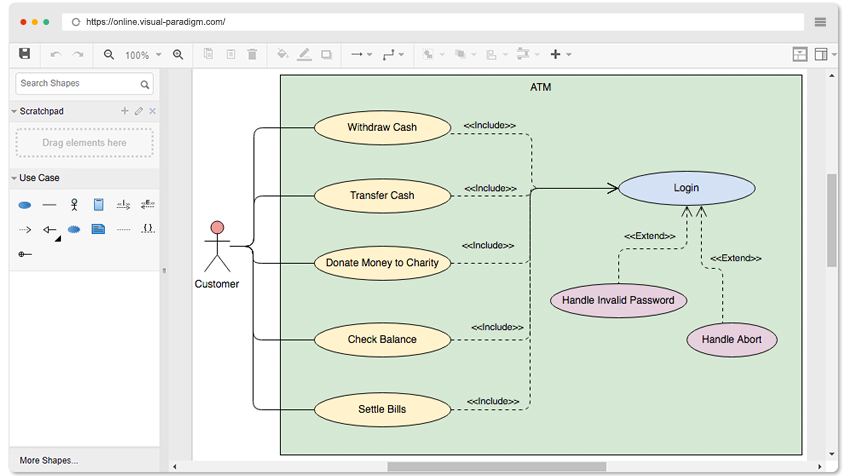
Open Diagram
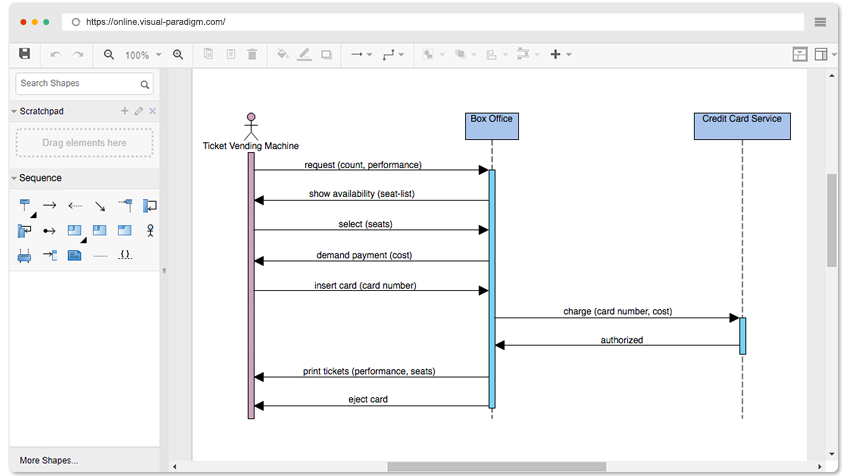
Open Diagram
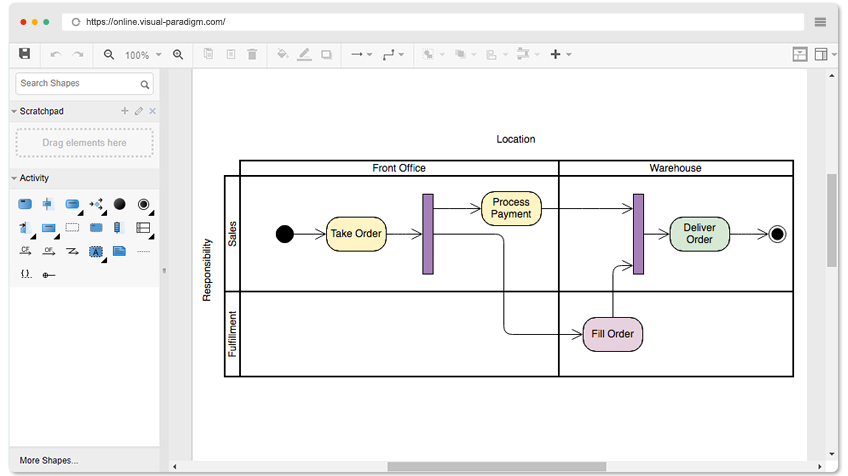
Open Diagram
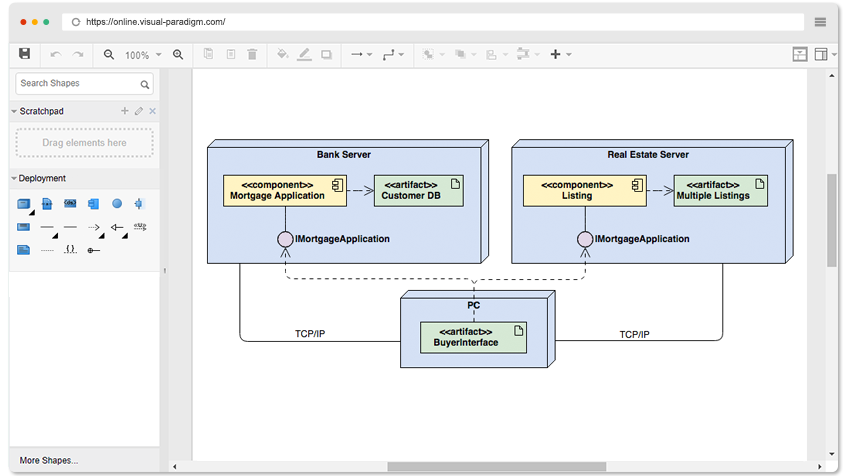
Open Diagram
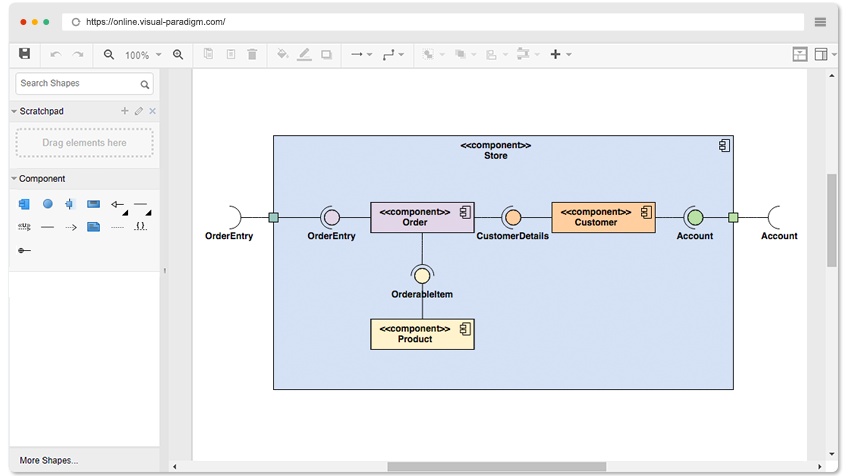
Open Diagram
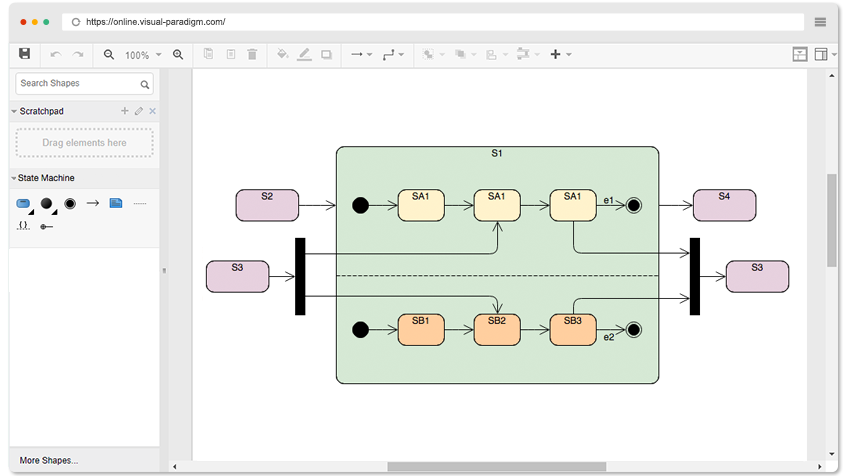
Open Diagram
Beyond UML: Bonus Tools I Didn’t Expect
While testing UML features, I discovered the free edition also includes:
-
ERD (Entity Relationship Diagram) editor – useful for database design
-
Organization Chart designer – handy for team structure docs
-
Basic floor planning and ITIL diagram support
For a free tool, this versatility is uncommon. If your workflow mixes UML with other diagram types, this could replace multiple single-purpose tools.
Who Should Use This (Based on My Experience)
✅ Great for:
-
Students learning UML who need a no-cost, no-install option
-
Developers documenting personal or open-source projects
-
Teams needing quick, shareable diagrams without complex setup
-
Anyone who values “just works” over advanced enterprise features
❌ Might not fit if:
-
You need real-time collaborative editing in the free tier
-
Your work requires commercial licensing without upgrading
-
You rely on deep code engineering features (reverse engineering, round-trip sync) – those require paid editions
Advanced Features Worth Knowing About
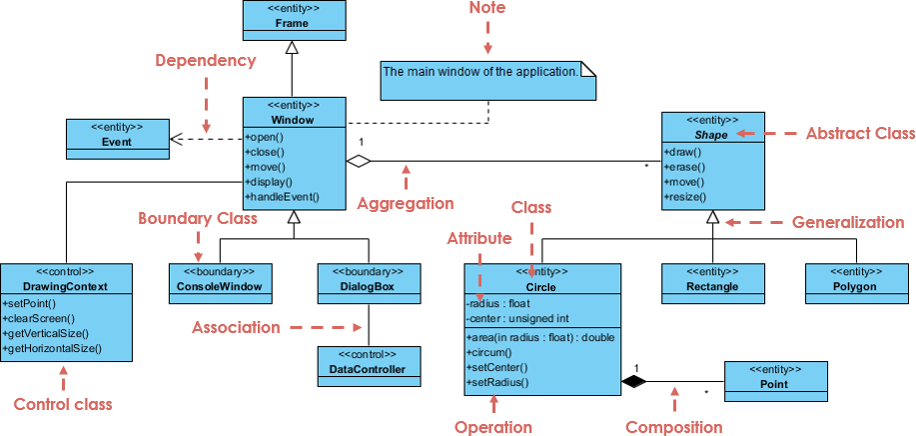
While I focused on the free online tool, I explored what paid editions offer for context:
-
AI-Powered Diagram Generation: Describe a system in text, and AI drafts a UML diagram. I tested this with a simple e-commerce flow—the output was surprisingly usable as a starting point.
-
Code Engineering: Generate Java/C# code from class diagrams, or reverse-engineer existing code into visuals. This is powerful but requires a paid license.
-
IDE Integration: Works inside Eclipse, VS Code, or IntelliJ. Great for developers who want diagrams alongside their code editor.
-
Visual Paradigm Cloud: Enables team commenting and version history. Useful for distributed teams, but again, a paid feature.
For free users, these aren’t accessible—but knowing they exist helps if your needs grow later.
Conclusion: My Final Take After Weeks of Use
After using Visual Paradigm Online extensively, I’d recommend it to anyone needing a reliable, no-cost way to create UML diagrams. It doesn’t try to be everything to everyone—and that’s its strength. The free edition removes common friction points: no watermarks, no artificial limits, no ads.
Is it perfect? No. If you need enterprise-grade collaboration or deep code integration, you’ll eventually outgrow the free tier. But for learning, personal projects, or quick team documentation? It’s one of the most genuinely useful free UML tools I’ve tested.
My advice: Open the editor, try modifying one of the example diagrams above, and see if the workflow clicks for you. Since there’s no download or commitment, the risk is zero—and the time saved on diagramming could be significant.
References
- Visual Paradigm Online – Free UML Diagram Tool: Browser-based UML editor with drag-and-drop interface, unlimited diagrams for non-commercial use, and export to multiple formats.
- Visual Paradigm: A Comprehensive UML Modeling Solution: Blog post detailing Visual Paradigm’s full feature set, UML 2.6 support, and use cases across software development lifecycle.
- AI Diagram Generation Guide: Tutorial on using Generative AI within Visual Paradigm to create UML diagrams from text descriptions.
- What is UML?: Foundational guide explaining UML concepts, diagram types, and modeling best practices.
- UML Modeling Software Process and Tool: Overview of how UML tools fit into software development workflows and team collaboration.
- Overview of the 14 UML Diagram Types: Comprehensive breakdown of structural vs. behavioral UML diagrams with usage examples.
- UML Class Diagram Tutorial: Step-by-step guide to creating class diagrams, including attributes, operations, and relationships.
- Visual Paradigm UML Tool Features: Detailed feature list covering diagramming, code engineering, AI integration, and collaboration capabilities.
- Free UML Tool – Community Edition: Information about the free desktop Community Edition supporting all 13 UML 2.x diagrams for non-commercial use.
- Code Engineering Tools: Documentation on round-trip engineering, code generation, and reverse engineering features for Java, C#, C++, and more.
- Visual Paradigm Gallery: Showcase of diagram examples, templates, and real-world modeling scenarios across UML, BPMN, ERD, and other notations.
- Data Modeling & Database Design: Examples and tools for creating entity-relationship diagrams and generating database schemas.
- Pricing and Edition Comparison: Breakdown of free vs. paid features, licensing options, and upgrade paths for individuals and teams.
- UML Practical Guide: Applied tutorials for using UML diagrams in real software projects, with case studies and best practices.
- Revolutionize Your Visual Modeling: Advanced modeling techniques, tips for effective diagram communication, and integration strategies.