Background: The Challenge of Fragmented Modeling in a Fast-Paced Environment
NexaTech, a mid-sized fintech company with 200+ employees, faced a growing challenge: inconsistent, siloed, and outdated system documentation. Their software teams relied on ad-hoc diagrams—some drawn in PowerPoint, others in Mermaid, Visio —leading to misalignment between product, engineering, and architecture teams.
The biggest pain points:
-
No traceability between business requirements and technical designs.
-
Static diagrams that couldn’t be updated or linked to code.
-
Long feedback loops between stakeholders and developers.
-
No standardized modeling approach—different teams used different methods.
Leadership realized that AI-powered visual modeling was no longer a luxury—it was a necessity for scalability and agility.
The Solution: Adopting Visual Paradigm’s AI Ecosystem
After evaluating multiple AI diagramming tools, NexaTech selected Visual Paradigm (VP) AI for its unique blend of AI intelligence, model traceability, and multi-platform integration. The company adopted a phased rollout strategy, leveraging the four core pillars of VP AI to meet diverse team needs.
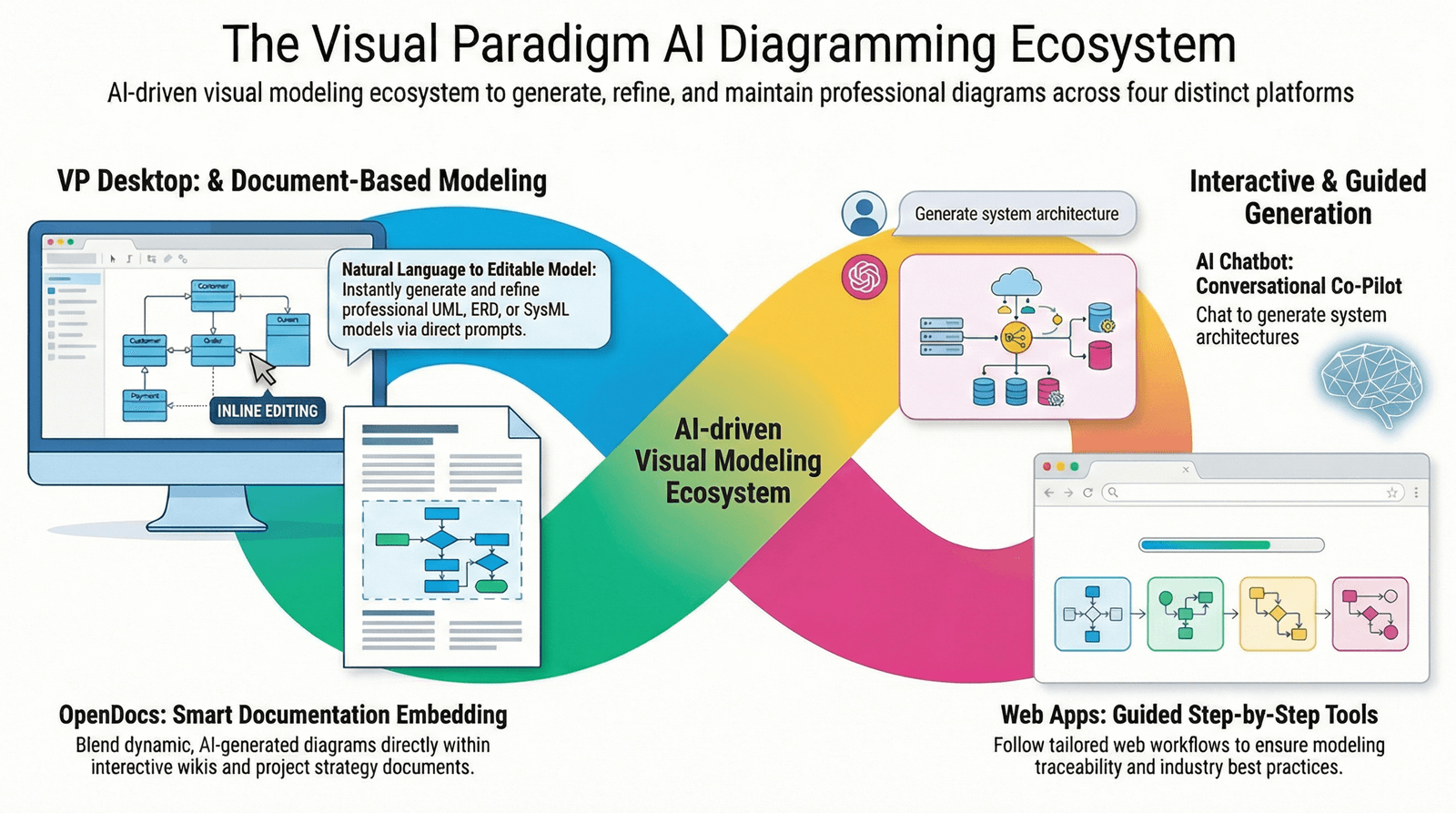
Phase 1: Ideation & Discovery – AI Visual Modeling Chatbot (The Co-Pilot)
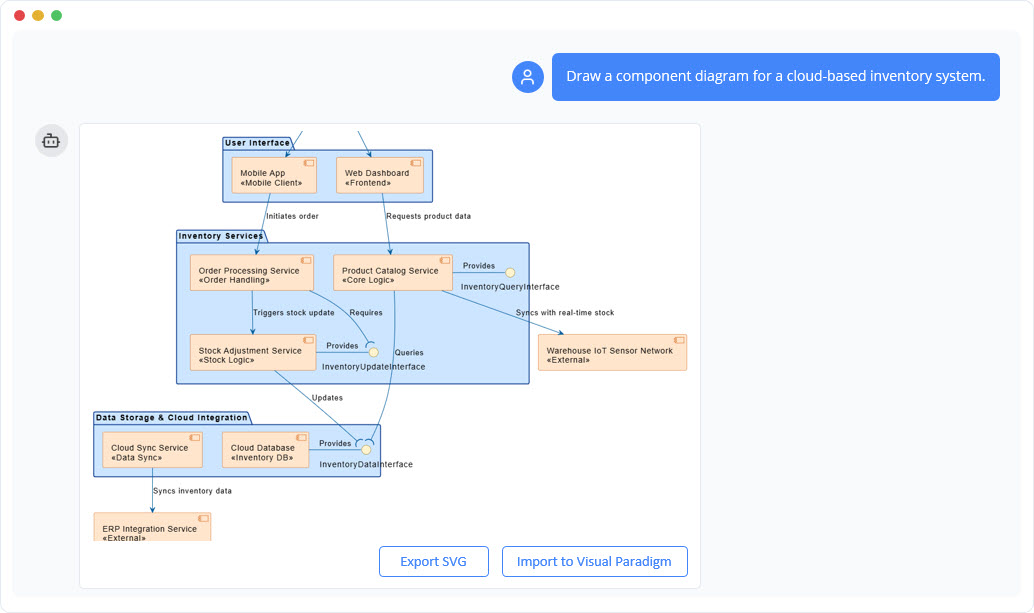
Team: Product & UX Design
Use Case: Rapidly prototype user flows for a new mobile banking feature.
Before:
Product managers spent hours drafting flowcharts in Figma, only to have them misinterpreted during sprint planning.
After:
The team began using the AI Visual Modeling Chatbot to describe their vision in natural language:
“Create a sequence diagram showing a user logging in via biometrics, checking their balance, and transferring $100 to a linked account with a 24-hour delay confirmation.”
✅ Result:
-
The AI generated a complete, editable sequence diagram in seconds.
-
Team members could ask follow-up questions: “Add a security alert if the transfer exceeds $500.”
-
The diagram was exported directly into VP Desktop for engineering use.
💡 Impact:
Discovery time reduced from 3–5 hours per feature to under 30 minutes.
Phase 2: Collaboration & Documentation – OpenDocs (Living Knowledge Base)
Team: Internal Knowledge & Onboarding
Use Case: Build a dynamic, team-accessible onboarding handbook.|
Before:
Onboarding documents were static PDFs. Diagrams were embedded as images—impossible to update or collaborate on.
After:
NexaTech migrated to OpenDocs, creating a centralized wiki with embedded AI-assisted diagrams.
Example:
A Mind Map on “How the Payment Engine Works” was created using AI. Team members could:
-
Click to edit the diagram in real time.
-
Add comments: “This flow needs error handling for failed transactions.”
-
AI automatically updated the Activity Diagram based on the new input.
✅ Result:
90% of onboarding queries were resolved via the wiki.
Documentation stayed current and interactive—no more outdated diagrams.
Phase 3: Architecture & Compliance – C4 PlantUML Studio (Web App Studio)
Team: Enterprise Architecture & DevOps
Use Case: Build a formal architecture report for a cloud migration.
Before:
Architecture diagrams were often inconsistent. Teams used different naming conventions and abstraction levels.
After:
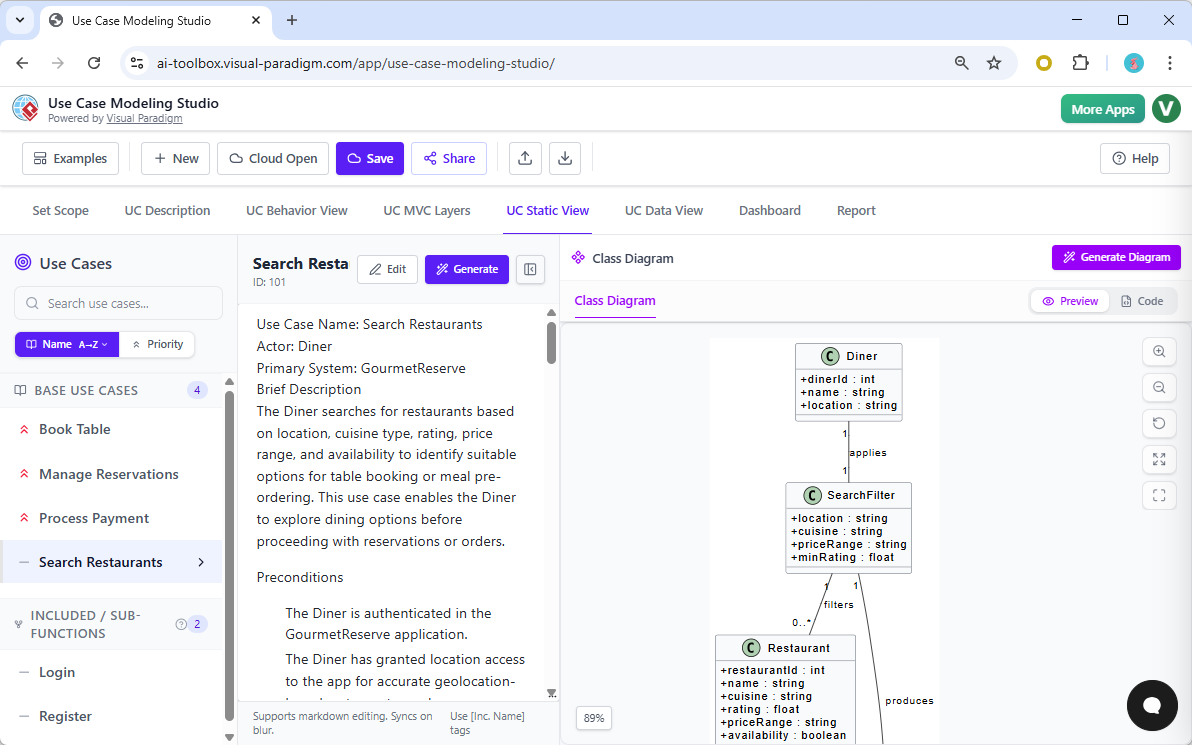
The architecture team used the C4 PlantUML Studio to guide their modeling process step-by-step:
-
Context Diagram: “Show the user and the banking app.”
-
Container Diagram: “Break down the app into microservices.”
-
Component Diagram: “Detail the payment service and its dependencies.”
-
Code View: “Generate the class diagram for the transaction processor.”
✅ Result:
-
The report followed C4 model standards.
-
Diagrams were automatically validated for consistency.
-
Generated code snippets were exported directly into GitHub.
📌 Impact:
The migration report was approved by the CTO in one week—a 50% reduction in review time.
Phase 4: Engineering & Code Generation – VP Desktop (The Full Stack Modeler)
Team: Backend & Full-Stack Developers
Use Case: Generate production-ready code from UML models.
Before:
Developers spent days manually creating class diagrams and writing boilerplate code.
After:
The team used VP Desktop to:
-
Generate UML class diagrams from AI prompts.
-
Link diagrams to database schemas via reverse engineering.
-
Generate Java and Spring Boot code directly from class models.
-
Maintain traceability between use cases, sequence diagrams, and code.
Example:
A use case “Process Refund” was linked to:
-
A Use Case Diagram →
-
A Sequence Diagram →
-
A Class Diagram →
-
Generated Java Service Class
✅ Result:
70% of the code was generated automatically.
No more misalignment between design and implementation.
Version control was integrated via VP Server.
Results: Measurable Impact Across the Organization
| Metric | Before VP AI | After VP AI | Improvement |
|---|---|---|---|
| Average time to create a system diagram | 3.5 hours | 25 minutes | ~85% faster |
| Number of outdated diagrams in documentation | 47% | 5% | 89% reduction |
| Time to generate code from design | 5–7 days | 1–2 days | 60% faster |
| Onboarding completion time (avg.) | 14 days | 7 days | 50% faster |
| Architecture review cycle | 3 weeks | 1 week | 66% faster |
✅ Key Outcome:
NexaTech achieved faster delivery, fewer errors, and stronger alignment across product, engineering, and architecture teams—all powered by a single AI ecosystem.
Why It Worked: The Power of a Multi-Platform AI Ecosystem
NexaTech didn’t just adopt a tool—they reimagined their entire modeling workflow by leveraging the four pillars of Visual Paradigm AI:
| Platform | Role in NexaTech’s Workflow |
|---|---|
| AI Chatbot | Fast ideation and stakeholder alignment |
| OpenDocs | Living documentation and team collaboration |
| Web App Studios | Enforced methodology (C4) and compliance |
| VP Desktop | Full engineering control and code generation |
🔗 Critical Insight:
The real breakthrough wasn’t AI alone—it was seamless integration across platforms. A diagram started in the Chatbot could be refined in OpenDocs, validated in C4 Studio, and engineered in VP Desktop—all with full traceability.
Lessons Learned & Best Practices
-
Start with the Chatbot for discovery—no setup, no learning curve.
-
Use OpenDocs for team wikis and onboarding—keep visuals alive and editable.
-
Leverage Web App Studios for compliance-driven projects (e.g., C4, ArchiMate).
-
Migrate to VP Desktop only when you need code generation, version control, and deep integration.
-
Train teams in stages—don’t force the entire organization to use VP Desktop on Day 1.
Final Thoughts: From Diagrams to Delivery—Powered by AI
NexaTech’s journey proves that AI-generated diagrams are only as valuable as their traceability, editability, and integration with real development workflows.
Visual Paradigm AI isn’t just a diagramming tool. It’s a unified AI-powered modeling engine that turns ideas into actionable, testable, and maintainable systems.
🏁 In the age of AI, the best diagrams aren’t just visual—they’re intelligent, connected, and engineered.
📌 NexaTech’s Takeaway:
“We didn’t just save time—we built a culture of clarity. Now, every diagram tells a story, and every story leads to code.”
— Alex Rivera, CTO, NexaTech
🔗 Explore the Visual Paradigm AI Ecosystem
See how your organization can transform its modeling workflow—from idea to implementation—using AI that doesn’t just draw, but understands, traces, and engineers.
- AI Chatbot Feature – Intelligent Assistance for Visual Paradigm Users: This resource introduces the AI-powered chatbot functionality designed to provide users with instant guidance, task automation, and enhanced productivity.
- Visual Paradigm Chat – AI-Powered Interactive Design Assistant: An interactive AI interface that helps users generate diagrams, write code, and solve design challenges in real time through a conversational assistant.
- AI Chatbot for Diagramming: How It Works with Visual Paradigm: This article explains how the chatbot acts as an AI-powered modeling assistant that turns natural language directly into diagrams without requiring knowledge of specific syntax.
- Introducing Visual Paradigm AI Chatbot: A Smarter Way to Create Diagrams: This update highlights how the chatbot enables natural language diagram generation, smart editing, and contextual analysis for enterprise modeling.
- Visual Paradigm AI Chatbot: Turn Your Ideas into Diagrams Instantly: A guide highlighting the assistant’s ability to visualize concepts through conversational prompts, allowing designs to grow from raw text into full models.
- How to Turn Requirements into Diagrams with an AI Chatbot: This article explores the workflow of converting project requirements into clear visual models through a continuous conversational interface.
- How AI Chatbot Can Help You Learn UML Faster: A resource detailing how the chatbot provides an interactive learning environment where users can practice UML concepts and receive instant feedback.
- Case Study: Enhancing System Modeling Efficiency with Visual Paradigm’s AI-Powered Chatbot: This case study demonstrates how the chatbot improves productivity and accuracy in system modeling by enabling conversational diagram creation.
- Visual Paradigm AI Chatbot: The World’s First Purpose-Built AI Assistant for Visual Modeling: This article highlights the launch of a groundbreaking AI assistant tailored specifically for visual modeling with intelligent guidance.
- Mastering Sequence Diagrams with Visual Paradigm: AI Chatbot Tutorial: A beginner-friendly tutorial that uses a real-world e-commerce case study to demonstrate conversational diagramming with the AI assistant.