
Understanding the internal architecture of complex systems is essential for robust software design. The Composite Structure Diagram (CSD) provides a specialized view that exposes the internal parts of a classifier and their connections. This diagram type is critical for visualizing how components interact within a larger boundary. When designed correctly, it serves as a blueprint for developers and architects, reducing ambiguity and preventing costly implementation errors. This guide explores the authoritative methods for constructing these diagrams effectively.
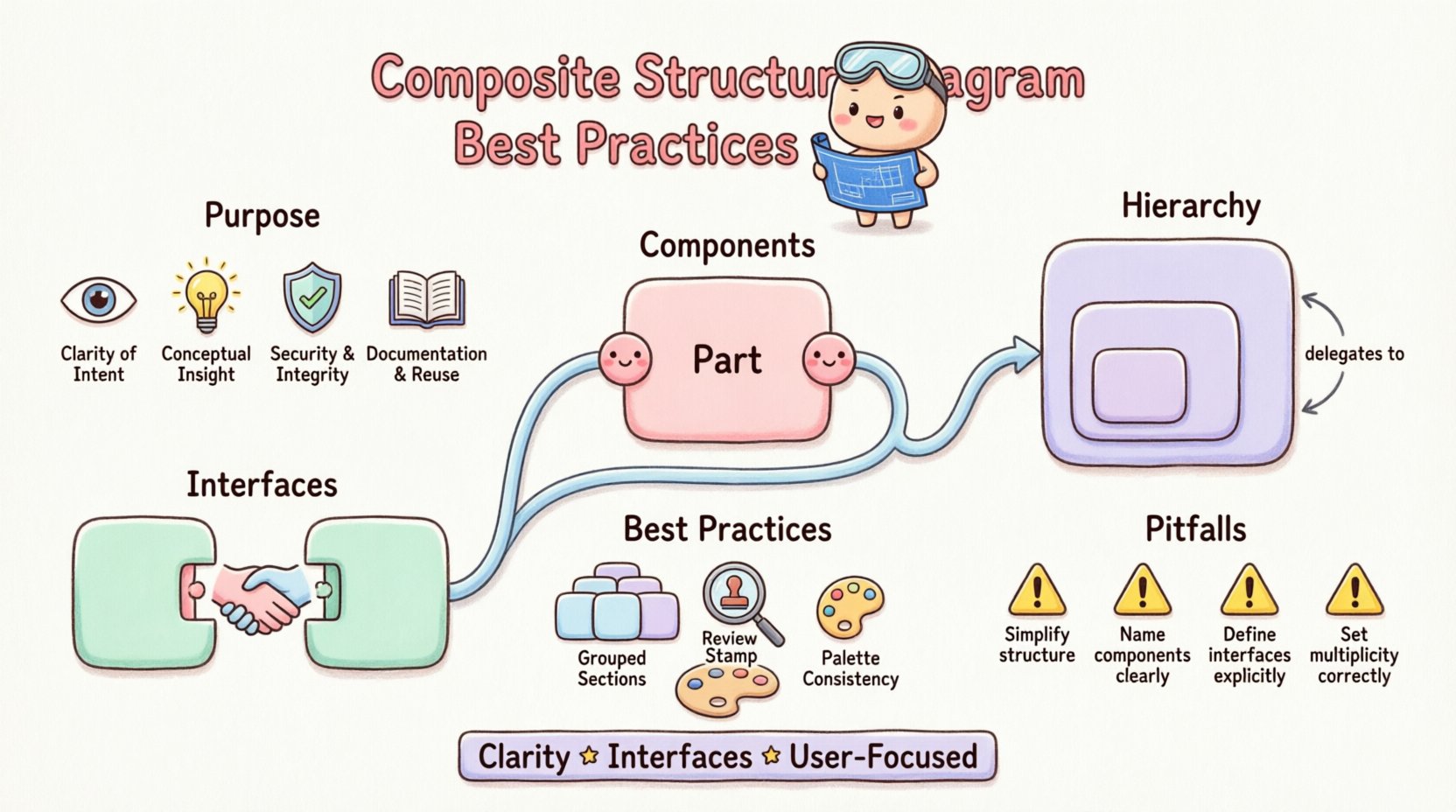
Understanding the Core Purpose of Composite Structure Diagrams 🧩
A Composite Structure Diagram is not merely a collection of boxes and lines. It represents the internal topology of a structured classifier. Unlike a standard Class Diagram, which focuses on attributes and operations, the CSD focuses on the structural relationships between parts. This distinction is vital when modeling systems where the internal composition dictates functionality.
Why Use a CSD?
- Visibility: It reveals hidden internal mechanisms that standard diagrams obscure.
- Clarity: It clarifies how data flows between internal components.
- Verification: It helps verify that the internal parts satisfy the required interfaces.
- Documentation: It serves as a long-term reference for system maintenance.
When modeling complex subsystems, a single high-level diagram often fails to capture the nuance of interaction. The CSD fills this gap by allowing you to drill down into the internal structure without losing the context of the parent classifier.
Key Components and Their Semantics 🛠️
To create an accurate diagram, one must understand the fundamental building blocks. Each element carries specific semantic meaning that dictates how the system behaves.
1. Parts and Partitions
A part represents an instance of a classifier within the composite structure. It is distinct from an association end because it implies ownership or containment. When defining a part, consider the following:
- Naming: Use descriptive names that indicate function (e.g.,
PaymentProcessorrather thanPart1). - Type: Ensure the part type matches the expected interface or class.
- Multiplicity: Define how many instances exist (e.g., 0..1, 1..*). This affects resource allocation and initialization.
2. Ports
Ports are the points of interaction for a composite structure. They define where a part connects to the outside world or to other internal parts. Ports are essential for encapsulation.
- Provided Interface: Indicates services the part offers to others.
- Required Interface: Indicates services the part needs from others.
- Direction: Ensure data flow direction is clear to avoid circular dependencies.
3. Connectors
Connectors establish the links between ports. They define the communication path between parts. Unlike associations, connectors are specific to the internal wiring of the composite.
- Binding: Connectors bind a required interface to a provided interface.
- Constraint: Use constraints to specify protocol or timing requirements.
4. Internal Nodes
Internal nodes represent the internal state or data flow within the structure. They are often used to model data buffers or intermediate processing steps. Use them sparingly to avoid clutter.
Structuring Internal Hierarchies 📐
One of the most common challenges in CSD modeling is managing hierarchy. A diagram should not be a flat list of components. It should reflect the logical nesting of the system.
Delegation Connectors
Delegation connectors are critical for passing requests from the composite structure to an internal part. They allow the outer shell to act as a proxy for inner components.
- Usage: Use when the composite needs to expose a service provided by an internal part.
- Clarity: Ensure the delegation path is explicit. Do not rely on implicit connections.
- Abstraction: Hide internal complexity behind delegation points to maintain a clean interface.
Nesting Levels
Complex systems often require nested composite structures. A part within a composite may itself be a composite structure. When modeling this:
- Separation: Consider creating separate diagrams for deeply nested structures to avoid visual noise.
- References: Use references to internal structures rather than duplicating diagrams.
- Context: Always maintain the context of the parent structure in the title or header.
Interfaces and Collaboration 🤝
The interaction between parts is defined by interfaces. A well-structured diagram relies heavily on clear interface definitions.
Defining Interfaces
Interfaces specify a contract of behavior. In a CSD, they define how parts talk to each other.
- Consistency: Ensure the interface name matches across all connected ports.
- Granularity: Avoid overly broad interfaces. Specificity reduces coupling.
- Documentation: Document the expected inputs and outputs for each interface.
Collaboration Ports
Collaboration ports allow a part to participate in a larger collaboration. This is useful when the internal structure is reused across different contexts.
- Reusability: Design parts to be portable within different composite structures.
- Alignment: Ensure the port alignment matches the expected collaboration flow.
Common Pitfalls and How to Avoid Them ❌
Even experienced modelers can fall into traps that reduce the value of a diagram. Awareness of these common issues helps maintain high quality.
1. Over-Complication
Trying to show every single detail can render a diagram unreadable. If a diagram becomes too dense, the viewer cannot grasp the main architecture.
- Solution: Abstract away non-critical details. Focus on the structural relationships that matter most.
- Solution: Use zoom levels or separate diagrams for different layers of detail.
2. Ambiguous Naming
Generic names like Component_A or Part_1 provide no context. This forces the reader to look elsewhere for meaning.
- Solution: Use domain-specific terminology.
- Solution: Ensure names reflect the responsibility of the part.
3. Missing Interfaces
Connecting ports without defining the interface leads to confusion. It is unclear what data is being exchanged.
- Solution: Always explicitly define the interface type for every port.
- Solution: Validate that the required and provided interfaces are compatible.
4. Ignoring Multiplicity
Ignoring how many instances of a part exist can lead to resource conflicts in the actual system.
- Solution: Specify multiplicity clearly on all parts.
- Solution: Consider the lifecycle of the part within the composite.
Best Practices for Clarity and Maintenance 🔄
Maintaining a diagram is as important as creating it. As the system evolves, the diagram must evolve with it. Below is a structured approach to ensuring long-term value.
Consistency in Notation
Use standard UML notation consistently. Deviations in line styles or shapes can confuse the reader.
- Line Styles: Use solid lines for connections and dashed lines for dependencies.
- Shapes: Use rectangles for classes and parts, rounded rectangles for interfaces.
- Labels: Place labels near the connecting lines for clarity.
Logical Grouping
Group related parts together visually. This helps the reader understand functional boundaries.
- Subsystems: Use boundaries to group parts that belong to a specific subsystem.
- Layers: Arrange parts vertically to represent architectural layers (e.g., Presentation, Logic, Data).
- Flow: Arrange connections to follow a natural left-to-right or top-to-bottom flow.
Review and Validation
Before finalizing a diagram, conduct a review process.
- Peer Review: Have another architect review the diagram for clarity.
- Traceability: Ensure every part in the diagram is traceable to a requirement or design document.
- Completeness: Check that all required connections are present.
Comparison of Structural Elements 📋
To aid understanding, the following table compares key elements used in composite structure modeling.
| Element | Purpose | Key Characteristic |
|---|---|---|
| Part | Represents an instance of a classifier within the structure. | Implies ownership and containment. |
| Port | Defines a point of interaction. | Encapsulates access to internal functionality. |
| Connector | Links ports together. | Defines the communication path. |
| Interface | Defines a set of operations. | Specifies the contract for interaction. |
| Delegation | Passes requests from composite to part. | Allows external access to internal services. |
Advanced Modeling Techniques 🔍
For highly complex systems, standard modeling may not suffice. Advanced techniques can provide deeper insights.
State Integration
While CSDs focus on structure, integrating state information can provide a complete picture. You can annotate parts with state information if the structure changes based on state.
- Annotation: Use notes to indicate state-dependent behavior.
- Separation: Keep state diagrams separate if the logic is complex.
Performance Considerations
Structural diagrams can also reflect performance constraints.
- Latency: Mark critical paths that require low latency.
- Bandwidth: Indicate high-volume data flows.
- Resource Limits: Note parts that have strict resource constraints.
Security Boundaries
Security is a critical aspect of modern architecture. Clearly demarcate security zones within the diagram.
- Zones: Use boundaries to separate trusted and untrusted areas.
- Encryption: Note where data encryption is required between parts.
- Authentication: Indicate parts that handle authentication logic.
Ensuring Accurate Documentation 📝
A diagram is only as good as the documentation that supports it. Without context, the visual elements can be misinterpreted.
Legend and Keys
Include a legend if you use non-standard symbols or colors. This ensures consistency across the documentation set.
- Color Coding: Use color to denote status or priority.
- Line Styles: Define what line styles mean in the legend.
Glossary of Terms
Provide a glossary for domain-specific terms used in the diagram. This is especially helpful for cross-functional teams.
- Standardization: Align terms with the project glossary.
- Clarity: Define acronyms and abbreviations.
Maintaining Diagram Integrity Over Time ⏳
Software systems evolve. The diagrams must reflect these changes to remain useful.
Version Control
Treat diagrams as code. Store them in version control systems.
- Tracking: Track changes to parts and connections.
- History: Maintain a history of architectural decisions.
Synchronization
Ensure the diagram stays synchronized with the implementation.
- Code Generation: Use tools to generate diagrams from code where possible.
- Manual Updates: Assign responsibility for updating diagrams during refactoring.
- Reviews: Include diagram updates in code review checklists.
Final Thoughts on Structural Accuracy 🎯
Creating a clear and accurate Composite Structure Diagram requires discipline and attention to detail. It is not enough to simply draw boxes and lines. The model must represent the logical truth of the system. By adhering to the practices outlined above, you ensure that the diagram serves as a reliable artifact for development and maintenance.
Focus on the relationships between parts rather than just the parts themselves. Prioritize clarity over completeness when visual space is limited. Use interfaces to manage complexity. And always keep the end-user of the diagram in mind—whether they are a developer, a tester, or a stakeholder.
When you invest time in high-quality modeling, the return on investment is a system that is easier to understand, easier to change, and easier to trust. This approach to architecture ensures that the design remains robust as the technology landscape shifts.